New program · Live batch starting soon

AI Automation & Agentic AI Course: Make AI Do Your Work, Build A Career Out Of It

Put AI to work on reports

A 6-week program that teaches anyone, from any background, to put AI to work: writing reports, answering customers, building websites, running whole processes on autopilot. No coding. No jargon. Just the skill companies are hiring for right now.

See What You'll Learn

Hurry! Only a few seats left in the founding batch.

Founding batch · Limited seats
6 Weeks33+ hours of lessons
125Lectures
Live Classes+ recordings, a project every week
Any BackgroundStarts from zero
  • No coding needed
  • Live + recordings
  • Certificate
  • Placement assistance
The opportunity

AI Is Changing Every Job. Which Side Will You Be On?

Consulting, HR, finance, marketing, sales — it doesn't matter. AI is already doing parts of every job. People who learn to use it are getting hired. People who don't are getting replaced.

Figuring It Out Alone

  • A folder of videos you never finish
  • Certificates for the sake of certificates
  • Notes, but nothing you've actually built
  • One more identical CV among lakhs
  • Nobody to answer the doubt that blocks you

This Program

  • Interactive live sessions, every week
  • A real project every single week, mentor-reviewed
  • A portfolio of working projects as proof
  • CV and LinkedIn makeovers, mock interviews
  • Access to Jobaaj's hiring-partner network

11 lakh jobs are waiting. Most people are still watching tutorials.

Mentorship & support

You Won't Do It Alone

This is a live program, not a folder of videos. Real mentors, real answers, real help getting hired.

01 · Start

Start From Absolute Zero

If you can use WhatsApp and email, you can do this. Everything is taught in plain English — no coding, no jargon.

02 · Learn

Live Mentors, Every Week

Interactive live sessions where every doubt gets answered on the spot — plus recordings if you miss one.

03 · Build

Learn By Doing

A real project every single week, reviewed with mentors. You finish with proof of skill, not just notes.

04 · Launch

Help Getting Hired

CV and LinkedIn makeovers, mock interviews, and access to Jobaaj's hiring-partner network — the same engine behind our other programs.

What you'll learn

By The End, You Will Be Able To…

Not theory. Real things you'll do with your own hands.

Not certificates for the sake of it. Real things you'll do with your own hands — most of them in plain English, no code.

  1. Hand Your Boring Work To AI

    Reports, emails, data entry, research — teach AI to do the repetitive parts of any job in minutes, not hours.

  2. Build Websites & Apps

    Describe what you want in plain English and watch it get built — then put it live on the internet yourself.

  3. Create Professional Designs

    Presentations, posters, full website designs — client-ready work without ever opening Photoshop.

  4. Set Up 24/7 Automations

    Systems that answer enquiries, update spreadsheets and follow up with customers — even while you sleep.

  5. Build Your Own AI Assistant

    An AI that knows your business, answers questions from your documents and works like an extra employee.

  6. Show Real Proof

    Finish with a portfolio of working projects — something concrete to show an employer or client, not just a certificate.

Proof, not promises

A Real System Our Students Build — Watch It Work

Step 1 · A customer arrives

New Enquiry Received

From your website, form or ad — the moment it lands, the system picks it up.

0clicks from you — the trigger fires on its own
Step 2 · AI takes over

AI Reads, Understands & Replies

In seconds, in the customer's language — no template, no copy-paste.

3.2sto a written reply
Step 3 · Records updated

Spreadsheet & Follow-Up Done

No one lifted a finger. The record is written and the follow-up is scheduled.

24/7running without you — zero human clicks
Who it's for

Who Is This AI Automation Course For?

Made for people from every background. If you can use WhatsApp and email, you can do this program. Everything starts from absolute zero.

Students & Freshers

Walk into the job market with the one skill every company wants right now — instead of competing with lakhs of identical CVs.

Working Professionals

Automate the work you already know inside-out, and become "the AI person" your company can't afford to lose.

Business Owners & Freelancers

Let AI handle your leads, follow-ups and reports — or sell automation to clients as a whole new income stream.

Complete Beginners

Never written a line of code? Perfect. You'll do everything by describing what you want in plain English.

Hurry! Only a few seats left.

AI automation course syllabus

Your 6-Week AI Automation Course Journey — Every Single Lecture

6 weeks · 125 lectures · 33+ hours. Each week has one clear goal in plain language, ends with a real project you build yourself, and everything is recorded so you never fall behind. Tap any section to see the lectures inside.

WEEK 1

Foundations: Problem-Solving + Claude Cowork

Meet your AI employee — learn to spot boring, repetitive work and hand it over to AI.

21 lectures5h 3mMilestone project
Course Introduction & Orientation3 lectures · 34 min
  1. Claude Cowork vs. Claude Code vs. Skills vs. Plugins: Understanding the Ecosystem14 min
  2. Real-World Use Cases: What You Can Build with Cowork & Code10 min
  3. Make your Claude 5x Better10 min
Problem-Solving & Stakeholder Foundations5 lectures · 1h 7m
  1. Finding the Right Problem: Spotting Automation & Agent Opportunities Around You14 min
  2. Understanding Stakeholders: Mapping Who You're Really Solving For12 min
  3. Requirements Gathering: Turning a Vague Ask into a Clear Brief14 min
  4. Scoping for Impact: MVP Thinking Before You Touch a Tool12 min
  5. Case Study Kickoff: Choose Your Track (Freelancer / Enterprise / Founder) + Knowledge Check15 min
Claude Cowork12 lectures · 2h 22m
  1. Setting Up Claude Cowork: Account, Pricing & Orientation12 min
  2. Claude Cowork Explained: A Complete Overview12 min
  3. Your First Cowork Project: A Step-by-Step Walkthrough12 min
  4. Bonus Project: Excel Dashboard12 min
  5. Expanding Your Toolkit: More Cowork Use Cases + Teach-Back Exercise12 min
  6. Browser Automation: Using Claude Cowork with the Chrome Extension12 min
  7. Automating Recurring Tasks: Teaching & Scheduling Claude12 min
  8. Mastering Claude Connectors: Setup & Practical Use12 min
  9. Bonus Use Cases & Knowledge Check12 min
  10. Managing Cowork Projects & Scheduled Tabs12 min
  11. Build & Publish a Web App with Cowork in 20 Minutes12 min
  12. Claude Dispatch: Running Cowork from Your Phone10 min
Milestone project 1Automate a Recurring Task with Claude Cowork

Tiered project — a brief for your track: Freelancer, Enterprise or Founder.

60 min
WEEK 2

Claude Skills & Plugins

Teach AI to do tasks your way, every time — like a recipe it follows perfectly.

19 lectures4h 32mMilestone project
Claude Skills — Fundamentals7 lectures · 1h 24m
  1. Introduction to Claude Skills + Hands-On Practice12 min
  2. Claude Skills Fundamentals + Knowledge Check12 min
  3. Creating Skills in Claude: Methods & Templates12 min
  4. Hands-On: Build & Explain Your First Skill12 min
  5. Editing & Updating Your Skills12 min
  6. Practice Project: Create 3 Skills and Level Up Your Workflow12 min
  7. Skills Marketplace & Bonus Starter Kit12 min
Claude Skills — Advanced6 lectures · 1h 18m
  1. Advanced Skills: Introduction & 5 Design Patterns13 min
  2. Writing Effective Skill Instructions: Good vs. Bad13 min
  3. Testing Your Skills: Three Proven Methods13 min
  4. Folder Structure Best Practices + Knowledge Check13 min
  5. Creating a Skill Manually from Scratch13 min
  6. Editing & Improving Your Skills + Hands-On Exercise13 min
Claude Plugins5 lectures · 1h 5m
  1. Claude Plugins Explained: Overview & How They Differ from Skills13 min
  2. Using Plugins Inside Claude + Hands-On Exercise13 min
  3. Customizing & Installing Plugins from GitHub or URL13 min
  4. Building & Publishing Your Own Plugin13 min
  5. Anthropic's Built-In Plugins + Knowledge Check13 min
Milestone project 2Build and Submit a Custom Skill

Tiered project — a brief for your track: Freelancer, Enterprise or Founder.

45 min
WEEK 3

Claude Code

Build real apps by describing them in plain English — the AI writes the code.

24 lectures6h 27mMilestone project
Claude Code — Basics11 lectures · 2h 12m
  1. Welcome to Claude Code + Starter Pack12 min
  2. Installing Claude Code on macOS12 min
  3. Installing Claude Code on Windows12 min
  4. The Claude Desktop App & Interface Tour12 min
  5. Project Setup: Subscription vs. API Key + Exercise12 min
  6. Introduction to Git & GitHub12 min
  7. Understanding IDEs & Setting Up Claude Code in Cursor12 min
  8. Claude Code in VS Code: Basic Commands + Practice12 min
  9. Building Your First App with Claude Code + Portfolio Exercise12 min
  10. How to Get Better Results from Claude Code12 min
  11. Git vs. GitHub + Knowledge Check12 min
Claude Code — Advanced11 lectures · 2h 45m
  1. Git & GitHub Setup15 min
  2. Saving Your Work with Git & GitHub + Hands-On Exercise15 min
  3. The CLAUDE.md File: Your Project's Memory + Exercise15 min
  4. Getting Started with Antigravity15 min
  5. Plan Mode in Action: Building a Financial Tracker App15 min
  6. Understanding & Creating Sub-Agents in Claude Code15 min
  7. Using Skills Inside Claude Code15 min
  8. Deploying Your Project to the Web + Exercise15 min
  9. Full Project Part 1: Coffee Shop Website & Deployment15 min
  10. Full Project Part 2: Adding an AI Assistant & Reservations with n8n15 min
  11. Capstone Exercise & 50 Bonus Project Ideas15 min
Live Activity1 lecture · 30 min
  1. Activity: Live Peer Code Review SessionLive activity30 min
Milestone project 3Build & Deploy a Working App or Automation with Claude Code

Tiered project — a brief for your track: Freelancer, Enterprise or Founder.

60 min
WEEK 4

Claude Design + Integrations

Create professional designs & websites, and connect AI to tools you already use.

24 lectures6h 4mMilestone project
Claude Design10 lectures · 2h 10m
  1. What Is Claude Design? An Overview13 min
  2. Creating Your First Designs in Claude Design + Exercise13 min
  3. Building a Design System Inside Claude Design13 min
  4. Using Your Design System13 min
  5. 3D Application Challenge & 6 Unique Use Cases13 min
  6. Final Project: Build a Complete Website & Deploy with Vercel13 min
  7. Building a Mobile App Prototype13 min
  8. Token Usage, Common Mistakes, Limitations & Sharing Options13 min
  9. Working with Claude Design Templates13 min
  10. Free Alternative: Open Design + Knowledge Check13 min
Claude + Other Tools (Integrations)12 lectures · 2h 24m
  1. Claude + Excalidraw: Complex Diagrams in Seconds12 min
  2. Claude + Higgsfield: AI Image & Video Generation12 min
  3. Claude + Nano Banana 2 + Kling 3.012 min
  4. Claude + Firecrawl: The Ultimate Scraping Workflow12 min
  5. Claude + Notion: The Complete Productivity Guide12 min
  6. Claude + Google Stitch 2.0: Turning Claude into an AI UI Designer12 min
  7. Claude + Obsidian: Building a Self-Updating Knowledge Base12 min
  8. Claude + Canva: The Ultimate Design Combo12 min
  9. Claude + ElevenLabs12 min
  10. Claude + Playwright12 min
  11. Claude for Video Editing: The Complete Guide12 min
  12. Claude + NotebookLM12 min
Live Activity1 lecture · 30 min
  1. Activity: Live Q&A — Claude for Your Specific Track (Freelancer / Enterprise / Founder)Live activity30 min
Milestone project 4Design & Publish a Client-Ready Asset with Claude Design

Tiered project — a brief for your track: Freelancer, Enterprise or Founder.

60 min
WEEK 5

Beyond Claude I: Code, Workflows & APIs

Set up automations that run 24/7 on their own — even while you sleep.

15 lectures4h 11mMilestone project
Just Enough Code to Read & Optimize4 lectures · 50 min
  1. You Don't Need to Be a Programmer — But You Must Read Code9 min
  2. Reading JSON & Data Structures Without Fear12 min
  3. Reading & Tweaking JavaScript (and using AI to optimize it)16 min
  4. Expressions & Regex Essentials for Automations13 min
Why You Need More Than Claude: n8n & Always-On Workflows5 lectures · 1h 10m
  1. Claude vs n8n / Make / Zapier: When to Reach for a Workflow Engine14 min
  2. Cloud vs Self-Hosted + Installing n8n (npm / Docker)15 min
  3. The n8n Canvas: Nodes, Connections, Executions & Data Flow15 min
  4. Triggers, Actions, Branching & Scheduling14 min
  5. Managing Credentials & Environments Safely12 min
APIs, Webhooks & Authentication from Scratch5 lectures · 1h 11m
  1. What Is an API? REST, Endpoints & JSON in Plain English13 min
  2. The HTTP Request Node: Calling Any API16 min
  3. Webhooks: Receiving Live Events in Real Time15 min
  4. API Keys, OAuth2 & Bearer Tokens14 min
  5. Securing Webhooks: HMAC, Rate Limiting & Retries13 min
Milestone project 5Build Your First Always-On Workflow (n8n + API/Webhook)

Tiered project — a brief for your track: Freelancer, Enterprise or Founder.

60 min
WEEK 6

Beyond Claude II: Data, Agents, RAG & Shipping

Connect everything and ship a complete AI system you can show any employer or client.

22 lectures7h 5mFinal capstone
Real Integrations, Databases & ETL5 lectures · 1h 15m
  1. Connecting Gmail, Slack, Sheets, Notion & CRMs15 min
  2. Databases 101: Read & Write PostgreSQL & MySQL15 min
  3. Build an ETL Pipeline (API to Transform to DB)18 min
  4. Production Reliability: Error Handling, Retries & Alerting15 min
  5. Debugging Failed Executions & Reading Logs12 min
LLMs & AI Agents in Your Workflows6 lectures · 1h 26m
  1. Connecting Claude, OpenAI & Gemini into n8n14 min
  2. Structured Output & Document Processing (extract / classify)15 min
  3. Prompt Engineering for Reliable Outputs (formula, few-shot, CoT)14 min
  4. Building an Eval to Test Prompt Quality13 min
  5. The AI Agent Node: Tools, Memory & Autonomy18 min
  6. Multi-Agent Orchestration Overview (LangChain / LangGraph / CrewAI)12 min
RAG, Vector Databases & Memory4 lectures · 59 min
  1. Why Agents Lose Context — and How RAG Fixes It12 min
  2. Embeddings & Vector Databases (Supabase/pgvector, Pinecone)15 min
  3. Build a RAG Workflow Over Company Knowledge18 min
  4. Semantic Search, Retrieval & Debugging RAG Failures14 min
From Automation to Product + Deploy4 lectures · 1h 5m
  1. Build a Customer-Support Agent (Claude + n8n + RAG)18 min
  2. Build a Sales / Ops Automation (lead to CRM to follow-up)16 min
  3. MCP: Turn n8n Into an MCP Server + Connect Claude Desktop / Cursor15 min
  4. Deploy, Version (Git), Monitor & Document for Production16 min
Live Activity2 lectures · 50 min
  1. Activity: Live Demo — Share Your Favorite Claude IntegrationLive activity30 min
  2. Assignment: Write 5 Optimized Prompts Using Course TechniquesAssignment20 min
Final capstoneBuild & Ship a Production AI Workforce Solution + Presentation

Tiered project — a brief for your track: Freelancer, Enterprise or Founder.

90 min

Every session recorded. Lifetime access to all training material.

Hurry! Only a few seats left.

Tools you'll use

Tools You'll Master In This AI Automation Course

Every tool below is taught inside the 6-week curriculum, from zero.

Claude Ecosystem

  • Claude Cowork
  • Claude Skills
  • Claude Plugins
  • Claude Code
  • Claude Design
  • Claude Dispatch

Automation & Agents

  • n8n
  • APIs & Webhooks
  • AI Agent Node
  • RAG
  • MCP
  • LangChain / LangGraph / CrewAI

Build & Ship

  • Git & GitHub
  • Cursor
  • VS Code
  • Antigravity
  • Vercel

Data & Integrations

  • PostgreSQL & MySQL
  • Supabase / pgvector
  • Pinecone
  • OpenAI & Gemini
  • Notion
  • Canva
  • NotebookLM
  • ElevenLabs
  • Firecrawl
  • Playwright
What you'll have shipped

Finish With Real Proof, Not Just A Certificate

Every week ends with a real project you build yourself — an automation, an app, a website, a working AI assistant.

Weeks 1–2 · Task automation

Your Boring Work, Handed Over.

Reports, emails, data entry, research — you teach AI to do the repetitive parts of your job in minutes, not hours, then package that logic into a Skill it follows perfectly every time.

  1. A recurring taskthe one you do every week
  2. Handed to Claude Coworkscheduled, running on its own
  3. Saved as a custom Skillreusable, tested, submitted
Week 3 · Apps & websites

An App You Built And Put Live.

Describe what you want in plain English and watch it get built — then deploy it to the internet yourself, versioned with Git, ready to show anyone.

  1. Planned in plain Englishno code written by you
  2. Built with Claude Codecoffee-shop site, financial tracker
  3. Deployed to the weba live link in your portfolio
Weeks 4–5 · Always-on workflows

Systems That Run Without You.

Client-ready designs published from your own design system, plus n8n workflows wired to real APIs and webhooks — answering enquiries and updating records while you sleep.

  1. A published design assetwebsite, prototype or deck
  2. An always-on n8n workflowtriggers, branching, scheduling
  3. Secured with real authAPI keys, OAuth2, retries
Week 6 · Full AI system

Your Own AI Assistant, Shipped.

An AI that knows your business, answers from your documents and works like an extra employee — deployed, monitored and presented as your final capstone.
  1. A support agent with RAGanswers from company knowledge
  2. A sales / ops automationlead → CRM → follow-up
  3. Deployed and presentedproduction AI workforce solution
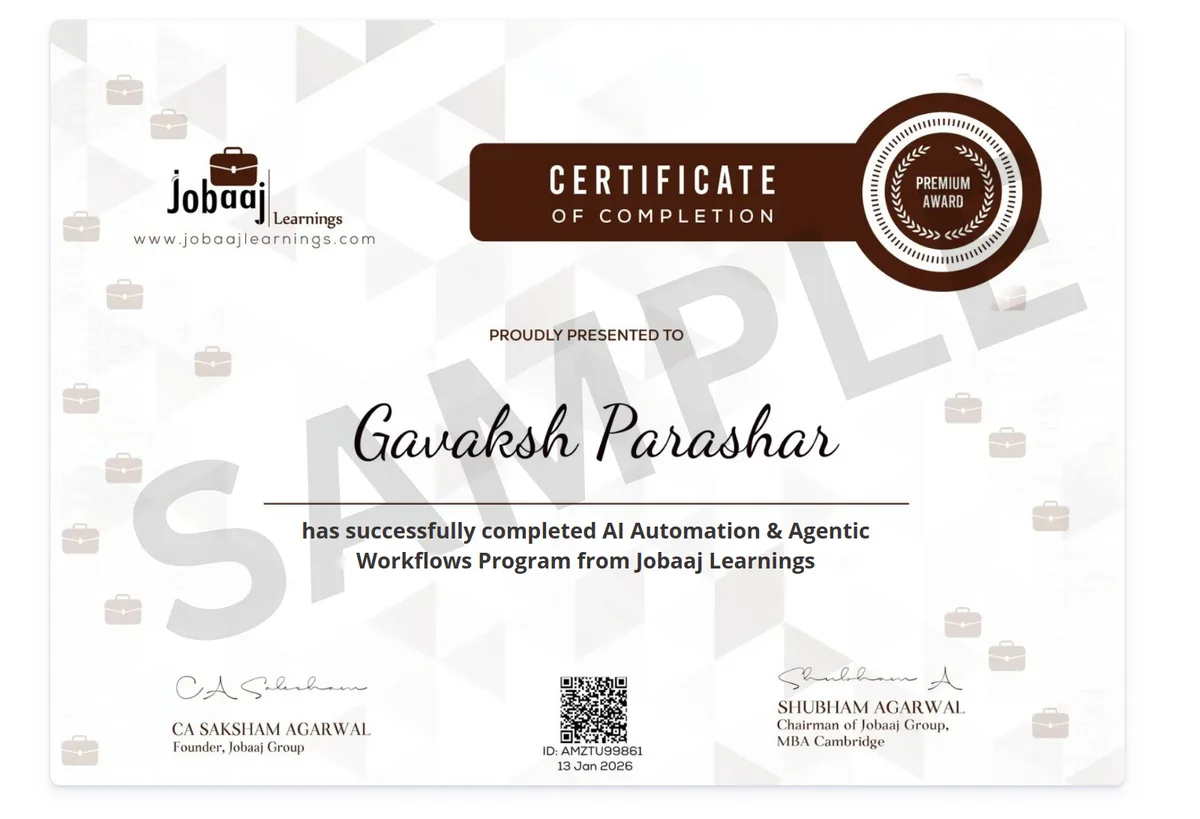
Sample Jobaaj Learnings certificate of completion for the AI Automation & Agentic Workflows Program
Certification

Be In The Spotlight By Getting Certified!

Earn a professional certificate of completion that details your achievements and project highlights.

  • Official and verified: receive an instructor-signed certificate with the institution's logo to verify your achievements and increase your job prospects.
  • Easily shareable: add the certificate to your CV or resume, or post it directly on LinkedIn, Instagram and Twitter.
  • Enhances credibility: use your certificate to enhance your professional credibility and stand out among your peers!
Community

Become A Part Of The AI Automation Community

You get exclusive community access with the program, alongside live mentors who answer every doubt and review your work.

01

Doubts Answered Live

Interactive live sessions where every doubt gets answered on the spot — plus recordings if you miss one.

02

1:1 Project Reviews

A real project every week, reviewed 1:1 with your mentor on your chosen track.

03

Help Getting Hired

CV and LinkedIn makeovers, mock interviews and access to Jobaaj's hiring-partner network.

Your track

Every Project, Written For Your Track

You choose your track in Week 1's case-study kickoff. Every milestone project after that comes as a tiered brief for it.

FreelancerTiered milestone briefs for freelance work
EnterpriseTiered milestone briefs for work inside a company
FounderTiered milestone briefs for your own business
How the program runs

Four Steps From Application To Hired

Step 01

Apply

Fill in a short application — any background, no coding experience needed.

Step 02

Join The Live Batch

Six weeks of live classes with mentors, all recorded, with lifetime access.

Step 03

Build Every Week

A real project each week, reviewed 1:1 with your mentor on your chosen track.

Step 04

Get Placed

CV and LinkedIn makeovers, mock interviews and Jobaaj's hiring-partner network.

Hurry! Only a few seats left.

Alumni

Our Learners, At Leading Companies

Jobaaj Learnings learners now working across leading companies.

Sherwin Navin Mathias

Sherwin Navin Mathias

AI Product Manager

MBA

Employer of Sherwin Navin Mathias: Neo Wealth and Asset Management
Henil

Henil

Data Scientist

Fresher

Employer of Henil: Zota Healthcare Limited
Harshal Patil

Harshal Patil

Sales Consultant

MBA

Employer of Harshal Patil: Decibel Consulting
Priyanshi Chaudhary

Priyanshi Chaudhary

Product Intern

BCA - Fresher

Employer of Priyanshi Chaudhary: Songdew Media Pvt. Ltd.
Madhan M

Madhan M

Finance Associate

CMA (USA)

Employer of Madhan M: Access Healthcare
Sreemoyee Sen Gupta

Sreemoyee Sen Gupta

Analyst in Assurance

B. Sc. (Food & Nutrition)

Employer of Sreemoyee Sen Gupta: SR Batliboi & Co. LLP
Aryan Joshi

Aryan Joshi

EV Consultant

Mahindra & Mahindra Limited
Employer of Aryan Joshi: JMK Research & Analytics
Saloni

Saloni

Analyst

PGDM in Finance & Business Analytics

Employer of Saloni: S&P Global
Mayank Bhardwaj

Mayank Bhardwaj

UX Tax Analyst

M.Com. Fresher

Employer of Mayank Bhardwaj: Pacific Group of Companies
Agam Kaushal

Agam Kaushal

Valuation Analyst

M.Sc. Finance

Employer of Agam Kaushal: MGB Advisors
Saransh Goyal

Saransh Goyal

Business Analyst Intern

B.Com Fresher

Employer of Saransh Goyal: Probey Services
Avneet Kaur

Avneet Kaur

Programme Management Intern

B.Tech - Pursuing

Employer of Avneet Kaur: Indofast energy

Our alumni work at the world's top brands

Zomato Accenture Deloitte Amazon EY McKinsey IBM Morgan Stanley Deutsche Bank Crisil BCG HSBC
Success stories

Jobaaj Learnings Success Stories 🏆

Real learners on how Jobaaj Learnings helped them land their roles. Pick a story to watch.

From Persuing MBA to Associate Analyst: Vivek’s Journey with Jobaaj Learnings1 / 186 Videos
Pricing

AI Automation Course Fees: Simple, Honest Pricing

AI Automation & Agentic Workflows

One program. Everything included. Pay at once or in easy monthly instalments.

🔥 XX% OFF · Founding Batch
₹1,19,999 ₹XX,999

Lifetime access • Full curriculum • Placement assistance

  • 30+ live sessions with mentors
  • Exclusive community access
  • Lifetime access to training material
  • Real automation & AI agent portfolio projects
  • Career assistance by Jobaaj
  • 1:1 project reviews with the mentor
  • 1:1 CV & profile review
  • Premium CV builder & optimizer
  • Premium LinkedIn optimizer
  • Complete AI & automation tools training — from zero

Hurry! Only a few seats left in the founding batch.

FAQs

AI Automation Course FAQs: Questions, Answered

Anything else — message us on WhatsApp, we reply fast.

I'm not from a tech background. Can I really do this?

Yes — the program is designed for exactly you. You start with tools where you simply type what you want in plain English. The small amount of technical material that comes later is taught from zero, step by step, and mentors answer every doubt live.

What if I miss a live class?

Every session is recorded and you get lifetime access, so you can catch up any time and go at your own pace. Doubts from missed classes get answered in the next live session or on the support channels.

How much time do I need each week?

Around 5–6 hours a week — the lessons total 33+ hours over 6 weeks, plus time for your weekly project. Since everything is recorded, working professionals comfortably manage it alongside a full-time job.

What do I actually walk away with?

Three things: a skill companies are actively hiring for, a portfolio of real working projects you built yourself (including your final complete AI system), and an industry-recognized certificate from Jobaaj Learnings.

Will you help me get a job?

Yes — job preparation runs alongside the whole program: AI-optimized CV, LinkedIn makeover, mock interviews with mentors, and access to Jobaaj's hiring-partner network — the same placement engine behind our consulting and data analytics programs.

11 Lakh AI Jobs Are Waiting. Learn To Do Them In 6 Weeks.

The people who learn AI now will be the ones hiring managers fight over in 2027. Join the founding batch before the seats fill up.

Hurry! Only a few seats left.

A
Student
enrolled
Just now