Categories














/content/learnings/assets/header/ManagementConsulting.svg)
/content/learnings/assets/header/InvestmentBanking.svg)


























/content/learnings/assets/header/programs/1.png)
/content/learnings/assets/header/programs/4.png)


Imagine you have a long to-do list. Each task feels important but also overwhelming. It’s growing every day, and it’s hard to keep track of what’s done, what’s not, and where you left off. Now, picture yourself creating a tool—a personal to-do app—that not only helps you manage your tasks but also handles a ton of tasks efficiently, even when the list grows longer than you imagined. Sounds like a challenge? It’s actually simpler than you think, especially when you use the MERN stack.
Exploring a career in Web Development? Apply now!
The MERN stack is like a toolkit made up of four powerful technologies: MongoDB, Express.js, React, and Node.js. These technologies, when combined, give you everything you need to build dynamic, fast, and scalable web applications. In this blog, we’ll guide you through the process of building a scalable to-do app using the MERN stack. By the end of this post, you’ll not only have a working to-do app but also a better understanding of full-stack development.
What is the MERN Stack and Why Use It?
Before we dive into the technical steps, let’s quickly understand what the MERN stack is and why it’s such a great choice for building applications like a to-do app.
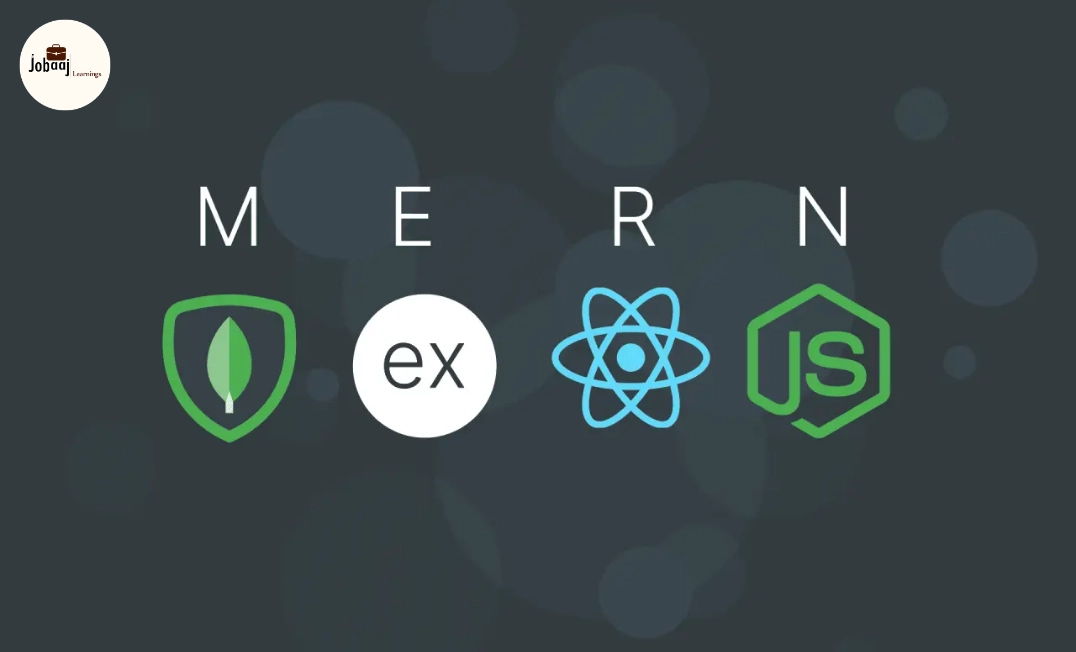
The MERN stack is a combination of four technologies that work together seamlessly:
-
MongoDB: A NoSQL database that stores your app's data in a flexible and easily accessible format. Unlike traditional databases, MongoDB stores data in JSON-like documents, which makes it incredibly easy to scale as your app grows.
-
Express.js: A minimalist backend framework for Node.js, it simplifies creating server-side logic, handling HTTP requests, and defining routes for your app. Express helps you structure your backend code more effectively.
-
React: A JavaScript library for building user interfaces. React is perfect for creating interactive, dynamic front-end components, which is exactly what we need for a responsive to-do app.
-
Node.js: A JavaScript runtime that lets you run JavaScript on the server-side. It’s lightweight, fast, and allows you to use JavaScript for both the client-side and the server-side, making it easier to work on the entire stack without switching between different languages.
Together, these four technologies enable you to build both the frontend and backend of your application using JavaScript, creating a smooth development experience and providing scalability as your app grows.
Step 1: Setting Up Your Project Environment
Now that we have a solid understanding of the MERN stack, let’s begin setting up the project.
1.1 Install Node.js and npm
Before we can install any dependencies, you need to have Node.js installed on your system. Node.js comes with npm (Node Package Manager), which allows you to manage and install packages for your project. You can download Node.js from here. Once installed, you can check your version of Node.js by typing the following in your terminal:
node -v npm -v
1.2 Initialize the Project
Open your terminal and create a new folder for your app, then navigate into it:
mkdir mern-todo-app cd mern-todo-app
Now, initialize your project with the following command, which creates a package.json file to manage project dependencies:
npm init -y
1.3 Install Dependencies
Next, let’s install Express.js and Mongoose (which will allow us to interact with MongoDB):
npm install express mongoose
Step 2: Building the Backend with Node.js and Express
Let’s now focus on the backend. We will set up the server to handle the data for our to-do list.
2.1 Create the Express Server
In your project directory, create a file called server.js. This file will handle the routes and server logic. Here's a basic setup:
const express = require('express'); const mongoose = require('mongoose'); const app = express(); mongoose.connect('mongodb://localhost/todo-app', { useNewUrlParser: true, useUnifiedTopology: true }) .then(() => console.log('Database connected')) .catch(err => console.log('Error connecting to database:', err)); app.use(express.json()); app.get('/', (req, res) => { res.send('Welcome to the MERN to-do app!'); }); const PORT = 5000; app.listen(PORT, () => { console.log(`Server is running on port ${PORT}`); });
Here, we’ve set up a simple Express server that connects to a local MongoDB database and listens for requests.
2.2 Define the To-Do Model
In the models folder, create a file called Todo.js to define the structure of our to-do tasks in MongoDB. Here’s a basic schema for a task:
const mongoose = require('mongoose'); const TodoSchema = new mongoose.Schema({ task: { type: String, required: true, }, completed: { type: Boolean, default: false, }, }); module.exports = mongoose.model('Todo', TodoSchema);
This schema defines the task (the to-do item) and whether it’s completed or not.
Step 3: Building the Frontend with React
Now, let’s create the front-end where users will interact with the to-do list.
3.1 Set Up React
In a new terminal window, navigate to the client folder and create a new React app:
npx create-react-app client cd client npm start
This creates a new React project and starts the development server. You can visit http://localhost:3000 to see the default React page.
3.2 Create the To-Do Component
Inside the src folder, create a new file called TodoList.js:
import React, { useState, useEffect } from 'react'; const TodoList = () => { const [tasks, setTasks] = useState([]); useEffect(() => { fetch('http://localhost:5000/api/todos') .then(res => res.json()) .then(data => setTasks(data)); }, []); return ( To-Do List
{tasks.map(task => (
This component fetches the tasks from the backend and displays them in a list.
Step 4: Testing and Deployment
At this point, you have a simple MERN stack to-do app running locally. You can test your app by running both the server and the client, making sure that the data flows smoothly between them.
For deployment, you can use platforms like Heroku, AWS, or Netlify to host both your frontend and backend. These platforms provide easy deployment options for full-stack MERN applications.
Conclusion
Congratulations! You’ve just built a scalable MERN stack to-do app. By combining MongoDB, Express, React, and Node.js, you now have a fully functional full-stack web application. This is just the beginning—you can expand this app by adding user authentication, advanced features, or even deployment on the cloud. With the MERN stack, you have a powerful set of tools to create any modern web application.
Building this app not only gives you hands-on experience with the MERN stack, but it also gives you a solid foundation for creating dynamic, full-stack applications in the future. Keep experimenting and building—this is just the start of your web development journey.
Dreaming of a Web Development Career? Start with Web Development Certificate with Jobaaj Learnings.
Frequently asked questions
What is the MERN stack?
The MERN stack is a collection of four technologies—MongoDB, Express.js, React, and Node.js—that together allow you to build full-stack web applications. MongoDB is the database, Express.js is the backend framework, React is the frontend library, and Node.js runs JavaScript on the server side.
How does MongoDB work with MERN?
MongoDB is used as the database in the MERN stack to store and manage data. It is a NoSQL database that stores data in flexible, JSON-like documents, making it scalable and easy to interact with through Mongoose, an ODM (Object Data Modeling) library for Node.js.
Why use React in MERN stack?
React is used for building the user interface of the app. It allows developers to create dynamic, interactive user interfaces by rendering components based on the app's state, making it ideal for responsive, real-time applications.
How does Node.js help in the MERN stack?
Node.js is used to run JavaScript on the server side. It provides a runtime environment that allows developers to build the backend logic of the app, and works seamlessly with Express.js to handle HTTP requests and routes.
What are the benefits of using the MERN stack for building apps?
The MERN stack allows you to use a single language, JavaScript, for both the front-end and back-end, simplifying development. It is also fast, scalable, and has a rich ecosystem of libraries and tools, making it ideal for building modern web applications.
How can I deploy my MERN app?
You can deploy your MERN app using platforms like **Heroku**, **AWS**, or **Netlify**. These platforms provide easy-to-use tools to host both the front-end and back-end of your MERN stack app with minimal setup.

Join 5,00,000+ Subscribers
Be a part of our ever growing community.