Categories









































Building web applications that are both powerful and scalable often involves working with both the frontend and backend of an application. Traditionally, this requires using different technologies for each part, but with Node.js, you can develop both the backend and frontend of your application using a single language—JavaScript. This unified approach makes development faster and more efficient.
In this blog, we’ll explore how to build full-stack web applications using Node.js, a popular runtime environment for JavaScript. We will guide you through setting up the backend with Node.js and connecting it to the frontend, helping you understand the key concepts behind full-stack development and how to integrate them in a real-world application.
What Exactly is Node.js?
Node.js is a runtime environment that lets you run JavaScript on the server side, as opposed to just running it in the browser. Traditionally, JavaScript was used for frontend tasks like creating interactive elements, but with Node.js, you can use the same language to handle backend tasks such as interacting with databases, handling requests, and serving data to the frontend.
Node.js is built on Chrome’s V8 JavaScript engine, known for its speed and efficiency. It uses a non-blocking, event-driven architecture, which makes it highly scalable and ideal for building applications that need to handle many requests simultaneously, such as real-time chat applications or live updates.
By using Node.js for both frontend and backend development, you can streamline your workflow and ensure seamless integration between the client-side and server-side of your application.
Setting Up a Full-Stack Application with Node.js
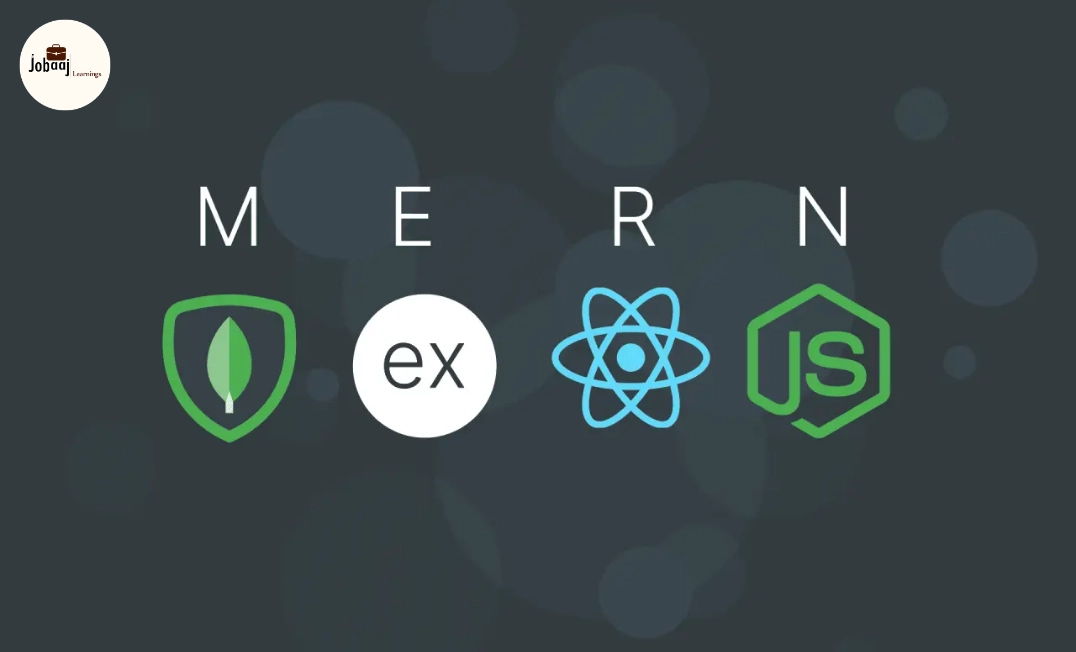
To build a full-stack application using Node.js, you'll typically work with both the backend (Node.js) and frontend (React or another JavaScript framework). Below is a general overview of the steps to set up your project:
Setting Up the Backend with Node.js
The first step is to create the backend of your application using Node.js. Node.js allows you to manage server-side logic, handle API requests, and interact with databases. You can set up a simple server to handle requests and send responses to the frontend.
In the backend, you’ll often use Express, a framework built on top of Node.js, which simplifies routing and request handling. You can set up API routes that handle GET, POST, PUT, and DELETE requests to interact with the data in your application. For example, an API route could allow your application to fetch user data, create new posts, or update settings.
Setting Up the Frontend with React
On the frontend, you can use React (or another JavaScript framework) to create a dynamic user interface. React allows you to build reusable components that make it easier to manage the user interface, especially as your application grows.
The frontend communicates with the backend through API calls. When a user interacts with the interface (such as submitting a form or clicking a button), the frontend sends a request to the backend. The backend processes the request and sends data back to the frontend, which then updates the user interface accordingly.
Key Concepts for Full-Stack Development with Node.js
-
RESTful APIs:
Node.js is commonly used for creating RESTful APIs, which provide a set of rules for how the frontend can interact with the backend. These APIs handle HTTP requests such as GET, POST, PUT, and DELETE, and they form the foundation for CRUD (Create, Read, Update, Delete) operations in your application. A RESTful API allows the frontend to retrieve data from the backend and vice versa. -
Database Integration:
Every full-stack web application needs a database to store data. Node.js integrates well with both SQL (relational) and NoSQL (non-relational) databases. Popular databases used with Node.js include MongoDB for NoSQL and MySQL or PostgreSQL for SQL. With Node.js, you can use libraries like Mongoose for MongoDB or Sequelize for SQL databases to interact with the database and store information like user data, posts, or products. -
Authentication and Authorization:
For applications that require user accounts, authentication is a crucial part of the backend. Node.js, along with libraries such as Passport.js or JWT (JSON Web Tokens), helps you handle user authentication. These tools ensure that only authorized users can access certain pages or data, adding a layer of security to your application. -
Middleware:
Middleware in Node.js is used to process requests before they reach the final route handler. Middleware functions can perform tasks like logging, error handling, and request validation. Middleware can be set up to modify the request or response, helping keep the backend organized and modular.
Benefits of Using Node.js for Full-Stack Development
-
Single Language Across the Stack:
One of the biggest advantages of using Node.js for full-stack development is the ability to use JavaScript for both the frontend and backend. This means developers don’t have to switch between different languages for client-side and server-side code, leading to a smoother development experience. -
Speed and Performance:
Node.js is built on the V8 JavaScript engine, which compiles JavaScript directly to machine code, making it extremely fast. This makes Node.js a great choice for building applications that need to handle many simultaneous requests, such as real-time chat apps, live notifications, and streaming services. -
Scalability:
Node.js is known for its ability to handle concurrent requests. The non-blocking, event-driven model allows Node.js to scale well, even under heavy loads. This makes it perfect for building applications that require real-time data updates or need to serve thousands of concurrent users. -
Large Ecosystem:
The Node Package Manager (npm) provides access to a huge ecosystem of open-source libraries and modules, making it easier to add new features to your application without having to reinvent the wheel. From handling databases to managing user authentication, npm has a package for nearly every task.
Conclusion
Node.js has revolutionized web development by allowing developers to use JavaScript for both the frontend and backend of web applications. Its performance, scalability, and simplicity make it an excellent choice for building full-stack applications. Whether you're building a simple blog or a complex data-driven application, Node.js gives you the tools you need to build fast, efficient, and scalable web applications.
As you continue to learn and experiment with Node.js, remember to break down your project into smaller tasks: set up the backend, build the frontend, and connect them through APIs. With Node.js, you’ll be able to streamline your development process and create modern, interactive web applications.
Dreaming of a Web Development Career? Start with Web Development Certificate with Jobaaj Learnings.
Frequently asked questions
What is Node.js used for?
Node.js is a JavaScript runtime that allows developers to build server-side applications. It's commonly used for developing scalable and fast web applications, especially real-time apps like chat systems or data dashboards.
How does Node.js help with full-stack development?
Node.js allows developers to use JavaScript for both the frontend and backend, making the development process faster and more efficient. It simplifies code management and makes it easier to build dynamic web applications.
What databases can I use with Node.js?
Node.js works well with both SQL databases (like MySQL and PostgreSQL) and NoSQL databases (like MongoDB). You can use libraries like **Mongoose** (for MongoDB) or **Sequelize** (for SQL) to interact with these databases.
What is RESTful API in Node.js?
RESTful API is an architectural style used to create APIs. It allows clients (frontend applications) to interact with the server (backend) using HTTP methods like GET, POST, PUT, and DELETE to perform CRUD operations.
How can I handle authentication in a Node.js app?
You can handle user authentication in Node.js using **Passport.js** or **JWT (JSON Web Tokens)** to secure your app’s routes and protect user data.
Can I use React with Node.js?
Yes, React is often used alongside Node.js to build full-stack web applications. React handles the frontend while Node.js takes care of the backend, allowing developers to use JavaScript for both sides of the application.

Join 5,00,000+ Subscribers
Be a part of our ever growing community.