Categories








































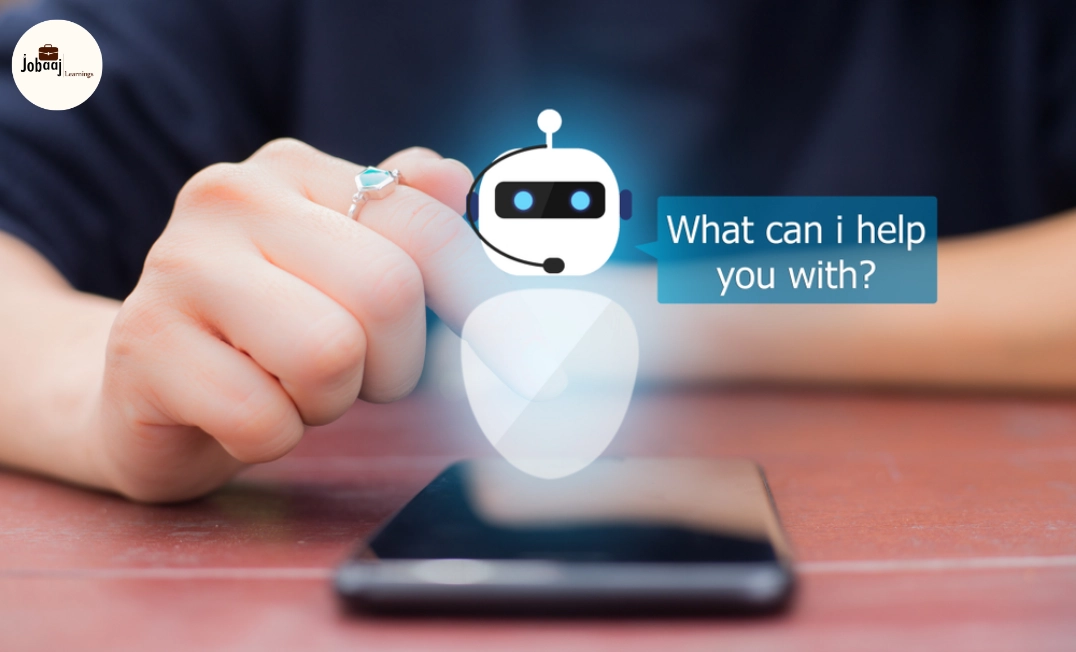
Imagine having a helper who never sleeps, can answer customer queries instantly, and keeps learning every day to become smarter. That’s what an AI chatbot can do for your business, website, or even personal projects. Whether you want to save time, improve engagement, or provide 24/7 support, chatbots are becoming an essential tool in the digital world.
Exploring a career in Web Development? Apply now!
If you’re a beginner, building an AI chatbot might sound intimidating. But it doesn’t have to be. With the right approach, anyone can create a chatbot that feels intelligent, helpful, and human-like. In this guide, we’ll break down everything you need to know, step by step, in a simple, humanized way.
Step 1: Understand Why You Need a Chatbot
Before you start building, pause and ask yourself: what problem am I trying to solve?
- Are you trying to handle customer support efficiently?
- Do you want to capture leads or guide users through your website?
- Is the goal to provide quick answers to frequently asked questions?
Understanding the purpose will shape your chatbot’s personality, tone, and functionality. For example, a customer support chatbot needs empathy and clarity, while a lead-generation chatbot should be persuasive and proactive. Knowing the “why” makes the “how” much easier.
Step 2: Identify Your Target Audience
A chatbot should speak your audience’s language. Think about who will interact with it:
- Are they tech-savvy users or beginners?
- Are they looking for quick solutions or detailed explanations?
- What tone resonates with them—formal, casual, or friendly?
The more you understand your users, the more your chatbot can feel personal and engaging. Imagine a visitor asking a question and getting a response that feels like a real conversation. That’s when a chatbot starts to shine.
Step 3: Choose the Right Platform
There are many ways to build a chatbot, and the right platform depends on your goals and technical skills:
- Dialogflow (Google): Great for AI-driven, conversational chatbots. It understands natural language and can be integrated into websites, apps, or messaging platforms.
- Rasa: Open-source and highly customizable, ideal if you want full control over your chatbot’s intelligence.
- Microsoft Bot Framework: Perfect for businesses looking for enterprise-level solutions with multiple integrations.
- No-Code Options (ManyChat, Chatfuel): Beginner-friendly, especially for social media bots, with simple drag-and-drop interfaces.
Pick a platform that matches your skills and the complexity you need. Beginners often start with no-code platforms and gradually move to AI-powered frameworks.
Step 4: Design the Conversational Flow
Here’s where your chatbot really starts to take shape. Think of it like a friendly conversation map:
- Start with the most common questions users might ask.
- Design answers that are clear, concise, and human-like.
- Map out possible conversation paths, including alternative questions and unexpected inputs.
- Plan fallback responses for situations the bot can’t handle yet.
Human-like conversation is about more than words—it’s about tone, empathy, and patience. Even small touches, like greetings or suggestions, can make your chatbot feel friendly and approachable.
Step 5: Train Your Chatbot
For AI chatbots, training is essential. This step teaches your bot to understand users and respond intelligently:
- Intent Recognition: Teach your bot to recognize what users mean, even if they phrase it differently.
- Entities Extraction: Identify important information like names, dates, or product types.
- Sample Conversations: Feed the bot multiple examples so it can learn patterns and respond accurately.
Think of this like teaching a new team member. The more examples and guidance you give, the better the bot becomes at handling real conversations.
Step 6: Integrate Your Chatbot
Once your chatbot is ready, it needs a home. Integration involves connecting it to platforms where your users are:
- Websites or landing pages
- Messaging apps like WhatsApp or Facebook Messenger
- Customer support tools or CRMs
Test your bot extensively. Role-play as a user to check if responses make sense. Ensure it can handle multiple users at the same time, and refine its behavior based on real-world interactions.
Step 7: Monitor and Improve
A chatbot is a living system it gets smarter over time. Monitor its performance to keep it effective:
- Track user satisfaction and response accuracy.
- Identify questions the bot fails to answer.
- Update conversation flows and training data regularly.
Remember, even the smartest chatbot will need improvements. Treat it as a constantly evolving team member that learns from every interaction.
Step 8: Best Practices for Beginners
- Start simple: Focus on 3–5 key tasks first.
- Keep language natural and human-like.
- Use buttons or quick replies to guide users.
- Maintain privacy and comply with regulations.
- Regularly update your bot to add new functionality or improve responses.
Starting small and scaling gradually is the key to building a chatbot that works well and delights users.
Dreaming of a Web Development Career? Start with Web Development Certificate with Jobaaj Learnings.
Frequently asked questions
What is an AI chatbot and how does it work?
An AI chatbot is software that communicates with users in natural language. Using machine learning and intent recognition, it understands queries and responds intelligently, automating tasks like customer support, lead generation, or engagement, making interactions faster, smoother, and more human-like.
Which platform is best for beginners to build a chatbot?
For beginners, no-code platforms like ManyChat or Chatfuel are easiest. If you want an AI-powered chatbot with advanced features, Dialogflow or Rasa work well. Choose based on your technical skills, desired complexity, and the platforms where the chatbot will interact with users.
How do I train an AI chatbot effectively?
Training involves providing sample conversations, teaching intent recognition, and extracting key information (entities). The more diverse examples you give, the better the chatbot understands user queries, responds accurately, and handles real-world interactions naturally.
Can I integrate a chatbot on multiple platforms?
Yes. AI chatbots can be deployed on websites, WhatsApp, Facebook Messenger, and more. Multi-platform integration ensures a consistent user experience, centralizes responses, and provides analytics to improve engagement and optimize performance.
How can I improve my chatbot over time?
Track metrics like unanswered questions, query resolution, and user satisfaction. Regularly update conversation flows, training data, and features. Continuous improvement helps your chatbot become smarter, more accurate, and more helpful to users over time.

Join 5,00,000+ Subscribers
Be a part of our ever growing community.