Categories








































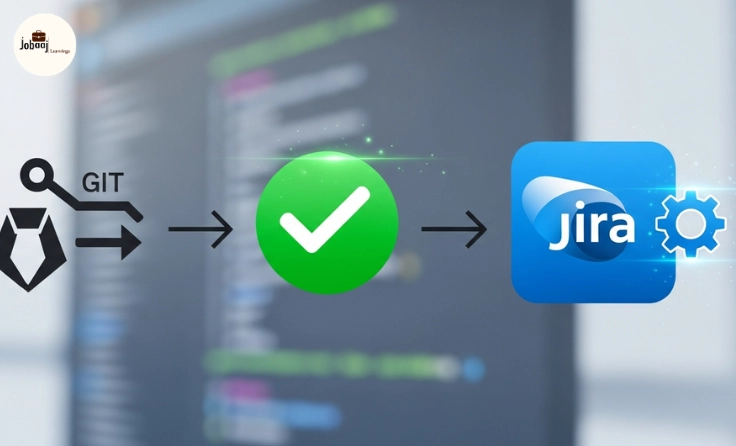
In the world of software development, managing pull requests (PRs) efficiently can save developers a lot of time and prevent miscommunication. As development teams grow and workflows become more complex, automation tools like Jira Automation come into play to ensure seamless and error-free processes.
One of the most effective ways to automate your Jira workflow is by setting up an automation rule that triggers on a pull request merge. This integration can significantly improve how your team manages tasks associated with merging PRs, linking them to Jira issues, and keeping everyone on the same page.
In this blog, we’ll guide you through the benefits of automating Jira workflows, how to set up an automation rule for pull request merges, and why it's crucial for improving your development processes.
Exploring a career in Web Development? Apply now!
What is Jira Automation?
Jira Automation is a feature that enables teams to automate actions in Jira based on specific triggers. These triggers could include things like creating an issue, changing an issue status, or—importantly—merging a pull request.
With Jira Automation, you can set up rules that automatically update Jira issues, notify teams, or even transition tasks based on changes in your Git repository or pull request activity. This not only saves time but also ensures that your Jira board stays up-to-date with minimal manual intervention.
Why Set Up an Automation Rule on Pull Request Merge?
A pull request merge typically signifies that code has been reviewed, tested, and is ready to be integrated into the main codebase. This event is often closely tied to Jira issues, which track the development progress. By setting up an automation rule on pull request merges, you can:
-
Link PRs to Jira Issues: Automatically transition issues in Jira to the next status (like “Done” or “In Review”) once a pull request is merged, ensuring that no tasks slip through the cracks.
-
Notify Stakeholders: Send out notifications to team members when a PR is merged, keeping everyone informed without the need for constant manual updates.
-
Improve Workflow Transparency: Link pull request activity with Jira issues, ensuring the status of tasks is always up-to-date for both developers and managers.
-
Save Time: Automating the process removes the need for manual status updates and ensures that your Jira board reflects the real-time progress of development.
How to Set Up a Jira Automation Rule on Pull Request Merge
Setting up an automation rule in Jira for pull request merges is straightforward. Here’s how to do it:
Step 1: Navigate to Jira Automation Settings
-
Go to your Jira project.
-
In the left-hand sidebar, click on Project Settings.
-
Select Automation under the Project Settings menu.
Step 2: Create a New Automation Rule
-
Click on Create Rule at the top right.
-
Select the Trigger option. For a pull request merge, the trigger would typically be related to Git integration—look for something like Pull Request Merged.
Step 3: Define the Conditions
Once you select the trigger, you can define conditions for the automation. For example, you may want to ensure the automation only triggers for certain types of PRs or certain Jira issue statuses. Here’s how to refine the conditions:
-
Add a Condition like "If the pull request is associated with a specific Jira issue type" (e.g., "Feature," "Bug").
-
You can also add a Condition for status—only trigger the automation if the issue status is "In Progress."
Step 4: Set the Action for the Rule
Now, it’s time to define the action that happens after the pull request merge is triggered:
-
Transition the Jira Issue: You can set the action to automatically transition the related Jira issue to the next appropriate status, such as “In Review” or “Done,” based on your workflow.
-
Notify Team Members: Set an action to send notifications or mentions to your team members. This could be a Slack notification, email, or comment in Jira, informing them about the PR merge.
-
Update the Issue with PR Details: Another action could be automatically updating the Jira issue with a link to the pull request, helping the team trace development history.
Step 5: Test and Activate the Rule
After you’ve set up your rule, make sure to test it to ensure it functions as expected. You can merge a test pull request and check if the rule triggers correctly in Jira, updating the issue and notifying relevant stakeholders.
Once everything works smoothly, go ahead and activate the rule to start automating your workflow.
Why Automating Pull Request Merges with Jira is Important
As development teams scale, managing the link between code changes and project management tools becomes crucial. Manually updating Jira for each pull request merge is inefficient and prone to errors. By automating this process, your team can achieve:
-
Consistency: Automating PR merges ensures that your Jira board always reflects the current status of tasks, reducing the risk of outdated information.
-
Improved Communication: Notifications and automated updates ensure all stakeholders are aligned without needing to manually check for updates.
-
Efficiency: Reducing the manual effort involved in tracking and updating tasks lets developers focus more on coding and problem-solving.
-
Increased Transparency: Automation bridges the gap between Git repositories and project management tools, providing better visibility into project progress for both developers and managers.
Best Practices for Using Jira Automation with Pull Request Merges
-
Keep Rules Simple: Start with basic automation rules and then fine-tune them as your team’s workflow becomes more complex.
-
Test Your Rules Regularly: Regularly test and optimize your automation rules to ensure they work correctly and make adjustments as your team’s needs evolve.
-
Limit Notifications: Be mindful of the notifications you set up. Too many alerts can overwhelm team members, so be strategic about when and how often you send notifications.
-
Document Automation Rules: Ensure everyone on your team understands the automation rules and how they work. Clear documentation helps avoid confusion or missed expectations.
Conclusion
Using Jira Automation for pull request merges is a game-changer for teams looking to improve efficiency, streamline workflows, and reduce manual tracking efforts. By automating this aspect of your workflow, you can ensure smoother integration between code changes and project management, which ultimately leads to better collaboration, faster development cycles, and less room for error.
If you haven’t yet implemented pull request merge automation in Jira, now is the perfect time to start. With minimal setup and maximum impact, Jira’s automation rules can help your team achieve better efficiency and productivity in no time!
Dreaming of a Web Development Career? Start with Web Development Certificate with Jobaaj Learnings.
Frequently asked questions
What is Jira automation for pull request merges?
Jira automation for pull request merges helps automatically update Jira issues when a pull request is merged, reducing manual work and ensuring that the Jira board reflects the current status of tasks.
How can I set up an automation rule in Jira for pull request merges?
To set up an automation rule in Jira for pull request merges, navigate to Jira Automation settings, select the trigger for pull request merges, define conditions, set actions for issue transitions or notifications, and then test the rule.
Why is automating pull request merges in Jira important?
Automating pull request merges in Jira improves workflow efficiency, reduces manual errors, ensures consistent updates, and increases transparency in development processes, leading to faster and more reliable project management.
What are the benefits of using Jira automation for pull request merges?
Benefits include enhanced collaboration, time-saving through automation, improved team communication, and ensuring that project tasks are always up-to-date with minimal effort.
Can I automate multiple actions for pull request merges in Jira?
Yes, Jira allows you to automate multiple actions such as transitioning issues, sending notifications, or updating issue details, ensuring that various steps in the workflow are triggered automatically when a pull request is merged.
Is there a cost to using Jira automation rules for pull request merges?
Jira automation rules are included with Jira Software subscriptions, but the number of automation rules and actions you can create may vary depending on your subscription plan. It’s always good to check your plan’s limits before setting up automation.

Join 5,00,000+ Subscribers
Be a part of our ever growing community.