Categories








































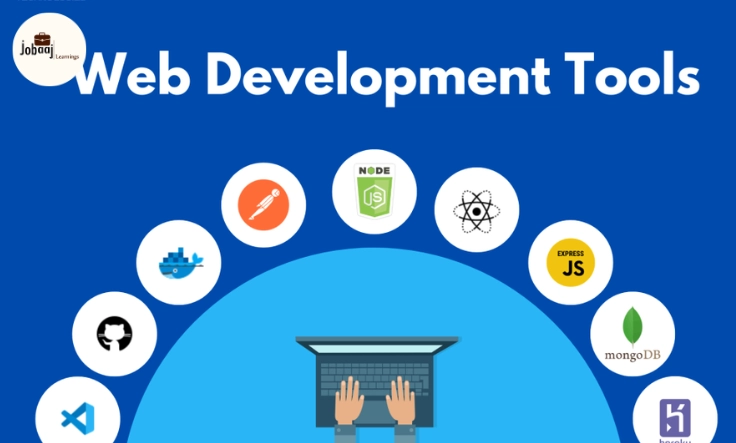
Web development is an exciting and ever-evolving field. With new tools, frameworks, and technologies emerging every year, it can be overwhelming for developers to keep up. But having the right web development tools can make all the difference in creating efficient, user-friendly websites and applications. Whether you're a seasoned developer or just starting, using the right tools can boost your productivity, enhance your workflow, and ultimately make your life a lot easier.
Exploring a career in Web Development? Apply now!
In this blog, we’ll explore some of the most important web development tools that every developer should know about. From text editors to debugging tools, we’ll cover the essentials that help streamline the development process, increase code quality, and improve collaboration among team members.
Let’s dive into the tools that every modern web developer should have in their toolkit.
1. Text Editors: The Backbone of Every Developer’s Workflow
A text editor is the first tool that every web developer interacts with, and it's one of the most important. The right text editor can speed up your coding process, help you avoid errors, and even provide extra features like syntax highlighting and auto-completion to make your life easier.
Popular Text Editors:
-
Visual Studio Code (VS Code): One of the most popular text editors for web developers. It’s lightweight, highly customizable, and offers extensions for almost any language or framework you’re using. Whether you’re coding in HTML, CSS, JavaScript, or Python, VS Code can handle it all.
-
Sublime Text: Known for its speed and flexibility, Sublime Text offers a distraction-free writing environment with the ability to handle large projects and files easily.
-
Atom: Developed by GitHub, Atom is an open-source text editor that's user-friendly and comes with built-in GitHub integration, making it easy for developers to sync their code with version control.
2. Version Control: Keeping Track of Your Code Changes
Version control systems are essential for any development project, especially when working with teams. These systems allow you to track changes to your code, collaborate with others, and easily roll back to previous versions if something goes wrong.
Popular Version Control Tools:
-
Git: Git is the most widely used version control system, and it helps developers manage their code changes in an organized way. Git enables collaboration among team members, allowing them to work on different features without stepping on each other’s toes.
-
GitHub: GitHub is a cloud-based platform that hosts your Git repositories. It allows for easy sharing, collaboration, and management of code, with features like pull requests, branching, and issue tracking. If you're a developer, GitHub is essential for collaborative projects.
-
GitLab: Similar to GitHub, GitLab offers cloud-based Git repository hosting, but with added CI/CD features. GitLab is ideal for teams looking for a more integrated approach to version control and continuous deployment.
3. Browser Developer Tools: Debugging and Testing Your Code
Every modern web browser comes with a set of developer tools that allow you to inspect elements, debug code, and test how your site behaves across different environments. These tools are a developer’s best friend when it comes to finding and fixing issues on the fly.
Popular Browser Developer Tools:
-
Chrome Developer Tools (DevTools): One of the most powerful sets of developer tools available, Chrome DevTools lets you inspect the HTML and CSS of any page, debug JavaScript, monitor network activity, and even simulate different screen sizes and devices. It’s a must-have for any web developer.
-
Firefox Developer Tools: Firefox also provides a robust set of tools for debugging and testing websites. It offers features like CSS grid layout debugging, network monitoring, and an interactive JavaScript debugger.
-
Edge Developer Tools: Microsoft’s Edge browser comes with a set of developer tools similar to Chrome and Firefox. It offers performance analysis, DOM inspection, and a handy console for debugging JavaScript code.
4. CSS Frameworks: Speeding Up Front-End Development
CSS frameworks help you speed up the development of beautiful, responsive websites. These frameworks come with pre-built components and grid systems that make it easier to create consistent, well-designed user interfaces.
Popular CSS Frameworks:
-
Bootstrap: One of the most widely used CSS frameworks, Bootstrap offers ready-to-use grid systems, buttons, forms, and navigation components. It’s perfect for quickly creating responsive websites that work across all devices.
-
Tailwind CSS: Tailwind is a utility-first CSS framework that allows you to build custom designs directly in your HTML. It’s highly flexible and helps you create unique designs without needing to write custom CSS.
-
Foundation: Developed by Zurb, Foundation is a flexible and powerful CSS framework that offers grid systems, responsive design components, and a variety of customization options.
5. JavaScript Libraries and Frameworks: Powering Dynamic Web Apps
JavaScript is the scripting language that brings interactivity to websites. Libraries and frameworks built on JavaScript can make complex web development tasks much easier, such as handling animations, state management, and API calls.
Popular JavaScript Libraries and Frameworks:
-
React: Developed by Facebook, React is a powerful JavaScript library for building user interfaces. It’s based on a component-driven architecture, allowing you to break down your UI into reusable components. React is widely used for creating single-page applications (SPAs) and complex web apps.
-
Vue.js: Vue.js is a progressive JavaScript framework that makes building interactive user interfaces easy and flexible. It’s great for both beginners and experienced developers because it’s lightweight, simple to learn, and highly performant.
-
Angular: Angular is a full-fledged JavaScript framework for building dynamic web apps. Developed by Google, Angular is perfect for building single-page applications (SPAs) with powerful tools for two-way data binding, dependency injection, and more.
6. Responsive Design Tools: Ensuring a Seamless Mobile Experience
Given the growing number of users browsing the web on mobile devices, responsive design has become a must. Tools and frameworks that ensure your website adapts to all screen sizes are essential in today's mobile-first world.
Popular Responsive Design Tools:
-
Adobe XD: Adobe XD allows designers and developers to create wireframes, prototypes, and mockups with responsive design tools. It’s perfect for visualizing how your website will look on different devices before starting development.
-
Figma: Figma is a cloud-based design tool that allows for collaborative design and prototyping. It includes features for designing responsive layouts that adjust to various screen sizes and orientations.
-
Viewport Resizer: This is a browser-based tool that allows developers to simulate different screen sizes and resolutions to test how their website looks across a variety of devices.
7. API Testing Tools: Ensuring Your Backend Works Smoothly
APIs (Application Programming Interfaces) are a crucial part of modern web development, enabling communication between different systems. Testing your APIs is crucial for ensuring that data is sent and received properly.
Popular API Testing Tools:
-
Postman: Postman is one of the most popular tools for API testing. It allows you to send requests to your APIs, check the responses, and debug them. Postman is perfect for ensuring your API is functioning as expected before deployment.
-
Swagger: Swagger is a suite of tools for designing, building, and documenting APIs. It provides a user-friendly interface to test your API endpoints, making it easy for developers to ensure their APIs are working correctly.
Conclusion
Web development is an exciting and dynamic field, and having the right tools can make all the difference in building high-quality websites and applications. From text editors and version control to JavaScript frameworks and responsive design tools, these essential tools help streamline the development process, reduce errors, and ultimately improve the user experience.
By mastering these tools, web developers can stay ahead of the curve, produce faster and more efficient websites, and adapt to new technologies as the web continues to evolve. Embrace these tools, and you’ll not only improve your development workflow but also deliver better, more engaging experiences to your users.
Dreaming of a Web Development Career? Start with Web Development Certificate with Jobaaj Learnings.
Frequently asked questions
What are web development tools?
Web development tools are software or applications that help developers build, manage, test, and optimize websites and applications. These tools improve productivity, enhance collaboration, and streamline the development process. They include text editors, version control systems, frameworks, and more.
Why are text editors important for web developers?
Text editors are essential for web developers because they allow for easy writing, editing, and formatting of code. They provide features like syntax highlighting, autocompletion, and customizable settings, which make coding more efficient and error-free. Popular text editors like Visual Studio Code and Sublime Text are widely used in web development.
How does version control help web developers?
Version control systems, like Git, allow developers to track changes in their codebase, collaborate with other team members, and maintain an organized history of all modifications. Version control helps manage code, resolve conflicts, and roll back to previous versions when necessary, ensuring smooth development workflows.
What is CSS Grid and how does it benefit web design?
CSS Grid is a powerful layout system that allows web developers to create two-dimensional layouts using rows and columns. It provides precise control over positioning and alignment of elements on a webpage, making it easier to design complex and responsive layouts with minimal effort.
How do JavaScript frameworks improve web development?
JavaScript frameworks like React, Vue.js, and Angular offer pre-built tools and structures to help developers build dynamic, interactive web applications. These frameworks speed up the development process by offering reusable components, efficient state management, and built-in features that reduce the amount of manual coding needed.
Why is responsive design important in modern web development?
Responsive design ensures that a website adjusts seamlessly across various devices and screen sizes, providing an optimal user experience on desktops, tablets, and mobile phones. With the increasing use of mobile devices, responsive design is crucial for keeping users engaged and improving SEO rankings.

Join 5,00,000+ Subscribers
Be a part of our ever growing community.