Categories














/content/learnings/assets/header/ManagementConsulting.svg)
/content/learnings/assets/header/InvestmentBanking.svg)


























/content/learnings/assets/header/programs/1.png)
/content/learnings/assets/header/programs/4.png)

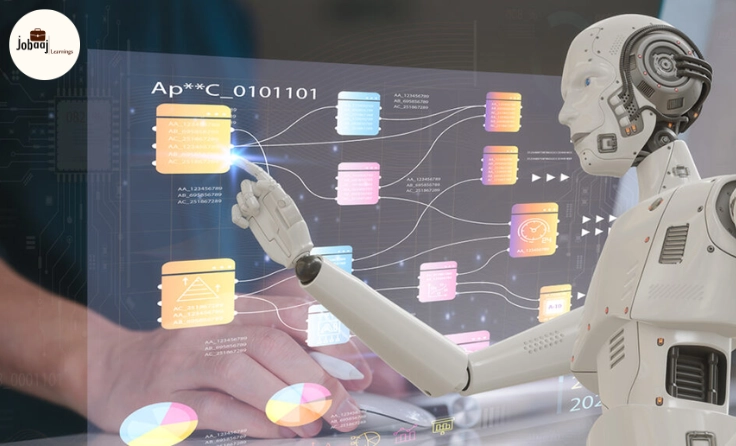
In today’s fast-paced work environment, managing tasks efficiently is crucial to staying on top of your game. As the demands of projects, communication, and deadlines pile up, it can become difficult to keep up. Fortunately, AI-powered tools have emerged as an effective solution to streamline workflows, eliminate repetitive tasks, and enhance productivity. These tools allow individuals and businesses alike to focus on the creative, strategic, and high-impact areas that truly matter. Whether you’re managing projects, automating emails, or scheduling meetings, AI tools make these processes smoother and faster, giving you more time to focus on what truly drives value.
This blog explores some of the best AI tools designed to automate your workflow. These tools are user-friendly and accessible to everyone—from entrepreneurs to larger teams—making it easier than ever to work smarter, not harder. Let’s dive into the top tools that can help you save time and boost productivity in your daily tasks.
Zapier: Automating Your Tasks with Seamless Integrations
We’ve all heard of Zapier, but if you haven’t used it yet, you’re missing out on one of the most powerful tools for automating your workflow. Zapier acts as the bridge that connects the various apps you use, allowing them to talk to each other and automate tasks in the background.
Instead of manually transferring information from one app to another, Zapier automatically moves data between over 2,000 applications, which means you don’t have to waste time on mundane tasks like copying and pasting. It can help you connect tools like Google Sheets, Slack, Trello, Mailchimp, and Gmail, creating a smooth, seamless workflow.
-
Set up “Zaps” (automated workflows) where a trigger in one app (like receiving an email) automatically leads to an action in another app (like creating a task in Trello).
-
Automate processes like adding new customers to a CRM, posting social media updates, or saving email attachments to cloud storage.
Zapier makes it possible to automate your entire workflow in a matter of minutes, allowing you to focus on more meaningful tasks that require your expertise, rather than repetitive work.
Grammarly: Boosting Your Communication with AI Writing Assistance
If you’ve ever had to send an important email or write content but struggled to find the right words, Grammarly is here to save the day. This AI-powered tool not only helps you with spelling and grammar but also provides suggestions for improving the clarity, tone, and structure of your writing.
Effective communication is crucial in any workplace, and how you write can impact how others perceive you. Grammarly helps ensure your communication is clear, professional, and error-free, giving you confidence that your emails, reports, and blog posts hit the mark every time.
-
Install Grammarly as a browser extension or integrate it into Google Docs, Microsoft Word, or any writing app you use.
-
It will instantly provide suggestions on how to improve your writing, pointing out errors, awkward phrasing, and clarity issues.
-
Use Grammarly’s tone detector to ensure your writing matches the emotion or intention you want to convey.
Grammarly helps take your writing to the next level, ensuring that you communicate effectively without worrying about small mistakes slipping through the cracks.
Calendly: Streamlining Your Scheduling Process
Anyone who has ever tried to schedule a meeting knows how time-consuming and frustrating it can be. Between the endless back-and-forth emails and the confusion over available time slots, it can feel like scheduling is a job in itself. That’s where Calendly comes in.
Calendly allows you to automate your scheduling process, eliminating the need for back-and-forth emails and endless calendar syncing. It gives your colleagues or clients the ability to book a time that works for both of you without any hassle. No more playing email ping-pong to find a suitable time.
-
Set your availability preferences, including meeting length, buffer times, and work hours.
-
Share your Calendly link with others, and they can pick a time that fits within your schedule.
-
Once the meeting is scheduled, Calendly automatically sends reminders and confirms the appointment for both you and your invitees.
By automating your meeting scheduling, Calendly helps you save time and focus on what matters—preparing for the meeting itself.
Asana + Butler: Automating Project Management
For anyone managing multiple projects, tasks, and deadlines, Asana is already a lifesaver. But did you know you can supercharge its functionality with Butler, its AI assistant, to automate key parts of your project management workflow?
Butler is built into Asana, and it allows you to automate workflows like assigning tasks, moving tasks between stages, and setting reminders without having to manually track everything. It’s like having a virtual project manager that takes care of the small, repetitive tasks so you can focus on delivering the results.
-
Set up rules in Asana where actions (like marking a task complete) trigger automated responses (like moving the task to the next column).
-
Use Butler to automatically assign tasks based on certain conditions (like task priority or due date).
-
Let Butler send reminders to you and your team so no task is ever forgotten.
Asana + Butler makes project management easier and more efficient, especially for teams managing multiple projects simultaneously.
IFTTT: Connecting Your Apps and Devices
IFTTT (If This Then That) is a fantastic tool for automating your workflow across various apps and devices, including smart home devices. It allows you to create “applets” (automated workflows) that make your apps and devices work together seamlessly.
IFTTT makes it easy to connect apps and devices that don’t natively integrate with each other. It can be used for everything from automating email responses to controlling smart lights in your office when you start your workday.
-
Set up applets to automate actions based on triggers, like when a new task is added in Trello, a file gets uploaded to Dropbox, or a meeting gets scheduled in your calendar.
-
Connect your smart devices to automate actions, like turning off the lights when you leave for the day or adjusting your thermostat when you start working.
-
Use IFTTT to sync apps and devices that aren’t directly integrated, creating a smooth workflow between all your tools.
Whether it’s connecting business apps or home devices, IFTTT ensures everything works together without you having to lift a finger.
Notion: A Central Hub for Your Ideas and Tasks
Notion is an all-in-one workspace that allows you to organize your thoughts, manage projects, and collaborate with others. What makes Notion even better is that it has AI-powered templates and automation features that can help streamline your work process.
Notion’s versatility makes it a great tool for task management, note-taking, and project tracking. It can be customized to fit your workflow, making it easier to stay organized and on top of things, whether you're working solo or collaborating with a team.
-
Set up custom templates for tasks, projects, and notes to ensure everything is organized and consistent.
-
Automate task reminders and deadlines so you never miss an important date.
-
Use Notion’s collaboration features to work on documents, share notes, and manage projects with your team.
Notion keeps everything you need in one place, helping you stay organized and reduce the chaos of multiple tools.
Conclusion
The future of work is increasingly becoming about efficiency, automation, and optimization. These AI tools are here to help you work smarter, not harder, by automating the repetitive tasks that often eat up your time. From project management with Asana to meeting scheduling with Calendly and task automation with Zapier, the right tools can dramatically improve your productivity and free up time for the work that matters most.
The best part? These tools are accessible to everyone—whether you're a freelancer, small business owner, or part of a large corporation. By embracing automation, you can focus on higher-level tasks and stay ahead of the curve in an ever-evolving digital landscape.
Start integrating these AI tools into your workflow today and see how much more you can accomplish with less effort. Less busywork, more meaningful work. That’s the power of automation.
Frequently asked questions
What are AI tools for workflow automation?
AI tools for workflow automation are software applications that use artificial intelligence to automate repetitive tasks, streamline processes, and enhance productivity. They can help manage tasks like scheduling, communication, project management, and more, allowing users to focus on higher-level activities.
How can Zapier help in automating tasks?
Zapier connects different apps and automates tasks between them. It can trigger actions in one app based on events in another, such as sending an email when a new task is created, or updating a CRM when a new lead comes in. This allows you to automate workflows and save time.
Is Grammarly useful for more than just grammar checks?
Yes, Grammarly is not only a grammar checker but also provides suggestions for improving writing clarity, tone, style, and structure. It helps you communicate more effectively in emails, reports, and other written content, ensuring professional and clear communication.
How does Calendly automate meeting scheduling?
Calendly automates the process of scheduling meetings by allowing you to set your availability preferences. Others can then select a time that works for both of you, eliminating the back-and-forth of email scheduling. It also sends automatic reminders and confirmations for scheduled meetings.
What is IFTTT and how can it benefit workflow automation?
IFTTT (If This Then That) connects different apps and devices to automate tasks. For example, you can set an applet that saves new email attachments to your cloud storage or syncs your calendar events with a project management tool. It helps streamline workflows by linking apps and devices seamlessly.
Can Notion help in organizing tasks and projects?
Yes, Notion is an all-in-one workspace where you can organize tasks, notes, and projects. It offers templates and automation features to keep your workflow efficient. It allows you to manage tasks, collaborate with others, and keep everything in one centralized place for easy access.

Join 5,00,000+ Subscribers
Be a part of our ever growing community.