Categories








































Building a Freelance Portfolio Website with Webflow – Step-by-Step Guide

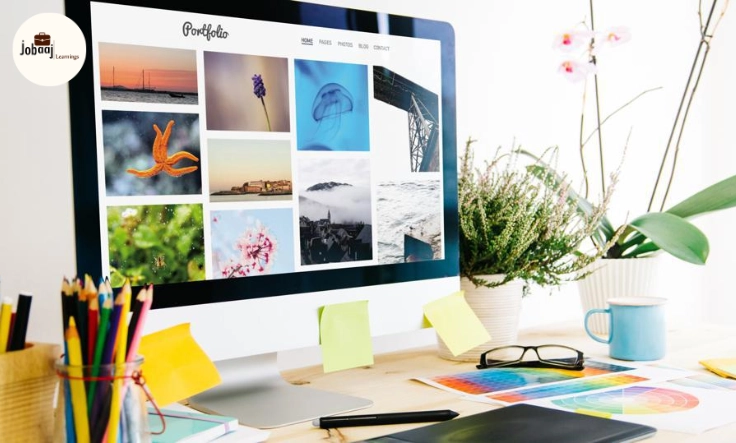
As a freelancer, whether you're a designer, developer, writer, or any other creative professional, having a portfolio website is essential. It serves as your digital business card, showcasing your work and talents to potential clients. In today’s competitive freelancing market, it’s crucial to stand out, and a well-designed portfolio website can make a huge difference in securing high-quality projects.
If you're looking to build a freelance portfolio but don’t have much technical knowledge, Webflow is a fantastic tool that can help you design a professional and fully-responsive website without writing a single line of code. Webflow is a no-code platform that offers both flexibility and ease of use, making it the perfect choice for freelancers who want to showcase their skills.
In this step-by-step guide, we'll walk you through the process of building your very own freelance portfolio website using Webflow. By the end of this guide, you'll have a stunning website that not only looks good but is also functional and effective in attracting new clients.
Why Choose Webflow for Your Portfolio Website?
Before diving into the steps, let's first explore why Webflow is a great choice for creating a freelance portfolio:
-
No-code platform: You don’t need any coding skills to use Webflow. It’s designed to allow anyone to create a visually stunning website with ease.
-
Responsive design: Your website will automatically adjust to any screen size, meaning it will look great on both desktops and mobile devices.
-
Customizable: Webflow provides a wide range of customization options, so your portfolio can reflect your unique style and profession.
-
SEO-friendly: The platform makes it easy to implement SEO best practices, helping you get found by potential clients.
-
Hosting included: With Webflow’s hosting, you can manage everything in one place—design, content, and domain.
Now, let’s jump into the step-by-step guide to building your freelance portfolio website.
Step 1: Sign Up for Webflow and Set Up Your Project
The first step is to sign up for a Webflow account. Once you’ve done that, follow these instructions to create your portfolio project:
-
Create a New Project: After logging in, click on ‘New Project’ and choose a blank template or start from scratch.
-
Choose a Template (Optional): If you're not feeling creative or want a jumpstart, Webflow offers a range of portfolio templates to choose from. Select a template that fits your style and industry, but don’t worry, you can always customize it later.
Step 2: Structure Your Portfolio Layout
Now that you’ve set up your project, it’s time to focus on the layout. The layout of your portfolio website is crucial for showcasing your work effectively.
Core Pages to Include:
-
Home Page: The first impression matters. Your home page should introduce who you are, what you do, and your expertise. A clean, modern design with a clear call-to-action (CTA) will go a long way.
-
Portfolio Page: This is the heart of your website. Display your best work here, broken down by categories or projects. Include detailed project descriptions, images, and links to live projects if applicable.
-
About Page: Share your story, your skills, and your approach to work. Let potential clients get to know the person behind the work.
-
Contact Page: Make it easy for clients to get in touch with you. Include a contact form, email address, and links to your social media profiles.
Layout Tips:
-
Keep it simple: A minimalistic approach works best for a portfolio site. Focus on the content (your work!) rather than cluttering the design.
-
Highlight key projects: Showcase your best and most relevant work on the homepage, with links to more detailed project pages.
-
Consistency: Use a consistent color scheme and fonts across the site to maintain professionalism and readability.
Step 3: Customize Your Design
Once the basic structure is in place, you can start customizing your website’s design. Webflow’s drag-and-drop interface makes this process very intuitive, even for beginners.
-
Choose a Color Scheme: Select colors that represent your brand and are visually appealing. If you’re unsure, websites like coolors.co can help you generate a color palette.
-
Typography: Choose a font that is easy to read and aligns with your style. Webflow has plenty of options, or you can upload your own custom fonts.
-
Add Your Branding: Upload your logo and any other branding elements that will make the website uniquely yours.
Step 4: Add and Organize Your Portfolio Projects
The portfolio page is the centerpiece of your website, so it’s important to display your work effectively.
-
Add Project Thumbnails: Use high-quality images that best represent each project. Organize them in a clean, grid-like layout for easy navigation.
-
Create Detailed Project Pages: For each project, include a dedicated page with project details such as:
-
Project description
-
Your role (if you worked with a team)
-
Challenges and solutions
-
Technologies/tools used
-
Results or outcomes
-
-
Use Webflow CMS: Webflow's Content Management System (CMS) allows you to create dynamic, reusable content like project pages, blog posts, and case studies. You can add your portfolio projects into the CMS and easily update them in the future.
Step 5: Optimize for SEO
Search Engine Optimization (SEO) is key to ensuring potential clients can find your portfolio site. Fortunately, Webflow offers built-in SEO tools to make the process simple.
SEO Best Practices:
-
Title tags and meta descriptions: Make sure each page has a unique title and meta description.
-
Alt text for images: Don’t forget to add descriptive alt text for all your images, as it helps with SEO and accessibility.
-
Keywords: Use relevant keywords throughout your content (but avoid keyword stuffing). Include keywords related to your profession and services.
-
Mobile Optimization: Webflow automatically optimizes your website for mobile, but always double-check the design to ensure it looks good across all devices.
Step 6: Publish and Test Your Portfolio Website
Once you’re happy with your design and content, it’s time to publish your portfolio site. Webflow makes it easy to publish directly to the web with its built-in hosting options. If you have a custom domain, you can easily connect it to Webflow.
Before Publishing:
-
Test your website: Preview the website on different devices (desktop, tablet, mobile) to ensure it’s responsive and looks good across all screen sizes.
-
Check for errors: Make sure all links are working, all images are loading, and the contact form is functional.
Step 7: Maintain and Update Your Portfolio
Once your website is live, it’s important to keep it updated. Add new projects as you complete them, refresh your resume, and tweak your design as needed.
Webflow makes it easy to update your site without needing to touch the code. You can update content through the CMS, and Webflow’s design tools let you make changes quickly.
Conclusion
Building a freelance portfolio website is one of the most powerful ways to showcase your work and attract potential clients. With Webflow, you can create a professional, personalized, and responsive website without the need for coding skills. This step-by-step guide has provided you with the tools and knowledge to create a portfolio that reflects your skills, personality, and creativity.
Remember, your portfolio is a living document, so keep it updated and aligned with your latest work. By having a strong, visually appealing portfolio, you'll be well on your way to attracting the clients you want and building a successful freelance career.
Dreaming of a Web Development Career? Start with Web Development Certificate with Jobaaj Learnings.
Frequently asked questions
What is Webflow?
Webflow is a no-code platform that allows users to design, build, and launch websites visually. It is especially useful for freelancers who want to create a professional portfolio without needing to code.
Why should I use Webflow for my freelance portfolio?
Webflow provides a powerful, user-friendly interface that allows you to build responsive, customizable websites. It’s ideal for freelancers looking to showcase their work with a professional design while avoiding the complexity of coding.
Do I need coding skills to use Webflow?
No, Webflow is a no-code platform, meaning you don’t need any coding skills to design and build your website. However, it does offer advanced features for developers if you decide to dive deeper into customization.
How can I make my portfolio stand out using Webflow?
Focus on clean design, high-quality images of your work, and easy navigation. Webflow offers customizable templates that you can personalize, allowing your portfolio to reflect your unique style and skills.
Can I host my portfolio on Webflow?
Yes, Webflow includes built-in hosting, so once you’ve designed your website, you can publish it directly to the web with Webflow's hosting platform. You can also connect your own custom domain.
How do I update my portfolio in Webflow?
Webflow allows you to make updates easily through its visual editor. You can modify the content, add new projects, or adjust the design without needing to code. All changes are instantly reflected on the live website.
Join 5,00,000+ Subscribers
Be a part of our ever growing community.