Categories








































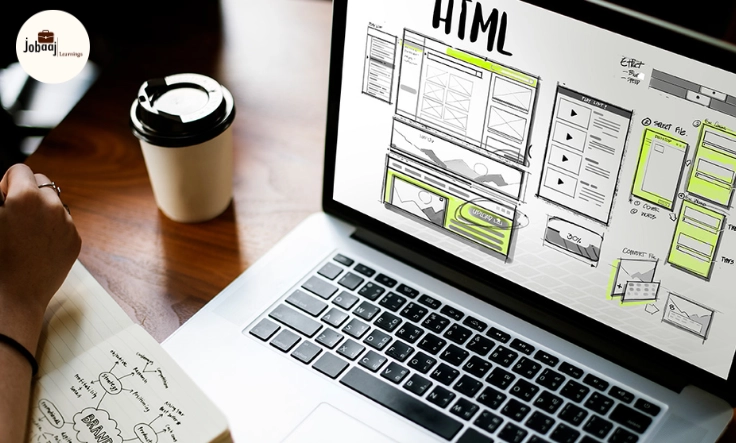
Building a website from scratch is an exciting challenge, but ensuring that it’s responsive—meaning it adapts to various screen sizes—is where the real magic happens. With the increasing use of mobile devices, having a website that functions seamlessly across desktops, tablets, and smartphones is essential for user experience and SEO.
Exploring a career in Web Development? Apply now!
In this blog, we’ll guide you through the process of building a responsive website from scratch. Whether you're a beginner or have some experience, we'll break down the steps clearly and explain key concepts that will make your website both functional and mobile-friendly.
Step 1: Understand What Makes a Website Responsive
Before jumping into the code, it's important to understand what "responsive" actually means. A responsive website automatically adjusts its layout, images, and content based on the screen size and resolution of the device it's being viewed on. This is achieved using CSS media queries, flexible grid layouts, and responsive images. The goal is to provide a great user experience regardless of the device.
Step 2: Set Up Your Project
To start building your website from scratch, you need a proper development environment. Follow these steps:
-
Create a New Folder for Your Project: Name it something relevant to your project.
-
Create Your HTML and CSS Files: You'll need at least two files:
-
index.html(the structure of your website) -
styles.css(the design and layout of your website)
-
For example:
my-website/ ├── index.html └── styles.css
-
Link Your HTML and CSS Files: In your
index.html, link to yourstyles.cssfile within thesection.
Step 3: Create a Basic HTML Structure
Now, let’s start with the basic HTML structure. Here’s a simple example of a responsive webpage layout:
This is a sample paragraph for the about us section. Welcome to My Responsive Website
About Us
This is the bare minimum, with a header, navigation, content section, and footer.
Step 4: Add Basic CSS for Layout
In the styles.css file, we can start by setting some basic styles:
body { font-family: Arial, sans-serif; margin: 0; padding: 0; } header { background-color: #333; color: white; padding: 20px; text-align: center; } nav ul { list-style-type: none; padding: 0; } nav ul li { display: inline; margin-right: 20px; } footer { background-color: #333; color: white; text-align: center; padding: 10px; }
Step 5: Use Media Queries for Responsiveness
To make the website responsive, we use media queries in CSS. Media queries allow you to apply styles based on the screen size or device type.
Add this to your styles.css:
/* Mobile-first styles */ body { background-color: lightgray; } /* For devices with a minimum width of 600px */ @media (min-width: 600px) { body { background-color: white; } header { text-align: left; } nav ul { text-align: right; } } /* For devices with a minimum width of 900px */ @media (min-width: 900px) { header { text-align: center; padding: 30px; } nav ul { text-align: center; } }
In this code, we’ve set a mobile-first approach (styles are designed for smaller screens) and added media queries for larger devices (600px and 900px width).
Step 6: Make Images and Content Responsive
One of the key elements of responsive design is ensuring that images and other media adapt to the screen size. You can achieve this with the following CSS rule:
img { max-width: 100%; height: auto; }
This ensures that images scale according to the size of their container, maintaining their aspect ratio without stretching.
Step 7: Test Your Website
Once you've completed the basic design and responsiveness, it's time to test your website across various devices and screen sizes. Open your website in a browser and resize the window to check how the design adapts. You can also use the device simulation tools in Chrome Developer Tools (or similar tools in other browsers) to view the website on different devices like smartphones and tablets.
Step 8: Refine and Optimize
Now that your website is responsive, the final step is to refine and optimize it. Consider these points:
-
Optimize images for faster loading times.
-
Use CSS Grid or Flexbox for complex layouts.
-
Add animations or transitions for better user interaction.
-
Test performance using Google PageSpeed Insights.
Conclusion
Building a responsive website from scratch is a rewarding experience that allows you to take full control of the design and layout. By focusing on mobile-first design, using media queries, and making sure your images and content adapt to various screen sizes, you’ll be able to create a seamless user experience on any device.
With the right approach, you’ll not only understand how to make your website responsive but also appreciate the significance of responsive design in the modern web development world. Good luck with building your responsive website, and have fun designing!
Dreaming of a Web Development Career? Start with Web Development Certificate with Jobaaj Learnings.
Frequently asked questions
What is responsive web design?
Responsive web design is an approach to web design that ensures a website's layout and content adapt seamlessly to different screen sizes, whether it's on a desktop, tablet, or smartphone. The goal is to provide an optimal user experience across devices.
Why is mobile-first design important?
Mobile-first design is important because more and more people are accessing the internet through their mobile devices. By designing for mobile screens first, you ensure that your website is accessible, usable, and fast-loading for the majority of users, who are likely on smaller screens.
What are media queries in CSS?
Media queries in CSS are used to apply different styles depending on the device's characteristics, such as its width, height, or resolution. They allow you to create responsive layouts that change depending on the screen size or other properties of the user's device.
How can I make images responsive?
To make images responsive, you can use the CSS property `max-width: 100%;` and `height: auto;`. This ensures that images scale to fit the container's width while maintaining their aspect ratio, preventing them from stretching or overflowing their containers on different screen sizes.
What is the difference between CSS Grid and Flexbox?
CSS Grid and Flexbox are both layout systems in CSS, but they serve different purposes. CSS Grid is used for two-dimensional layouts (both rows and columns), while Flexbox is more suitable for one-dimensional layouts (either rows or columns). Grid is great for complex designs, and Flexbox is ideal for simpler, linear layouts.
How do I test my responsive website?
To test your responsive website, you can resize the browser window to check how the design adapts. Additionally, browser developer tools, such as Chrome DevTools, allow you to simulate different devices and screen sizes. Testing on actual devices is also recommended for the most accurate results.

Join 5,00,000+ Subscribers
Be a part of our ever growing community.