Categories








































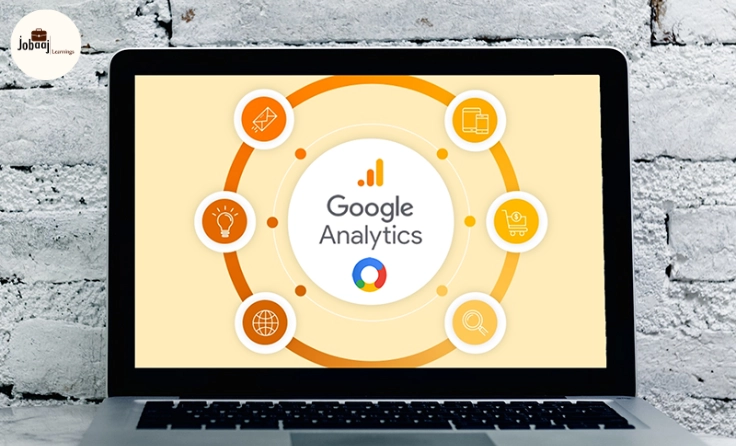
A few years ago, I was managing an online business with limited understanding of how to track my marketing efforts. I used to spend hours trying to figure out which campaigns worked and which ones didn’t. But when I discovered Google Analytics, everything changed. Suddenly, I could see exactly where my traffic was coming from, what my customers were doing on my site, and most importantly, which marketing strategies were driving results.
If you’re struggling to understand how your digital marketing efforts are performing, you're not alone. Many businesses, especially those just starting out, find it challenging to make sense of the vast amounts of data available to them. But with the right tools—like Google Analytics—you can move beyond guesswork and use data-driven insights to make smarter marketing decisions.
In this blog, we’ll explore how to use Google Analytics for data-driven marketing and how it can transform the way you approach your campaigns. Let’s dive in!
Exploring a career in Performance Marketing? Apply Now!
What is Google Analytics?
Google Analytics is a free tool that helps you track and analyze website traffic. It provides you with detailed insights into how users are interacting with your website and digital campaigns. By collecting data on everything from user demographics to behavior on your site, it helps you make data-driven decisions to optimize your marketing strategy.
Why is Google Analytics Important?
-
Understand Your Audience: Learn who your customers are, where they come from, and what interests them.
-
Track Campaign Effectiveness: Monitor the performance of your marketing campaigns in real time.
-
Measure Conversions: Track sales, form submissions, or any other action you define as a conversion.
-
Optimize Content and User Experience: Identify the best-performing pages and areas of your site that need improvement.
How Google Analytics Works for Marketing
Google Analytics offers a wealth of features, but let's break down the most crucial aspects for data-driven marketing:
1. Audience Insights: Who is Visiting Your Site?
One of the first things you’ll want to explore in Google Analytics is the Audience section. This will give you a breakdown of key demographic details about your website visitors, such as:
-
Location: Where are your visitors coming from? (Country, region, or city)
-
Age & Gender: Who is engaging with your content?
-
Interests: What are they interested in based on their online behavior?
-
Devices: Are people accessing your website from mobile phones, tablets, or desktops?
Understanding these metrics can help you tailor your marketing messages to the right audience and identify untapped markets. For instance, if you notice a large number of visitors from a specific country, you can create more region-specific content or run targeted ads for that demographic.
2. Acquisition Data: Where is Your Traffic Coming From?
The Acquisition section in Google Analytics tells you exactly where your visitors are coming from. This includes:
-
Organic Search: Traffic from search engines like Google (via SEO efforts).
-
Direct Traffic: Visitors who directly enter your website’s URL.
-
Referral Traffic: Visitors coming from other websites, like blogs or social media.
-
Paid Search: Traffic from paid ads, such as Google Ads.
By analyzing this data, you can evaluate which channels are driving the most traffic and focus your efforts on the high-performing ones. For example, if social media is driving more traffic than paid ads, you may want to allocate more resources to organic social media marketing.
3. Behavior Data: What Are Visitors Doing on Your Site?
The Behavior section shows how visitors interact with your website. You can track:
-
Top Pages: Which pages are the most popular? Are your blog posts generating traffic?
-
Average Session Duration: How long are visitors staying on your website? Longer sessions usually mean higher engagement.
-
Bounce Rate: How many visitors leave your site after viewing only one page? A high bounce rate could indicate issues with your content or user experience.
These insights allow you to fine-tune your content, improve your website’s performance, and create more engaging user experiences that lead to conversions.
4. Conversion Tracking: Measuring Success
The Conversions section lets you set goals and track whether visitors are completing those goals. Goals can be anything you define, like making a purchase, filling out a contact form, or subscribing to a newsletter. Google Analytics also allows you to set up eCommerce tracking to measure actual sales and transactions.
By setting specific goals, you can track how well your marketing campaigns are turning visitors into leads or customers, which is key to improving your return on investment (ROI).
How to Set Up Google Analytics for Data-Driven Marketing
Setting up Google Analytics is simple. Follow these basic steps to get started:
-
Create a Google Analytics Account: Go to Google Analytics and create an account.
-
Install Tracking Code: After setting up your account, Google will provide a tracking code. You’ll need to add this code to the header of your website.
-
Set Up Goals: Define your goals in the Admin section of Google Analytics to start tracking conversions.
-
Set Up eCommerce Tracking: If you run an online store, enable eCommerce tracking to monitor sales and product performance.
-
Analyze and Adjust: Regularly check the data and adjust your marketing campaigns based on insights gained from Google Analytics.

Conclusion: Unlock the Power of Data-Driven Marketing
Google Analytics is more than just a tool to track website traffic—it’s a treasure trove of insights that can significantly enhance your marketing efforts. With detailed reports on your audience, acquisition channels, site behavior, and conversions, Google Analytics provides everything you need to make data-driven decisions and optimize your marketing strategy.
By leveraging Google Analytics, you can improve the performance of your campaigns, enhance user experience, and ultimately drive more sales and leads. So, dive in, start exploring, and let data be your guide to smarter, more effective marketing.
Dreaming of a Performance Marketing Career? Start with Performance Marketing Certificate with Jobaaj Learnings.
Frequently asked questions
What is Google Analytics?
Google Analytics is a free tool provided by Google that helps businesses track and analyze website traffic, audience behavior, and marketing performance.
How does Google Analytics help with marketing?
Google Analytics provides valuable data on website traffic, user behavior, and conversion rates, allowing marketers to make informed, data-driven decisions and optimize campaigns.
How do I set up goals in Google Analytics?
To set up goals in Google Analytics, go to the Admin section, click on Goals, and define the desired actions (like form submissions or product purchases) to track conversions.
Can I use Google Analytics for eCommerce tracking?
Yes, Google Analytics offers eCommerce tracking to help businesses monitor sales, product performance, and customer behavior in detail.
What is a bounce rate in Google Analytics?
Bounce rate refers to the percentage of visitors who leave your website after viewing only one page. A high bounce rate could indicate a need to improve content or user experience.
How can I improve my website’s performance using Google Analytics?
Analyze key metrics like traffic sources, top-performing pages, and user behavior to identify areas for improvement. Use this data to optimize content and user experience for better engagement.

Join 5,00,000+ Subscribers
Be a part of our ever growing community.