Categories














/content/learnings/assets/header/ManagementConsulting.svg)
/content/learnings/assets/header/InvestmentBanking.svg)



























/content/learnings/assets/header/programs/1.png)
/content/learnings/assets/header/programs/4.png)

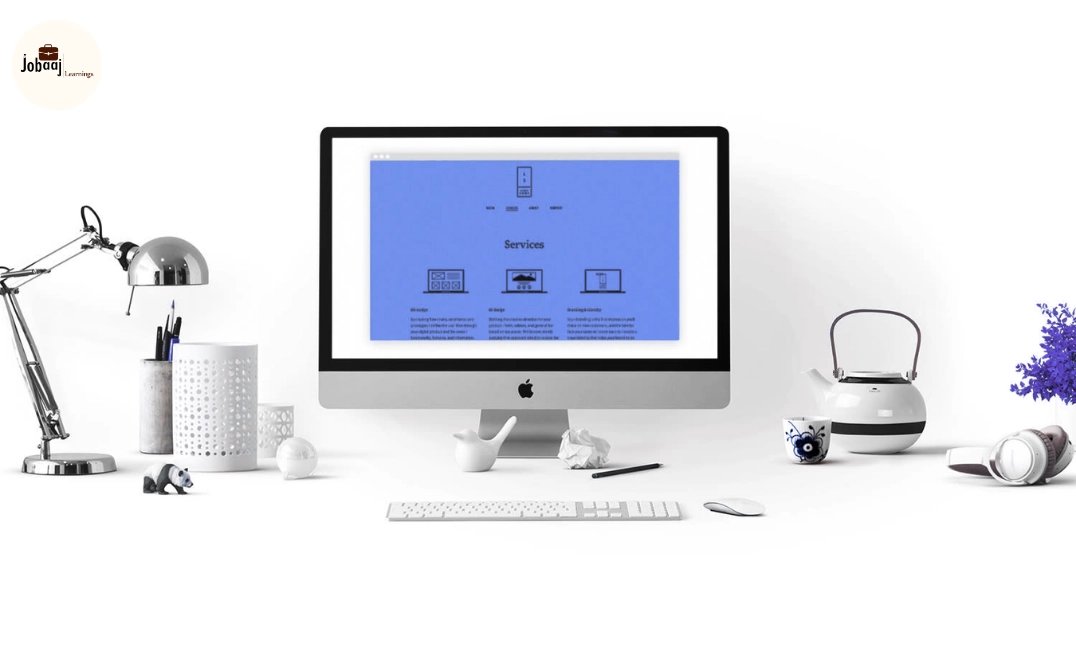
A standout portfolio is the most important asset for UI & UX designers. Recruiters and clients want to see not just visual creativity, but also problem-solving, user-centric thinking, and design impact. A strong portfolio demonstrates your ability to create engaging interfaces, improve usability, and drive meaningful experiences.
Dreaming of a Product Management Career? Start with Product Management Certificate with Jobaaj Learnings.
This guide explores types of portfolio projects, recommended tools, structuring tips, and best practices to help designers build a portfolio that shines in 2026.
Why a UI & UX Portfolio Matters
- Showcases Creativity and UX Thinking: Demonstrates how you design visually appealing and user-friendly interfaces.
- Highlights Problem-Solving Skills: Illustrates how you approach design challenges and user pain points.
- Differentiates Candidates: Provides concrete evidence of skills beyond resumes.
- Supports Interview Discussions: Serves as talking points for design rationale and methodology.
A portfolio tells your story your design thinking in action.
Types of Portfolio Projects
1. Mobile App Designs
- Create user flows, wireframes, and high-fidelity prototypes for mobile applications.
- Tools: Figma, Adobe XD, Sketch, InVision.
- Showcases your ability to design intuitive, mobile-friendly experiences.
2. Web Interface Projects
- Design responsive web pages, dashboards, and landing pages.
- Include visual hierarchy, color schemes, and layout decisions.
- Tools: Figma, Sketch, Photoshop, HTML/CSS (optional).
3. UX Case Studies
- Conduct user research, personas, and usability testing.
- Demonstrate your process from problem identification to solution implementation.
- Tools: UserTesting, Miro, Figma, Hotjar.
4. Interaction & Micro-Animation Projects
- Showcase animations, transitions, and interactive elements that enhance user experience.
- Tools: After Effects, Principle, Figma, Lottie.
5. Redesign Projects
- Pick an existing website or app and improve usability and aesthetics.
- Highlight before-and-after screens and rationale for changes.
6. Accessibility-Focused Designs
- Include projects ensuring inclusive design for all users, such as color contrast and keyboard navigation.
- Demonstrates your commitment to universal usability.
Structuring Your UI & UX Portfolio
- Project Title & Objective: Define the design challenge.
- Research & User Insights: Show personas, pain points, and user goals.
- Wireframes & Prototypes: Include sketches, mockups, and interactive flows.
- Visual Design & Interaction: Showcase UI elements, animations, and responsive design.
- Testing & Iteration: Include usability testing, feedback, and improvements.
- Results & Impact: Highlight metrics or qualitative outcomes showing the design’s effectiveness.
A clear structure communicates design thinking, methodology, and problem-solving ability.
Best Practices for UI & UX Portfolios
- Diversity of Work: Include mobile, web, interaction, and redesign projects.
- Highlight Process, Not Just Output: Show research, ideation, and decision-making.
- Use High-Quality Visuals: Screenshots, GIFs, and interactive prototypes make work tangible.
- Keep It Organized & Intuitive: Reflect UI principles in your portfolio design.
- Host Online: Platforms like Behance, Dribbble, Figma Community, or personal websites.
- Update Regularly: Showcase new tools, projects, and design trends.
Conclusion
A strong UI & UX portfolio is your key to standing out in a competitive design industry. By including a mix of mobile, web, interaction, redesign, and accessibility-focused projects, you demonstrate creativity, user-centered thinking, and problem-solving skills.
Present your work clearly, showcase your process, and provide measurable outcomes to make your portfolio memorable to recruiters and clients. In 2026, a well-structured, visually engaging, and process-focused portfolio positions you as a professional designer ready to tackle complex challenges and deliver meaningful user experiences.
Ready to Take the Next Step in Your Career? Apply Now!
Frequently asked questions
Why is a portfolio important for UI & UX designers?
A portfolio demonstrates your design skills, problem-solving abilities, and user-focused thinking, giving recruiters and clients tangible proof of your expertise.
What types of projects should be included?
Include mobile app designs, web interfaces, UX case studies, interaction and animation projects, redesigns, and accessibility-focused designs.
Which tools are recommended?
Figma, Adobe XD, Sketch, InVision, Principle, After Effects, Photoshop, and Miro are commonly used to create and showcase design projects.
How should projects be presented?
Structure each project with a title, objective, research, wireframes/prototypes, visual design, testing, and measurable results to communicate your design thinking.
Where should I host my portfolio?
Host your portfolio online using Behance, Dribbble, Figma Community, or a personal website for accessibility and professional presentation.

Join 5,00,000+ Subscribers
Be a part of our ever growing community.