Categories








































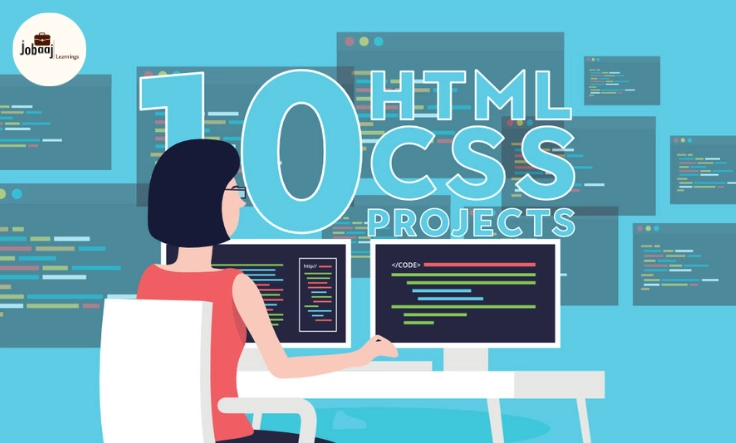
When I first started learning HTML and CSS, I was excited but also overwhelmed by the endless possibilities of what could be built. I spent hours experimenting with simple layouts and designs, trying to figure out how to bring my creative ideas to life on a web page. However, it wasn’t until I started building actual projects that I truly grasped the power of HTML and CSS. These projects not only helped me solidify my understanding but also made my portfolio shine when I began applying for jobs.
Exploring a career in Web Development? Apply now!
In this blog, I’ll share the top 10 HTML/CSS projects that will not only help you enhance your web development skills but also make your portfolio stand out to potential employers or clients. Whether you’re a beginner or someone looking to add more advanced projects to your portfolio, these ideas are perfect for showcasing your abilities in a practical, engaging way.
1. Personal Portfolio Website
A personal portfolio website is the most essential project you can build as a web developer. It’s your digital resume, showcasing your skills, experience, and past projects. By building this, you’ll practice structuring HTML pages, applying CSS for layout, and designing a responsive site. You can also add interactive features using JavaScript later, but the core of it is HTML and CSS.
Key Skills: Web structure, layouts, responsive design
2. Responsive Landing Page
A responsive landing page is an excellent project to demonstrate your skills in building websites that adapt to different screen sizes. In today’s world, making sure your website works on all devices is critical. This project allows you to learn how to create a layout that is both visually appealing and mobile-friendly.
Key Skills: Media queries, responsive design, typography
3. Portfolio Gallery with Hover Effects
A portfolio gallery allows you to display images or other content in an aesthetically pleasing way. By incorporating hover effects with CSS, you can create a dynamic and interactive experience. This is a perfect project to show off your creativity and your understanding of CSS transitions and animations.
Key Skills: CSS hover effects, grid layouts, animations
4. Multi-Page Website
A multi-page website is an excellent way to showcase your ability to organize content across multiple pages. This project gives you practice in creating navigation menus, linking pages, and building a cohesive design across an entire website. You can focus on different themes like a blog, restaurant website, or personal brand.
Key Skills: Navigation bars, page linking, consistent design
5. Blog Layout
Building a blog layout is a great way to practice using HTML and CSS to create structured content. You’ll learn how to create headers, footers, and content sections, as well as implement a simple grid layout. This project can also help you understand how to present content in a clean and readable way.
Key Skills: Layouts, content organization, typography
6. E-commerce Product Page
An e-commerce product page demonstrates your ability to build visually rich websites with lots of elements like product images, descriptions, pricing, and buttons. A clean, well-structured design with responsive features is key here. Adding hover effects or adding CSS for product images can make this page more interactive.
Key Skills: Product layout, responsive design, image handling
7. Interactive Form
Forms are essential for collecting user input, whether it's for a contact page, sign-up form, or survey. An interactive form project allows you to demonstrate your ability to create accessible, user-friendly forms using HTML and CSS. You can add advanced features like input validation or hover states to make it visually appealing.
Key Skills: Form elements, input validation, accessibility
8. Restaurant Website Menu
Designing a restaurant website menu is an interesting project that allows you to play with different types of layouts, images, and even CSS for styling elements like buttons or tables. You’ll practice creating sections for the menu, pricing, and a contact page—all while focusing on clean and readable design.
Key Skills: Table layouts, menus, typography
9. CSS Art or Illustration
CSS art involves using pure CSS (with or without HTML elements) to create visual representations such as illustrations or animations. This is a fun and creative project that pushes your CSS skills to the limit. Whether it’s simple objects or detailed drawings, CSS art is a great way to experiment and expand your skillset.
Key Skills: Advanced CSS properties, creativity, animation
10. Single-Page Resume
A single-page resume is a practical project that allows you to combine your skills in HTML and CSS with a professional touch. You can experiment with various layouts to present your resume in a visually appealing way. Additionally, by adding CSS animations or hover effects, you can give it a modern and engaging feel.
Key Skills: Layouts, typography, interactive design
Conclusion
Building HTML/CSS projects is an incredible way to sharpen your skills and make your portfolio stand out. Whether you’re looking to showcase your design ability with a personal portfolio website or push the boundaries of your creativity with CSS art, these projects provide a diverse range of opportunities to practice and master web development techniques. As you continue to build these projects, remember that every line of code you write is a step closer to becoming a better developer. Keep experimenting, keep learning, and most importantly, keep building!
Dreaming of a Web Development Career? Start with Web Development Certificate with Jobaaj Learnings.
Frequently asked questions
What are the best beginner HTML/CSS projects?
Start with simple projects like a landing page, basic website layout, or a to-do list. Focus on mastering fundamental HTML structures and CSS styling.
How can these projects improve my coding skills?
Building these projects provides hands-on practice, strengthens your understanding of HTML and CSS, and helps you learn problem-solving. You’ll improve your efficiency and code quality.
What kind of design experience can I showcase?
These projects allow you to showcase your ability to create visually appealing and user-friendly websites, demonstrating your grasp of design principles and responsiveness.
Are these projects suitable for all skill levels?
Yes! The list includes projects ranging from beginner-friendly tasks to more advanced challenges, ensuring there's something for everyone, regardless of experience.
Where can I find the resources to complete these projects?
Many resources are available online! You can use online tutorials, documentation, and community forums to guide you through the project creation and problem-solving process.

Join 5,00,000+ Subscribers
Be a part of our ever growing community.