Categories








































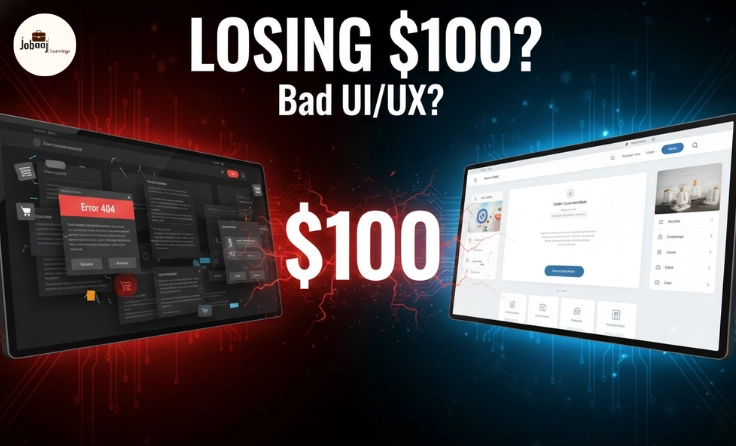
You’ve just bought a new product online for $100. You’re super excited to use it. But as soon as you unbox it or open the website or app, something doesn’t feel quite right. The buttons don’t work as expected, the layout is confusing, and you get stuck in the middle of the checkout process. Suddenly, all that excitement turns to frustration.
Now, instead of enjoying the product, you’re thinking:
“I’m returning this.”
But here’s the thing was the product really bad? Or was the frustration caused by something else entirely? The answer is likely found in the product's UI/UX (User Interface and User Experience).
In 2026, product returns are often less about quality and more about experience. Whether it's a physical product or digital service, the way customers interact with it has a significant impact on whether they keep or return it. So, let’s explore how UI/UX design plays a huge role in product returns, especially for $100 purchases.
What Exactly is UI/UX?
Let’s break it down in simple terms:
UI (User Interface) refers to the visual elements and interactive features you see, like buttons, text, colors, and icons. It's everything you interact with on the screen or the product.
UX (User Experience) is the feeling and ease of using the product. It’s about how you navigate, how intuitive the process is, and how satisfied you feel at each step of the way.
To put it simply:
-
UI = How it looks.
-
UX = How it feels.
Even if a product is high-quality, if the user experience is not smooth, intuitive, and pleasant, users are more likely to return it. So, why does this happen?
Why Does UI/UX Matter for $100 Product Returns?
A $100 product is a sweet spot in terms of customer expectation. It’s not too cheap that customers will just accept the flaws and move on, but it’s also not expensive enough for customers to ignore minor problems.
1. The Customer’s Emotional Investment
When customers pay $100, they are expecting value. If they feel the interface is clunky or confusing, it creates doubt. Doubt leads to dissatisfaction, and dissatisfaction leads to returns.
If a product feels difficult to set up, use, or navigate, it can easily create negative emotions that cause a person to rethink their purchase.
2. Increased Frustration and Confusion
When users are presented with an interface that’s hard to understand, something as simple as accessing the settings, placing an order, or checking out becomes a mental roadblock. Every moment spent struggling with the product is a moment closer to returning it.
Imagine being on a website where every button you click seems to take you in a different direction. Or an app where you can’t figure out how to exit a screen. Every mistake, error, or delay builds frustration.
3. The Ripple Effect
The truth is, even if a product is great, if it’s difficult to interact with, users will abandon it. A complicated setup or confusing navigation makes people second-guess their purchase.
In 2026, more and more brands are realizing that poor UX can be the reason for high return rates, especially for products priced between $50 and $200, where customers expect to have seamless experiences. And here's the kicker – those returns are costly, not only in terms of money but also in brand reputation.
4. The Return Process Itself
Let’s not forget that the return process itself is part of the overall experience. If you’ve bought something online and want to return it, the process must be simple, clear, and straightforward. If the website is hard to navigate during this process too, it further adds to the frustration. Even the smallest usability issues can lead to high rates of returns.
How to Prevent Returns With Better UI/UX?
So, how can brands avoid this scenario and ensure that their products are not returned due to poor design?
1. Simplicity Over Complexity
Keep the interface clean and simple. Use easy navigation and reduce the number of clicks required to get to the important parts of the product, whether it’s an app or website. Simpler designs lead to better experiences and fewer returns.
2. Focus on Mobile First
As we move into 2026, mobile-first design is a must. Over 80% of users now shop, browse, and make purchases through mobile devices. If your product isn’t mobile-friendly, it’s time to fix that. Make sure the design adapts perfectly across all screens.
3. Streamlined Checkout Process
A complicated checkout process is one of the main reasons users abandon their carts and return products. If you're selling online, ensure your checkout is straightforward, minimal, and fast.
4. User Guidance and Support
Use clear instructions, tooltips, and guidance at every step of the process. When users feel lost, a simple help section or interactive tutorial can go a long way in retaining them.
5. Instant Feedback
Provide real-time feedback for actions taken. For example, “Order Placed Successfully” or “Item Added to Cart” as soon as actions are performed. This helps users feel in control of the process.
The Final Verdict
As we approach 2026, user experience is the new frontier of product success. If your UI/UX isn’t top-notch, you risk losing customers due to frustration, confusion, or doubt, no matter how good the product is.
Returns cost companies not just money but also trust and future sales. By ensuring seamless, intuitive, and user-friendly experiences, you’re not just protecting your sales you're building trust, loyalty, and a long-term relationship with your customers.
So next time you’re designing a product or an app, don’t just focus on the product itself. Ask yourself: How will the customer feel using it?
Conclusion
In 2026, the digital experience is just as important as the physical product. The smoother the user interface and experience, the lower the chances of product returns. For every $100 product, great design means customers are more likely to keep it, use it, and recommend it.
When UI/UX works in harmony, it delivers satisfaction at every touchpoint, from purchase to usage keeping your customers happy, engaged, and loyal.
Frequently asked questions
What is the impact of UI/UX design on product returns?
UI/UX design plays a crucial role in product returns. Poor user experience can lead to frustration, confusion, and difficulty in using a product, which often results in customers returning the product. A smooth, intuitive, and user-friendly design helps retain customers and reduces return rates.
How can businesses improve UI/UX to prevent returns?
Businesses can improve UI/UX by focusing on simplicity, mobile-first design, streamlining the checkout process, providing clear guidance and support, and offering instant feedback for actions performed. Ensuring a user-friendly experience at every touchpoint will reduce the chances of returns.
Why do customers return products even if they are of good quality?
Even if a product is of high quality, poor UI/UX design can make it difficult to use, leading to frustration. If the process of using the product is complicated or confusing, customers are more likely to return it, even if the product itself is fine.
What role does mobile-first design play in reducing returns?
With most purchases being made on mobile devices in 2026, a mobile-first design is essential. A product that doesn’t function well or look good on mobile can frustrate users, causing them to abandon or return the product. Ensuring that products are mobile-friendly will reduce returns.
How important is the checkout process in product returns?
The checkout process is a critical factor in product returns. A complicated, lengthy, or confusing checkout process can cause users to abandon their cart and potentially return the product. A simple, fast, and user-friendly checkout process encourages customers to complete their purchase and keep the product.

Join 5,00,000+ Subscribers
Be a part of our ever growing community.