Categories








































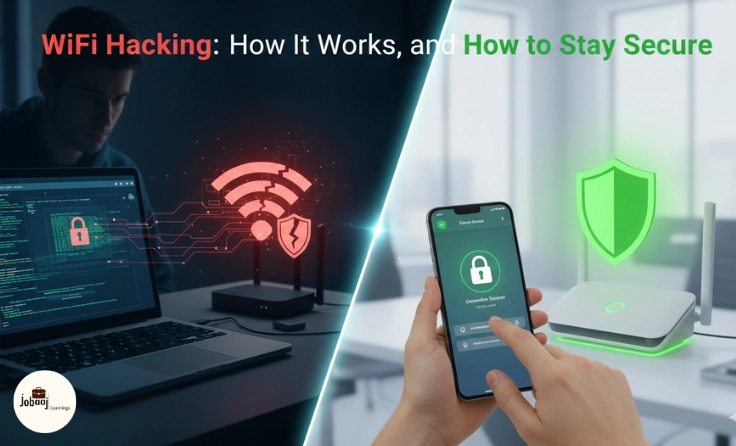
In today’s connected world, WiFi is the backbone of how we access the internet from browsing the web to streaming content, working from home, and even managing smart home devices. But as we depend more on WiFi, the threat of WiFi hacking has become increasingly prevalent. Cybercriminals are constantly on the lookout for vulnerabilities in WiFi networks, and if your network isn’t properly secured, you could become a target.
Exploring a career in Web Development? Apply now!
In this blog, we’ll dive into how WiFi hacking works, what risks you face if your WiFi network is compromised, and most importantly, how you can stay secure in the face of these threats. Let’s break down WiFi hacking in a way that’s easy to understand and offer practical steps you can take to protect yourself and your data.
What is WiFi Hacking?
WiFi hacking refers to the act of gaining unauthorized access to a WiFi network, typically with malicious intent. Once a hacker gains access to a WiFi network, they can monitor the traffic, steal sensitive data, manipulate the network, or even use it for illegal activities. There are various methods used in WiFi hacking, including cracking weak passwords, exploiting vulnerabilities in routers, or setting up rogue networks that trick users into connecting.
WiFi hacking is a serious issue because it allows hackers to bypass security measures and gain access to personal information, including usernames, passwords, bank details, and more. It can also disrupt your internet service, steal your bandwidth, or expose your devices to additional threats.
How WiFi Hacking Works
At its core, WiFi hacking involves gaining unauthorized access to a WiFi network, usually with the intent to steal sensitive data, monitor network traffic, or even launch further attacks. Hackers use a variety of techniques to break into WiFi networks. Here are some of the most common methods:
1. Cracking Weak Passwords
One of the simplest ways a hacker can gain access to your WiFi is by guessing or cracking your WiFi password. Many people use simple, easy-to-guess passwords like "password123" or "admin123," which can be cracked within minutes by a determined hacker using specialized tools. This is why it’s critical to set strong, unique passwords that are hard to guess.
2. WPS Attacks
WiFi Protected Setup (WPS) is a feature in many routers that’s designed to make connecting devices to a network easier. However, WPS has a significant vulnerability that allows hackers to guess the 8-digit PIN used for WPS connections through brute force attacks. If your router has WPS enabled, hackers can easily bypass your password by exploiting this weakness.
3. Rogue Hotspots
Hackers can create rogue WiFi hotspots that mimic legitimate networks. These rogue hotspots are often given names similar to popular networks, like "CoffeeShop_FreeWiFi." Once you connect to one of these fake networks, the hacker can intercept all your online activity, stealing passwords, emails, and even credit card information.
4. Man-in-the-Middle (MITM) Attacks
MITM attacks occur when a hacker secretly intercepts and relays communication between two parties. In the context of WiFi, a hacker might set up a fake access point and trick you into connecting to it. Once you’re connected, the hacker can spy on your online activity, stealing sensitive data or even injecting malicious code into websites you visit.
5. DNS Spoofing
DNS (Domain Name System) spoofing is when hackers alter the DNS records of a WiFi network to redirect users to fake websites. By doing this, a hacker can impersonate a legitimate website, like a bank login page, and steal sensitive information like usernames, passwords, and personal identification numbers.
Risks of a Hacked WiFi Network
If your WiFi network is hacked, the potential risks are significant. Here’s what can happen if a hacker gains access to your network:
1. Data Theft
Hackers can use your WiFi network to intercept your personal data, including passwords, bank account information, emails, and more. This could lead to identity theft, financial loss, and exposure of your private information.
2. Network Hijacking
Once on your network, hackers can potentially gain access to other devices connected to it, including smart home devices, phones, and computers. This could lead to the hijacking of your devices for illegal activities, such as using your computer in a botnet to carry out cyberattacks.
3. Bandwidth Theft
Hackers can use your network to perform activities that consume significant bandwidth, like streaming high-definition videos, downloading large files, or even engaging in illegal activities. This could lead to slower internet speeds, higher data bills, and potential legal trouble.
4. Illegal Activities
Hackers may use your WiFi network to perform illegal activities, such as downloading pirated content, sending spam emails, or conducting cyberattacks. If authorities trace these activities back to your IP address, you could find yourself under investigation, even though you weren’t involved.
How to Stay Secure
Now that we understand how WiFi hacking works and the risks involved, it’s time to talk about how you can protect your WiFi network from these threats. Implementing simple security measures can make a world of difference.
1. Use Strong Passwords
The first step in securing your WiFi network is to set a strong, unique password. Avoid using simple, easily guessable passwords like your name or birthdate. Instead, use a combination of upper and lowercase letters, numbers, and special characters. A good rule of thumb is to create a password that is at least 12 characters long.
2. Disable WPS
If your router has WiFi Protected Setup (WPS) enabled, turn it off immediately. WPS is vulnerable to brute force attacks, so it’s safer to disable it and use strong, unique passwords for all devices that connect to your network.
3. Use WPA3 Encryption
WiFi encryption ensures that any data transmitted over your network is secure. The most recent and secure encryption standard is WPA3 (WiFi Protected Access 3). If your router supports WPA3, make sure it is enabled. If WPA3 is not available, WPA2 is the next best option. Avoid using WEP (Wired Equivalent Privacy), as it is outdated and vulnerable to attacks.
4. Change Default Router Settings
Many routers come with default settings that are easy for hackers to guess. Make sure to change the default admin username and password for your router. Also, disable remote management to prevent hackers from accessing your router settings from the internet.
5. Set Up a Guest Network
If you frequently have guests or visitors using your WiFi, set up a separate guest network. This keeps your main network secure and prevents unauthorized access to sensitive information. Guest networks should also be protected with a strong password.
6. Monitor Connected Devices
Regularly check which devices are connected to your WiFi network. Most routers allow you to view a list of connected devices in the admin panel. If you notice any unfamiliar devices, it could be a sign that your network has been compromised.
7. Update Your Router’s Firmware
Router manufacturers often release firmware updates to patch vulnerabilities and improve security. Check for firmware updates regularly and apply them to keep your router secure. Enabling automatic updates is also a good idea if your router supports it.
8. Use a VPN (Virtual Private Network)
A VPN encrypts your internet traffic, making it harder for hackers to intercept your data, even if they manage to breach your WiFi network. If you regularly access sensitive information over public or unsecured networks, consider using a VPN for an added layer of protection.
9. Enable a Firewall
A firewall helps block unauthorized access to your network by filtering out malicious traffic. Most routers come with built-in firewalls that you can enable in the settings. If your router doesn’t have one, consider installing firewall software on your devices.
10. Educate Your Family or Housemates
Finally, make sure everyone who uses your WiFi network is aware of the importance of security. Encourage them to avoid connecting to unknown networks, opening suspicious emails, or visiting untrusted websites. Awareness is key to preventing cyberattacks.
Conclusion
WiFi hacking is a real threat that could compromise your personal data, disrupt your internet services, and expose you to legal risks. However, with the right precautions, you can significantly reduce your chances of falling victim to these attacks. By using strong passwords, enabling WPA3 encryption, regularly monitoring your network, and keeping your devices up to date, you’ll be well on your way to keeping your WiFi secure in 2026 and beyond.
Remember, cybersecurity isn’t just a one-time task; it’s an ongoing effort. Stay proactive, keep your defenses strong, and stay ahead of the hackers who are constantly looking for new ways to exploit vulnerabilities. Your WiFi network’s security is in your hands take control, and ensure it remains safe for all your online activities.
Dreaming of a Web Development Career? Start with Web Development Certificate with Jobaaj Learnings.
Frequently asked questions
What is WiFi hacking?
WiFi hacking refers to the process of unauthorized access to a wireless network. Hackers typically exploit vulnerabilities in the network's security protocols to gain access to the internet and data being transmitted over the network.
How does WiFi hacking work?
WiFi hackers use various methods to infiltrate a network, including password cracking, exploiting weak encryption (WEP/WPA), and conducting man-in-the-middle attacks to intercept communication between users and the router.
What are the common types of WiFi attacks?
Common WiFi attacks include packet sniffing, brute force password attacks, rogue access points, and deauthentication attacks. Each of these methods can compromise the security of a WiFi network, potentially allowing hackers to steal personal information or disrupt the connection.
How can I protect my WiFi network from hackers?
To protect your WiFi network, enable WPA3 encryption, use a strong password, regularly update your router firmware, and disable WPS (Wi-Fi Protected Setup). You should also monitor connected devices and consider using a VPN for extra protection.
What is WPA3 encryption?
WPA3 (Wi-Fi Protected Access 3) is the latest security protocol for WiFi networks. It provides stronger encryption and protection against brute-force attacks, making it more secure than previous standards like WPA2 and WEP.
Can hackers steal my data through WiFi?
Yes, hackers can intercept and steal data from your WiFi network, especially if the network is poorly secured. They can use techniques like man-in-the-middle attacks to capture sensitive information such as passwords, emails, or financial details being transmitted over the network.

Join 5,00,000+ Subscribers
Be a part of our ever growing community.