Categories








/content/learnings/assets/header/ManagementConsulting.svg)
/content/learnings/assets/header/InvestmentBanking.svg)


















/content/learnings/assets/header/programs/1.png)
/content/learnings/assets/header/programs/4.png)

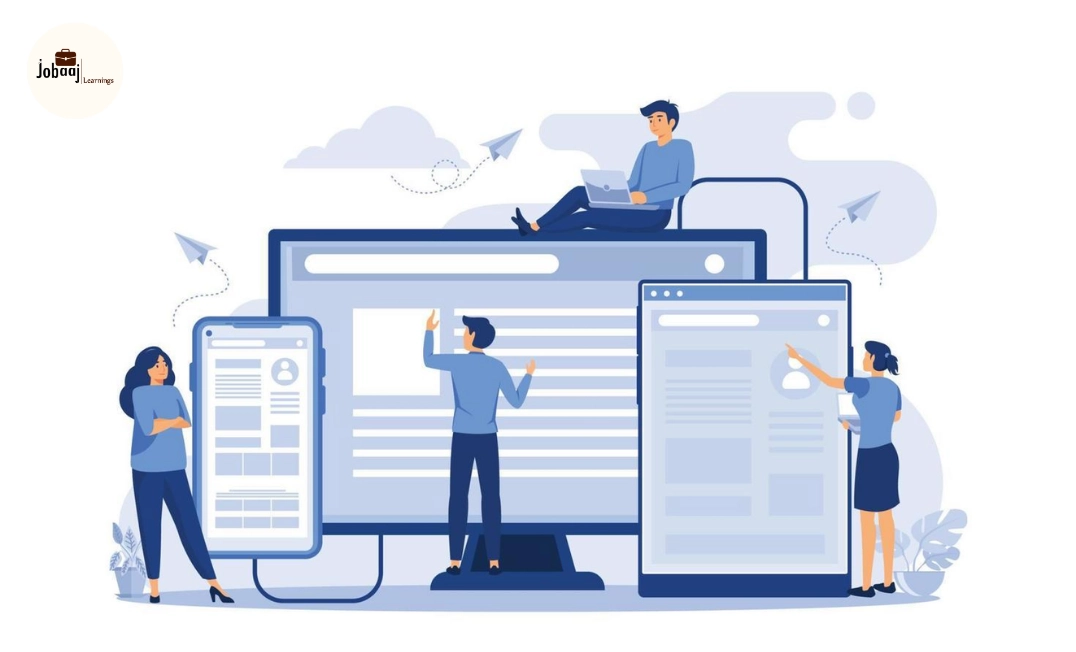
A beautiful interface can still be frustrating to use.
The button may look polished but remain difficult to find. The checkout page may feel modern but make users abandon their purchase. An app may work perfectly for the design team while confusing the people it was actually created for.
This is where user experience testing becomes essential.
User experience testing projects help students and professionals learn how real users behave while interacting with websites, applications and digital services. Instead of assuming what users want, UX testers collect evidence, identify usability problems and recommend practical improvements.
According to Nielsen Norman Group, usability testing involves asking participants to complete realistic tasks while a researcher observes their behaviour and listens to their feedback. The purpose is to uncover problems and opportunities within the design.
This guide covers practical UX testing project ideas, research methods, tools, skills, portfolio structure, salary expectations and career opportunities.
What is User Experience Testing?
User experience testing is the process of evaluating how easily and effectively people can use a product, website, mobile application or service.
During a usability test, participants may be asked to complete tasks such as creating an account, finding a product, booking an appointment or completing a payment.
The researcher observes where users:
- Become confused
- Take longer than expected
- Make errors
- Miss important information
- Abandon a task
- Express frustration
- Need additional guidance
UX testing examines more than visual appearance. It considers ease of use, accessibility, usefulness, navigation, content clarity, speed and the overall experience of completing a task.
Why UX Testing Projects Matter
A UX course can teach research terminology, but employers need evidence that you can conduct a study and convert user behaviour into product decisions.
A practical user experience testing project demonstrates that you can:
- Define a research problem
- Select suitable participants
- Prepare realistic tasks
- Conduct interviews and usability tests
- Analyse qualitative and quantitative data
- Identify recurring usability issues
- Prioritise findings
- Recommend design improvements
- Explain the business impact of your research
Your project does not need hundreds of participants or expensive research software. A small, well-structured study with five suitable participants can reveal more ability than a large but poorly planned survey.
Best User Experience Testing Projects
The most useful projects focus on a clear user journey rather than attempting to evaluate an entire platform at once.
Here are practical UX testing project ideas for beginners, students and working professionals.
1. E-commerce Checkout Usability Testing
Cart abandonment is a major problem for online retailers. Users may leave because of complicated forms, unexpected charges, forced account creation or unclear payment options.
In this project, you can test the checkout process of an existing e-commerce website or a prototype created in Figma.
Research Objective
Understand whether users can complete a purchase easily and identify the points that create hesitation or abandonment.
Sample Tasks
Ask participants to:
- Find a product within a fixed budget
- Add the product to their cart
- Change the product quantity
- Apply a discount code
- Select a delivery method
- Complete the checkout process
Use dummy details and stop before an actual payment is made unless you are testing a controlled prototype.
Metrics to Track
- Task completion rate
- Time required to complete checkout
- Number of errors
- Number of clicks
- Abandonment point
- Post-task satisfaction score
- System Usability Scale score
Possible Findings
Users may struggle to find the coupon field, understand delivery charges or return to the cart after reaching the payment page.
Your final recommendations could include a progress indicator, clearer pricing, guest checkout and simplified address forms.
2. Mobile App Onboarding Test
Onboarding introduces users to an application and helps them reach its main value. A confusing onboarding experience can cause users to uninstall the app before fully exploring it.
For this project, select a finance, fitness, food-delivery, education or productivity application.
Research Objective
Evaluate whether new users understand what the app does and can complete the initial setup without unnecessary effort.
Sample Tasks
- Create a new account
- Grant or decline permissions
- Select personal preferences
- Complete the first important action
- Find help or skip the tutorial
Questions to Explore
- Do users understand the application’s value?
- Are too many details requested initially?
- Are permission requests clearly explained?
- Can users skip non-essential steps?
- Does the onboarding process feel trustworthy?
A strong case study should show how onboarding problems may affect activation and user retention.
3. Website Navigation and Information Architecture Test
Users should be able to find information without understanding the company’s internal terminology.
A navigation-testing project examines whether categories, menu labels and page structures match the way users naturally search for information.
Suitable Websites
You can test:
- University websites
- Hospital websites
- Government portals
- Online learning platforms
- News websites
- Banking websites
- Travel-booking platforms
Research Methods
Use card sorting to understand how participants group information. Follow it with tree testing to measure whether they can find content within the proposed menu structure.
Sample Task
Imagine that you want to understand the refund policy for a course. Where would you expect to find this information?
Track the route selected, completion rate and time taken.
The final output may include a revised sitemap, clearer category labels and recommendations for reducing menu complexity.
4. Accessibility Testing Project
Accessibility testing evaluates whether people with disabilities can use a digital product effectively.
This is one of the most valuable UX testing projects because accessibility problems are often ignored until late in product development.
Areas to Evaluate
- Colour contrast
- Keyboard navigation
- Screen-reader compatibility
- Alternative text
- Form labels
- Focus indicators
- Heading structure
- Text readability
- Caption availability
- Touch-target size
Tools to Use
- WAVE
- axe DevTools
- Lighthouse
- Colour Contrast Analyzer
- NVDA
- VoiceOver
- Keyboard-only navigation
Automated tools can identify technical issues, but they cannot fully represent the experience of a person with a disability. Where possible, include participants who use assistive technology and compensate them fairly.
Project Deliverables
Create an accessibility audit with issue severity, affected users, supporting evidence and proposed solutions.
Avoid presenting accessibility as a simple checklist. Explain how each issue prevents a user from completing a meaningful task.
5. Online Form Usability Testing
Forms are used for applications, payments, registrations, insurance claims, customer support and account verification.
Poorly designed forms create errors, incomplete submissions and support requests.
Project Options
Test a:
- Job application form
- College admission form
- Insurance claim form
- Bank account application
- Event registration form
- Contact or complaint form
What to Measure
- Form completion rate
- Time spent on each section
- Fields causing errors
- Error-message clarity
- Number of corrections
- Abandonment rate
- User confidence
Look for vague labels, unnecessary fields, confusing password requirements and error messages that do not explain how to fix the problem.
Your recommendations might include inline validation, clearer field labels, optional-field indicators and automatic data formatting.
6. Comparative Usability Testing
Comparative testing evaluates two products or two versions of the same design.
For example, you could compare the search and booking experiences of two travel platforms or test an existing checkout against a redesigned prototype.
Research Objective
Determine which design allows users to complete the selected task more accurately, quickly and confidently.
What to Compare
- Task completion rate
- Time on task
- Error rate
- User preference
- Ease-of-use rating
- Confidence level
- Number of unnecessary steps
Do not select a winner based only on participant preference. A design that users say they like may still produce more errors or slower completion.
Combine behavioural evidence with user comments before reaching a conclusion.
7. Banking or FinTech App Usability Test
Financial products must be easy to use without making users feel that their money or personal information is unsafe.
A FinTech testing project can examine money transfers, investment onboarding, expense tracking, loan applications or transaction-history features.
Sample User Journey
Ask participants to:
- Find their recent transactions
- Download a monthly statement
- Add a beneficiary
- Transfer a fixed amount
- Locate the transaction receipt
- Report a suspicious payment
Important Research Questions
- Do users understand financial terminology?
- Are fees and charges visible before confirmation?
- Does the product communicate security without creating fear?
- Can users correct mistakes before submitting?
- Is the payment status clear?
- Can users get help during a failed transaction?
Use a prototype or test environment. Never ask participants to reveal passwords, card numbers, OTPs or other sensitive information.
8. Healthcare Appointment-Booking Test
Healthcare platforms serve users who may already be stressed, unwell or unfamiliar with medical terminology.
A healthcare UX project can evaluate whether users can find a doctor, select the correct speciality and book or reschedule an appointment.
Sample Tasks
- Find a doctor for a specific health concern
- Compare available appointment times
- Check consultation fees
- Book an online consultation
- Reschedule an appointment
- Find cancellation information
Areas to Observe
Pay attention to confusing speciality names, unclear availability, inaccessible text and uncertainty about whether the booking was confirmed.
This project can show how UX testing applies to situations where errors carry a higher cost than ordinary inconvenience.
9. Educational Platform Usability Test
Learning platforms must support students with different levels of technical knowledge, attention and internet access.
Select an online course platform, school portal or learning-management system for this project.
Sample Tasks
- Find a specific course
- Enrol in the course
- Resume an incomplete lesson
- Download study material
- Submit an assignment
- View scores or instructor feedback
- Contact support
Questions to Investigate
Can students understand their progress? Are deadlines visible? Can they find the next lesson? Does the platform work properly on a mobile device?
Recommendations could include clearer progress tracking, better assignment status labels and reduced navigation between lessons.
10. Chatbot or AI Assistant Testing
AI assistants create a different user experience because their responses are not always predictable.
Testing an AI chatbot involves examining usefulness, accuracy, trust, tone and the system’s ability to recover from misunderstandings.
Project Scenarios
You could test a:
- Customer-support chatbot
- Banking assistant
- Educational tutor
- Travel assistant
- Shopping recommendation bot
- Healthcare information bot
Metrics to Track
- Successful resolution rate
- Number of repeated questions
- Incorrect or unsupported answers
- Escalation success
- User trust rating
- Response clarity
- Time to resolution
Include difficult cases such as spelling errors, vague questions, repeated requests and situations the chatbot cannot handle.
The test should examine whether the system admits uncertainty and provides a safe path to human support.
11. Food-Delivery App Search and Ordering Test
Food-delivery applications contain restaurants, menus, filters, offers, delivery estimates and multiple payment choices.
That makes them useful for testing search, decision-making and checkout behaviour in a single project.
Sample Tasks
Ask users to:
- Find a vegetarian meal below ₹300
- Apply a dietary filter
- Compare two restaurants
- Customise an item
- Apply an available offer
- Review the final amount
- Track or cancel the order
Observe whether users understand minimum-order rules, packaging fees, delivery charges and discount conditions.
12. Employee Dashboard Usability Test
Business dashboards are often designed around available data instead of the decisions employees need to make.
A dashboard-testing project can focus on an HR, sales, inventory, finance or project-management dashboard.
Research Questions
- Can users identify the most important metric?
- Do they understand chart labels?
- Can they filter the data correctly?
- Can they identify an urgent issue?
- Are visualisations supporting or slowing decisions?
This project is especially useful for candidates interested in UX research, business analysis, product design or data visualisation.
Best Tools for UX Testing Projects
|
Purpose |
Tools |
|
Wireframing and prototypes |
Figma, Adobe XD, Sketch |
|
Moderated remote testing |
Zoom, Google Meet, Microsoft Teams |
|
Unmoderated testing |
Maze, UserTesting, Lyssna, Useberry |
|
Screen recording |
Loom, OBS Studio |
|
Card sorting and tree testing |
Optimal Workshop, UXtweak |
|
Surveys |
Google Forms, Typeform, SurveyMonkey |
|
Research repository |
Dovetail, Notion, Airtable |
|
Product analytics |
Google Analytics, Mixpanel, Amplitude, Hotjar |
|
Accessibility testing |
WAVE, axe DevTools, Lighthouse, NVDA |
|
Data analysis |
Excel, Google Sheets, Power BI, Tableau |
|
Presentation |
PowerPoint, Canva, Figma |
Free tools are sufficient for a beginner portfolio. The quality of your research decisions matters more than the number of paid platforms you use.
Frequently asked questions
What is a good UX testing project for beginners?
An e-commerce checkout, mobile onboarding or online form is a suitable beginner project. Each has a clear task and measurable outcome. Test five suitable participants, record completion rates and usability problems, recommend improvements and test the revised prototype. This creates a complete portfolio case study rather than a visual redesign.
How many participants are needed for a usability testing project?
A small qualitative study can begin with five carefully selected participants, but this is not a universal rule. More participants may be necessary when testing different user groups or measuring statistical differences. Participant relevance, research quality and repeated testing rounds matter more than selecting an arbitrary number without considering the study’s objective.
Which tools are best for UX testing projects?
Figma is useful for prototypes, while Maze, Lyssna, UserTesting and Useberry support remote tests. Zoom or Google Meet can handle moderated sessions. Researchers may use Dovetail or Notion for analysis and WAVE or axe for accessibility checks. Choose tools according to the research question, budget and participant needs.
Can I create a UX research portfolio without professional experience?
Yes. You can test an existing website, create a prototype or work with a local business or student organisation. Clearly describe the study as an independent project. Do not imply that the company hired you. Employers will primarily examine your research decisions, evidence, ethical approach and ability to communicate useful recommendations.
Will AI replace UX researchers and usability testers?
AI will automate transcription, summarisation and parts of research administration, but it cannot fully understand human emotions, social context or unexpected behaviour. UX professionals who combine research judgement, analytics, accessibility and AI literacy should remain valuable. The greater risk is for people who use research templates without developing critical thinking or facilitation skills.

Join 5,00,000+ Subscribers
Be a part of our ever growing community.