Categories














A customer says, “The checkout process is too complicated.” The management team wants higher sales. Developers want exact instructions. Testers want measurable conditions.
Who connects all these people and turns a loosely defined problem into something that can actually be built?
That is where a Business Analyst comes in.
Business analysis is often misunderstood as a documentation-heavy corporate job. In reality, it is a creative problem-solving career that combines communication, research, process design, technology and human behaviour.
Among all the skills a Business Analyst needs, understanding BRDs, FRDs and user stories is especially important. These three requirement formats help teams move from a business problem to a working solution without losing clarity along the way.
However, simply memorising their definitions will not make someone a capable BA. A strong Business Analyst must understand when to use each document, how much detail to include and how to convert stakeholder conversations into clear, testable requirements.
This guide explains the complete process.
Why BRD, FRD and User Stories Matter
Most project failures do not begin with poor coding. They begin with misunderstood expectations.
One stakeholder may want faster operations, while another expects stronger controls. Developers may interpret a feature differently from the business team. Testers may not know what conditions determine whether the feature is working correctly.
Requirement documents reduce this ambiguity.
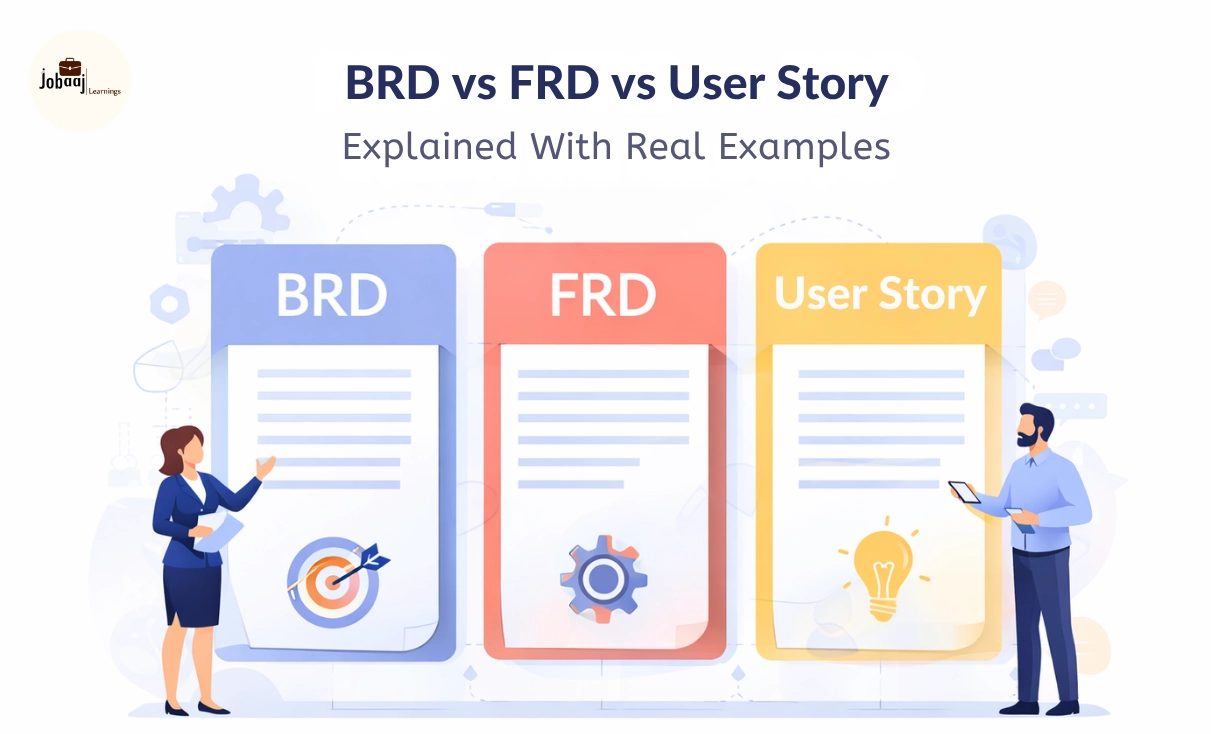
A BRD explains the business problem and desired outcome. An FRD defines how the proposed solution should function. A user story describes a specific need from the user’s perspective.
These formats do not necessarily compete with each other. A project can use all three at different levels.
Requirements documents can also support traceability, approvals, vendor agreements and future system changes. IIBA notes that documents such as BRDs and FRDs may become important reference points for maintaining requirements and resolving disagreements.
What Is a BRD?
A Business Requirements Document, commonly called a BRD, explains what the organisation wants to achieve and why the proposed project is needed.
It focuses on business goals rather than technical implementation.
For example, a BRD should not immediately say that a company needs a particular database or programming language. It should first explain the business problem, affected users, expected benefits and measurable outcomes.
Questions a BRD Should Answer
A well-written BRD should answer:
- What business problem are we solving?
- Why does this problem need attention?
- Who is affected?
- What outcomes does the organisation expect?
- What is included in the project?
- What is outside the project scope?
- What business rules must be followed?
- How will success be measured?
- What risks, assumptions and dependencies exist?
Atlassian describes a BRD as a structured document that captures a project’s essential needs and expectations so stakeholders can remain aligned.
Main Sections of a BRD
The exact format depends on the organisation, but a detailed BRD usually includes the following sections.
1. Executive Summary
This section provides a short overview of the problem, proposed initiative and expected business value.
A senior stakeholder should be able to read this section and understand why the project matters.
2. Business Background
The background explains the current situation.
It may include information about existing processes, customer complaints, operational delays, compliance requirements or market changes.
3. Problem Statement
The problem statement defines the issue clearly.
A weak problem statement might say:
“The current system is bad.”
A stronger version would say:
“Customer support executives spend an average of eight minutes switching between three systems before accessing a customer’s complete complaint history.”
The second version is specific and measurable.
4. Business Objectives
Business objectives describe the outcomes the organisation expects.
Examples include:
- Reduce application processing time
- Improve customer satisfaction
- Increase conversion rates
- Reduce manual data entry
- Strengthen regulatory compliance
- Lower operational costs
Objectives should ideally include measurable success indicators.
5. Project Scope
The scope section defines what the project will and will not cover.
Clear scope boundaries help prevent scope creep, which happens when new requirements are continuously added without reviewing their impact on time, budget and resources.
6. Stakeholder Details
This section identifies the people and departments affected by the project.
It may also specify who approves requirements, who provides information and who will use the final solution.
7. High-Level Business Requirements
Business requirements describe the capabilities the organisation needs.
For example:
“The organisation must provide customers with a digital method to track the real-time status of their service requests.”
This statement explains the required capability without prescribing its technical implementation.
7. Business Rules
Business rules define organisational policies or conditions.
For example:
- Refunds above ₹10,000 require managerial approval.
- Only verified users can access financial statements.
- Customers can cancel an order until it has been dispatched.
8. Assumptions and Dependencies
An assumption is something believed to be true for planning purposes.
A dependency is something the project relies on.
For example, a new application may depend on an external payment gateway, legal approval or data supplied by another department.
9. Risks and Constraints
This section may include budget limitations, regulatory risks, technical restrictions, resource shortages and fixed launch dates.
10. Success Metrics
Success metrics show whether the project created the expected value.
Examples include:
- A 20% reduction in processing time
- A 15% increase in completed purchases
- A 30% reduction in support calls
- Fewer than 2% failed transactions
Simple BRD Example
Suppose an online learning platform notices that many students begin purchasing a course but do not complete payment.
The BRD may include:
Business problem: A high percentage of learners abandon the checkout process.
Objective: Increase successful course purchases.
Business requirement: Learners must be able to complete course payment through a simple and secure digital checkout process.
Success metric: Reduce checkout abandonment by 20% within six months.
Notice that the BRD explains the business need. It does not yet describe every screen, field or validation.
What Is an FRD?
A Functional Requirements Document, or FRD, explains how the proposed system or solution should behave.
It converts high-level business requirements into detailed functional requirements that developers, designers and testers can use.
The BRD may state that customers need to track their orders. The FRD explains what information they can see, how frequently the status is updated and what happens when tracking data is unavailable.
Questions an FRD Should Answer
An FRD should explain:
- What functions must the system perform?
- What actions can each user perform?
- What information must be captured?
- What validations are required?
- What happens when an error occurs?
- Which systems must exchange information?
- What reports or notifications must be generated?
- What business rules apply to each function?
Main Sections of an FRD
1. Functional Overview
This provides a summary of the proposed system and its major capabilities.
2. User Roles and Permissions
Different users may have different access rights.
For example:
- Students can browse and purchase courses.
- Instructors can upload lessons.
- Administrators can approve instructors.
- Finance users can review refunds.
3. Functional Requirements
Each requirement should be clear, specific and testable.
For example:
“The system shall send a six-digit one-time password to the user’s registered mobile number when the user selects mobile-based login.”
This is more useful than saying:
“The system should have secure login.”
4. Process Flows
Process flows show how users, departments and systems interact.
Common diagrams include:
- Flowcharts
- Swimlane diagrams
- Activity diagrams
- Use-case diagrams
- Business Process Model and Notation diagrams
5. Screen and Field Requirements
This section describes the information displayed or captured on each screen.
For a registration form, it may define:
- Field names
- Data types
- Mandatory fields
- Character limits
- Default values
- Dropdown options
- Validation messages
6. Data Requirements
Data requirements explain what data the system must create, read, update, store or transfer.
The BA does not always design the database. However, the analyst should understand the meaning, source, format and use of important data fields.
7. Validation Rules
Validation rules prevent incomplete or incorrect information from entering the system.
Examples include:
- Email addresses must follow a valid format.
- Date of birth cannot be a future date.
- Mobile numbers must contain ten digits.
- Discount codes cannot be applied after expiry.
8. Integration Requirements
Modern systems rarely operate independently.
An FRD may define interactions with:
- Payment gateways
- Customer relationship management systems
- Enterprise resource planning software
- Identity verification platforms
- Email services
- SMS services
- Third-party APIs
9. Error Handling
The FRD should explain what happens when a process fails.
For example:
“If the payment gateway does not respond within 30 seconds, the system shall display a pending-payment message and verify the transaction status before allowing another payment attempt.”
10. Reports and Notifications
The FRD may define dashboards, downloadable reports, alerts and scheduled emails.
11. Traceability
Each functional requirement should connect back to a business requirement.
This helps the team confirm that every feature supports a genuine business need. Traceability also helps teams evaluate the impact of requirement changes on scope, cost, testing and delivery.
Simple FRD Example
Using the online learning platform example, the functional requirements may include:
- The system shall allow learners to pay using UPI, debit cards, credit cards and net banking.
- The system shall display the final payable amount before payment confirmation.
- The system shall generate a unique transaction reference number.
- The system shall email a payment receipt after a successful transaction.
- The system shall not activate course access when payment confirmation is pending.
The FRD provides the operational details needed to design, build and test the checkout process.
What Is a User Story?
A user story is a short description of a requirement from the perspective of the person who needs it.
User stories are widely used in Agile product development because they keep the conversation focused on user value rather than lengthy specifications.
The most common format is:
As a [type of user], I want [goal], so that [reason or benefit].
For example:
“As a learner, I want to save a course to my wishlist so that I can purchase it later.”
Atlassian defines user stories as concise, user-focused descriptions of desired outcomes. It also explains the three Cs of user stories: Card, Conversation and Confirmation.
The Three Cs of User Stories
1. Card
The card is the written user story.
It is intentionally short and acts as a reminder rather than a complete specification.
2. Conversation
The story should trigger discussions between the Product Owner, Business Analyst, developers, testers and designers.
The most valuable details are often discovered during these conversations.
3. Confirmation
Confirmation refers to the acceptance criteria that determine when the user story has been completed successfully.
What Are Acceptance Criteria?
Acceptance criteria are clear, testable conditions that a product or feature must satisfy before it can be accepted.
They reduce different interpretations of the same user story and give testers a basis for validating the feature.
For the wishlist story, acceptance criteria could include:
- Logged-in users can add an available course to their wishlist.
- The selected course appears on the user’s wishlist page.
- A course cannot appear more than once in the same wishlist.
- Users can remove a course from the wishlist.
- Wishlist information remains available after the user logs out and returns.
Writing Acceptance Criteria in Gherkin Format
Teams often use the Given-When-Then structure.
Given the learner is logged in
And the course is available
When the learner selects Add to Wishlist
Then the course should be saved to the learner’s wishlist
And the system should display a confirmation message
Gherkin is useful because it describes the starting condition, user action and expected result.
Characteristics of a Strong User Story
A good user story should be:
- Independent where possible
- Negotiable
- Valuable to the user
- Estimable by the delivery team
- Small enough for a sprint
- Testable through acceptance criteria
These principles are commonly remembered using the acronym INVEST.
BRD vs FRD vs User Stories
|
Area |
BRD |
FRD |
User Story |
|
Full form |
Business Requirements Document |
Functional Requirements Document |
Not an abbreviation |
|
Main purpose |
Defines the business need and expected outcome |
Defines how the solution should function |
Describes a need from the user’s perspective |
|
Primary question |
Why is the project needed and what must it achieve? |
What must the system do? |
Who needs what, and why? |
|
Level of detail |
High-level |
Detailed |
Small and focused |
|
Main audience |
Sponsors, managers, business stakeholders |
Developers, designers, testers and architects |
Agile delivery team and Product Owner |
|
Common methodology |
Waterfall, hybrid and enterprise projects |
Waterfall, hybrid and regulated projects |
Agile and Scrum |
|
Typical content |
Objectives, scope, business needs, risks and success metrics |
Functions, fields, validations, workflows and integrations |
User role, goal, value and acceptance criteria |
|
Approval style |
Often formally approved |
Frequently reviewed and baselined |
Prioritised and refined through the product backlog |
|
Change handling |
Formal change control may be used |
Impact analysis and version control |
Updated during backlog refinement |
Frequently asked questions
What is the main difference between a BRD and an FRD?
A BRD explains the business problem, project objectives, scope and expected outcomes. An FRD provides detailed information about how the proposed system should function. The BRD is mainly business-focused, while the FRD gives developers, designers and testers the functional detail needed to build and verify the solution.
Are user stories enough for an Agile project?
User stories may be sufficient for small and straightforward features, but complex projects usually need supporting information. Process diagrams, data definitions, wireframes, business rules, integration details and non-functional requirements may also be required. Agile encourages useful documentation, not the complete removal of documentation from the development process.
Does a Business Analyst need coding knowledge?
Coding is not compulsory for most Business Analyst roles. However, basic knowledge of SQL, APIs, databases and software architecture can improve communication with technical teams. A BA should understand how systems exchange data and where technical limitations may affect a requirement, even when developers write the actual code.
Which tool should a beginner Business Analyst learn first?
Start with Excel for data analysis, Draw.io for process maps and Jira for Agile requirements. Next, learn Confluence, basic SQL and a wireframing tool such as Figma or Balsamiq. Do not attempt to master every available tool. Build one complete project using a small, practical toolset.
Can a fresher become a Business Analyst without an MBA?
Yes. An MBA is not mandatory for entry-level Business Analyst positions. Graduates from business, commerce, engineering, arts, science and computer applications can enter the field. Employers generally value communication, analytical ability, practical project work, domain understanding and tool knowledge more than one specific academic qualification.

Join 5,00,000+ Subscribers
Be a part of our ever growing community.