Categories




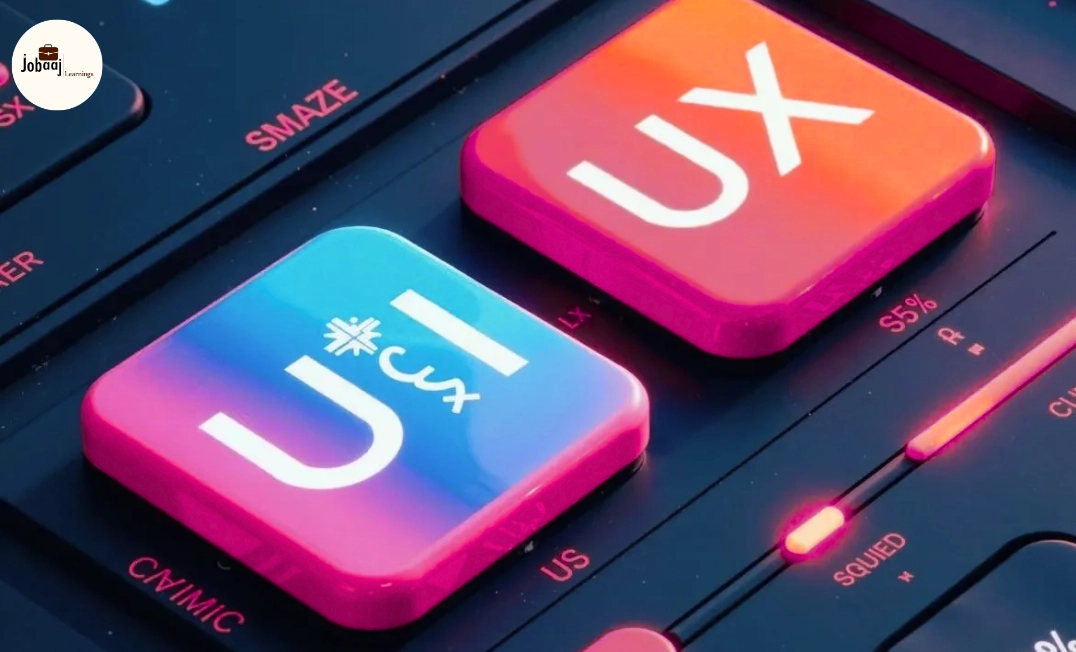
In the fast-evolving digital world, UX/UI designers are the architects of user experiences. Every app, website, or digital product you use has been crafted by designers who combine creativity, research, and technical skills. For students and early-career professionals, mastering the right set of tools before 2027 is essential to stay competitive and thrive in the industry.
This guide explores career opportunities, top 15 tools, industry trends, essential skills, salaries, and preparation strategies, giving a complete roadmap for aspiring designers.
Why UX/UI Design is a Future-Proof Career
- High Demand: With companies focusing on digital-first strategies, UX/UI designers are critical for product success.
- Creative and Analytical: Combines artistic creativity with problem-solving and user research.
- Global Opportunities: Work remotely or internationally for tech giants, startups, and agencies.
- Lucrative Salary: Skilled designers are among the top-paid in the creative and tech industries.
- Continuous Learning: Emerging technologies like AR/VR, AI-driven design, and voice interfaces make it a future-ready career.
Top 15 Tools Every UX/UI Designer Should Master
Here’s a detailed list of tools you need to be proficient in before 2027:
Design & Wireframing Tools
- Figma – Cloud-based design and collaboration for wireframes and high-fidelity prototypes.
- Adobe XD – Create interactive prototypes, micro-interactions, and collaborate with teams.
- Sketch – Vector-based UI design, widely used in Mac environments.
- InVision – Rapid prototyping and feedback collection, integrates with design tools.
- Balsamiq – Low-fidelity wireframing for quick layout mockups.
Visual & Graphic Design Tools
- Adobe Photoshop – Image editing, visual assets, and graphic design.
- Adobe Illustrator – Vector graphics, icons, and scalable UI elements.
- Canva – Quick design mockups, presentations, and social media graphics.
Collaboration & Handoff Tools
- Zeplin – Bridges designers and developers, offering seamless handoff.
- Abstract – Version control for design files and team collaboration.
Prototyping & Motion Tools
- Principle – Create interactive UI prototypes with micro-interactions.
- After Effects – Motion graphics, animation, and transitions for UI design.
- Proto.io – Turn designs into interactive mobile and web prototypes.
User Research & Analytics Tools
- Hotjar – Heatmaps, session recordings, and user feedback collection.
- Maze – Remote usability testing and rapid validation of designs.
Mastering these tools ensures you can design, prototype, test, and collaborate effectively, which is what employers look for in 2026–2027.
Skills to Develop Alongside Tools
- User Research: Interviews, surveys, persona creation, and journey mapping.
- Wireframing & Prototyping: Transform concepts into interactive experiences.
- Visual Design Principles: Typography, color theory, spacing, and grids.
- UX Writing: Clear, concise microcopy that guides users effectively.
- Interaction & Motion Design: Micro-interactions and animations for engaging experiences.
- Communication & Collaboration: Explaining design rationale and working with cross-functional teams.
- Design Thinking: Problem-solving framework to create user-centered solutions.
Career Paths in UX/UI Design
|
Role |
Focus Area |
Entry-Level Salary |
Mid-Level Salary |
Senior-Level Salary |
Opportunities |
|
UX Designer |
User research, wireframes, journey mapping |
₹3–5 LPA |
₹7–12 LPA |
₹15–25 LPA |
Apps, websites, SaaS, startups |
|
UI Designer |
Visual design, layouts, interface aesthetics |
₹2.5–4 LPA |
₹6–10 LPA |
₹12–20 LPA |
Web, mobile, AR/VR, digital products |
|
UX Researcher |
User testing, behavior analysis, data-driven insights |
₹3–5 LPA |
₹7–12 LPA |
₹12–18 LPA |
Product teams, agencies, research labs |
|
Interaction Designer |
Micro-interactions, motion, prototyping |
₹3–5 LPA |
₹8–12 LPA |
₹15–22 LPA |
Startups, SaaS platforms, AR/VR |
|
Product Designer |
Full-stack UX/UI design, end-to-end product creation |
₹4–6 LPA |
₹10–15 LPA |
₹20–30 LPA |
Tech companies, digital products, innovation labs |
|
Motion Designer |
Animation, transitions, interactive motion |
₹3–5 LPA |
₹7–12 LPA |
₹15–25 LPA |
Gaming, apps, SaaS, marketing agencies |
Emerging Trends to Watch in UX/UI by 2027
- AR/VR Interfaces: Designing immersive augmented and virtual experiences.
- AI-Driven Design: Tools suggesting layouts, color palettes, or microcopy automatically.
- Voice UI & Conversational Design: Designing smart assistants and voice interactions.
- Inclusive Design: Accessibility and usability for all users.
- Data-Driven UX: Using analytics and A/B testing to guide design decisions.
Preparation Strategy for Aspiring Designers
- Learn the Tools: Prioritize Figma, Adobe XD, Photoshop, and Hotjar initially.
- Build a Portfolio: Redesign existing apps, create prototypes, and document your projects.
- Internships & Freelancing: Gain real-world experience while learning collaboration and client handling.
- Follow Industry Leaders: Read blogs, attend webinars, and study case studies of top designers.
- Continuous Learning: Emerging tools and trends change quickly—stay updated to remain competitive.
Conclusion
UX/UI design is more than just making interfaces look good; it’s about creating experiences that users love and understand intuitively. By mastering these 15 essential tools, acquiring relevant skills, and staying updated on trends, designers can build rewarding, creative, and high-growth careers by 2027.
Students and early professionals who start learning today will have a significant advantage, combining creativity, technical mastery, and problem-solving to thrive in the future of digital design.
Frequently asked questions
Which tools should I master to become a UX/UI designer by 2027?
Essential tools include Figma, Adobe XD, Sketch, InVision, Balsamiq, Photoshop, Illustrator, Canva, Zeplin, Abstract, Principle, After Effects, Proto.io, Hotjar, and Maze.
Do I need both UX and UI skills?
Yes. UX focuses on user research, journey mapping, and wireframing, while UI deals with visual design, layouts, and interactive elements. Mastering both makes you versatile.
How can I build a strong portfolio as a UX/UI designer?
Create redesigns, prototypes, and personal projects; participate in freelance work or internships; showcase projects with case studies and rationale for design decisions.
What career opportunities exist in UX/UI design?
Roles include UX Designer, UI Designer, Interaction Designer, Motion Designer, Product Designer, UX Researcher, and Digital Product Designer.
What salary can I expect as a UX/UI designer?
Entry-level: ₹2.5–5 LPA, mid-level: ₹7–15 LPA, senior roles: ₹15–30+ LPA depending on experience and company.

Join 5,00,000+ Subscribers
Be a part of our ever growing community.