Categories

































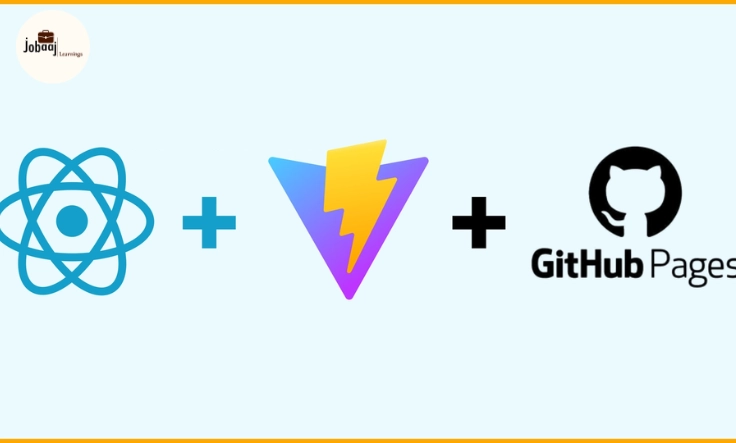
Ever dreamed of launching your own website, only to get discouraged by pricey hosting fees? You're not alone—but here's the good news: you can get your site online for free.
In this guide, we’ll show you how to host your website without spending a single rupee (or dollar), using beginner-friendly platforms like GitHub Pages, Netlify, and Vercel. No tech degree needed—we’ll walk you through everything, step by step. From simple setups to more advanced deployments, we've got your back.
Exploring a career in Web Development? Apply now!
GitHub Pages: Your First Step
GitHub, a platform known for version control and collaboration, offers a surprisingly simple way to host static websites. It's perfect for blogs, portfolios, or simple project pages. Imagine it as your digital storage space where you keep your website's files.
Creating a repository named username.github.io (replace "username" with your GitHub username) is the key. Simply upload your HTML, CSS, and JavaScript files, and GitHub Pages magically transforms them into a live website.
Easy peasy, right? And if you use a static site generator like Jekyll, you can streamline the process further. GitHub Pages integrates smoothly with Jekyll, offering pre-built themes and automated deployments. This lets you focus on content creation, leaving the technical heavy lifting to the platform.
Netlify: Drag, Drop, and Deploy
Netlify takes simplicity to a whole new level with its drag-and-drop interface. Link your GitHub repository, and Netlify automatically builds and deploys your website. Think of it as an automated web-building robot, ready to launch your site in seconds.
The magic doesn't stop there. Netlify offers continuous deployment, which means every time you push updates to your repository, your website updates instantly. This ensures your online presence always reflects your latest work.
Plus, features like form handling, serverless functions, and custom domains add a professional touch, even on a free plan. It's like having a team of web developers working behind the scenes, all for free!
Vercel: Power and Performance
Vercel caters to more complex web applications built with frameworks like React, Vue, and Angular. Its focus on serverless functions and edge networking provides blazing-fast performance. Imagine your website zooming across the internet, reaching visitors worldwide with lightning speed.
Similar to Netlify, Vercel integrates seamlessly with Git providers like GitHub, GitLab, and Bitbucket. It also supports preview deployments, which lets you test changes before going live. This provides a safe space for experimentation and ensures a polished final product.
While Vercel's free tier is generous for personal projects and hobbyists, its real power shines in larger projects. Its scalability and enterprise-grade features make it a favorite amongst professional developers.
Choosing Your Free Hosting Champion

So, which platform reigns supreme? Well, it depends on your needs. For simple static websites, GitHub Pages offers the easiest setup. Netlify provides an excellent balance of simplicity and features for most projects.
If you're working with more complex frameworks, Vercel is your go-to choice. Each platform offers a unique flavor of free hosting, ensuring there's a perfect fit for every website project.
Hosting a website for free isn't a distant dream anymore. These powerful platforms democratize web development, allowing anyone with an internet connection to share their ideas with the world. So, pick your platform, build your website, and launch your online presence today!
Dreaming of a Web Development Career? Start with Web Development Certificate with Jobaaj Learnings.
Frequently asked questions
Which platform is best for free website hosting?
The best platform depends on your needs. GitHub Pages is great for simple sites tied to a GitHub repo. Netlify and Vercel offer more advanced features but may require a paid plan for larger sites.
Can I host a dynamic website for free on these platforms?
No, these platforms primarily support static websites. Dynamic websites require server-side processing, usually needing a paid hosting solution.
What are the limitations of free hosting options?
Free plans often have limitations on bandwidth, storage, and features. Custom domains may also require a paid upgrade. Read each platform's free plan details carefully.
How do I deploy my website to these platforms?
Each platform has its own deployment process. This guide provides step-by-step instructions for each—GitHub Pages, Netlify, and Vercel. Generally, you'll need to connect your project repository.
Is this guide suitable for beginners?
Yes! This guide is written with beginners in mind, providing clear and concise instructions. Even if you're new to web development, you can follow along and host your website successfully.

Join 5,00,000+ Subscribers
Be a part of our ever growing community.