Categories








































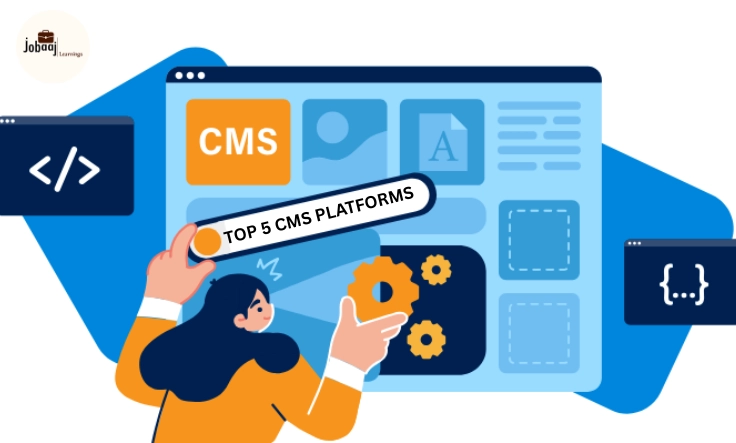
In the fast-paced world of web development, the tools we choose can make all the difference in how quickly and efficiently we build websites and applications. Whether you’re a seasoned developer or just starting your journey, one of the most important decisions you’ll make is which Content Management System (CMS) to use. The right CMS can help you streamline your workflow, create dynamic websites, and manage content more effectively.
Exploring a career in Web Development? Apply now!
For developers, the CMS landscape has changed dramatically over the years. Gone are the days when simple, one-size-fits-all systems were the go-to choice. Today, the world of CMSs is more dynamic and versatile, offering a wide range of options tailored to different needs. Whether you’re looking for a headless CMS to build a modern, API-driven site or a traditional CMS that’s easy to manage and update, there’s a platform out there that can meet your requirements.
In this blog, we’ll explore the top 5 CMS platforms that developers love to use, including WordPress, Strapi, Sanity, Contentful, and Webflow. We’ll walk through the unique features, pros, and best use cases for each platform, so you can make an informed decision based on your specific needs. Let’s dive into how these CMS platforms are shaping the future of web development.
1. WordPress: The Long-Standing Leader
For many developers, WordPress is the first CMS they ever use. It’s been around since 2003 and has grown to power over 40% of all websites on the internet. It started as a blogging platform but has since evolved into a highly customizable and scalable solution for everything from small blogs to large-scale enterprise websites.
What makes WordPress so popular is its simplicity and flexibility. You can get started with just a basic install, and it’s very user-friendly, even for non-developers. But as a developer, the real power of WordPress lies in its extensive ecosystem of plugins and themes. These allow you to extend functionality, add features, and customize your site without writing everything from scratch.
-
The WordPress plugin repository has over 58,000 plugins, covering everything from SEO to security and e-commerce. This makes it incredibly flexible for building custom features.
-
WordPress is open-source, meaning developers have complete access to the code and can make modifications as needed.
-
With an enormous community of developers, you’ll never be far from a solution or tutorial when you need it.
-
While traditionally not a headless CMS, WordPress can be used as a headless CMS via its REST API, making it a great choice for modern web development.
Use Cases:
-
Blogs, e-commerce websites (with WooCommerce), personal websites, and news portals.
2. Strapi: The Flexible Headless CMS
As a headless CMS, Strapi takes a different approach compared to traditional platforms like WordPress. Instead of focusing on delivering content to a specific front-end, Strapi provides a backend-first solution that lets you deliver content via an API to any front-end or device. Built on Node.js, Strapi offers incredible flexibility, making it a favorite for modern developers looking to build scalable, API-driven applications.
Strapi shines in its ability to customize content types and relationships. It’s built for developers who want to create and manage their own content delivery systems without worrying about the constraints of a traditional CMS.
-
Developers can create custom content types, define relationships, and tweak the admin panel to match their needs.
-
Strapi automatically creates RESTful and GraphQL APIs, making it easy to fetch content from anywhere.
-
Strapi includes built-in authentication, user management, and role-based access control, ideal for team collaboration.
-
Strapi is completely open-source and offers the flexibility to customize everything.
Use Cases:
-
APIs for web applications, mobile apps, and dynamic multi-platform content delivery.
3. Sanity: The Headless CMS with Real-Time Collaboration
When it comes to flexibility and developer-friendliness, Sanity takes things up a notch. It’s a headless CMS that offers complete customization over the content management workflow and real-time collaboration for content teams. Unlike many other CMS platforms, Sanity allows developers to create custom content structures and control how content is delivered and managed.
What really sets Sanity apart is its content studio, which is fully customizable and allows developers to tailor the entire content management interface. It’s not just about managing content; it’s about designing the ideal content workflow for your project.
-
Sanity allows multiple users to collaborate in real-time, making it perfect for teams working together on large-scale projects.
-
Sanity offers complete control over your content models, allowing you to define how your data is structured, not just what content gets displayed.
-
Sanity uses GROQ, a query language that gives developers deep control over how content is fetched and displayed.
-
Developers can create a content studio that’s perfectly suited to their needs, which is great for unique workflows.
Use Cases:
-
Enterprise applications, large-scale websites, and multi-channel content management.
4. Contentful: The Scalable, API-First CMS
If you’re working with large-scale projects or content delivery across multiple platforms, Contentful is the CMS for you. It’s a cloud-based, headless CMS that’s designed for scalability and global content delivery. Contentful allows developers to define content models, manage them in a user-friendly interface, and push that content to any front-end via APIs.
Contentful is particularly strong in delivering content to mobile apps, websites, and even IoT devices, making it a solid choice for developers working with multi-channel content delivery.
-
Contentful is built with an API-first approach, making it easy to integrate with different frameworks and front-end technologies.
-
It excels at delivering dynamic content across multiple platforms without compromising speed or flexibility.
-
Contentful provides enterprise-level security and can scale easily to support millions of content items and users.
-
With multi-platform delivery, it’s an ideal choice for businesses that need to provide consistent content across web, mobile, and other devices.
Use Cases:
-
Mobile apps, e-commerce, enterprise applications, and multi-channel digital experiences.
5. Webflow: The No-Code CMS with Developer Flexibility
While Webflow is often known for its no-code website building capabilities, it’s also a powerful CMS for developers. It provides complete control over both the design and content management without relying on a traditional CMS. With Webflow, developers can build visually rich websites and also integrate custom code for more complex functionalities.
What makes Webflow unique is its visual-first design interface that lets you create and manage dynamic content without having to write a ton of code. But for developers, Webflow also allows for complete customization of the website’s HTML, CSS, and JavaScript.
-
Webflow provides developers with total design freedom—you can build complex interactions and animations visually.
-
Developers can create dynamic, CMS-powered websites and manage content without switching tools.
-
Webflow includes powerful tools for building custom e-commerce stores with dynamic product catalogs.
-
Webflow allows developers to export the website’s code, providing them with full control over the final project.
Use Cases:
-
Custom-designed websites, e-commerce stores, and landing pages.
Conclusion
The world of CMS platforms for developers is more diverse and versatile than ever before. Whether you’re looking for a traditional CMS like WordPress or a headless CMS like Strapi or Sanity, there’s a platform that fits your needs. The choice ultimately depends on your project requirements, team collaboration needs, and the level of customization you desire.
As the web continues to evolve, embracing the right CMS platform will allow you to build scalable, dynamic websites and applications that stand the test of time. So take a deep dive into these platforms, explore their features, and pick the one that aligns with your goals as a developer.
Dreaming of a Web Development Career? Start with Web Development Certificate with Jobaaj Learnings.
Frequently asked questions
What is a headless CMS?
A headless CMS is a content management system that focuses on the backend, delivering content via APIs to any frontend platform, giving developers more flexibility.
Why should I use a headless CMS for web development?
Headless CMS platforms offer greater flexibility, scalability, and control over how content is delivered, making them ideal for modern web applications and multi-platform content delivery.
Can Webflow be used by developers?
Yes! While Webflow is known for its no-code capabilities, developers can take full control of the HTML, CSS, and JavaScript, making it perfect for custom web applications.
What are the benefits of using Strapi for content management?
Strapi is a highly customizable headless CMS that allows developers to build APIs for content management, offering flexibility, scalability, and integration with modern web frameworks.
Which CMS is best for e-commerce websites?
Platforms like WordPress (with WooCommerce), Webflow, and Contentful are great for building e-commerce websites, each offering tools to customize and scale your online store.
How does blockchain integrate with CMS platforms?
Some CMS platforms integrate blockchain technology to provide enhanced transparency, traceability, and security for content management, particularly in industries like e-commerce and digital publishing.

Join 5,00,000+ Subscribers
Be a part of our ever growing community.