Categories














/content/learnings/assets/header/ManagementConsulting.svg)
/content/learnings/assets/header/InvestmentBanking.svg)


























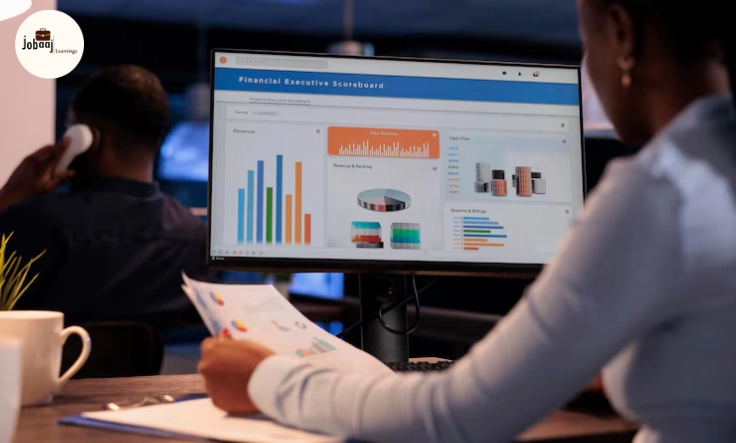
It was Sarah’s first week as a marketing manager at a fast-growing tech startup. She was handed a report filled with charts, graphs, and metrics, but when she looked at the dashboard, she felt completely lost. What was all this data telling her? How could she make sense of it? Sarah knew the numbers were important, but the real challenge was decoding them in a way that could drive her team’s strategy.
Exploring a career in Data Analytics? Apply Now!
As she spent more time reviewing the reports, Sarah realized that data wasn’t just a collection of numbers. The dashboard and reports told a story—a story that required understanding the context, trends, and relationships between the different data points. Slowly but surely, Sarah transformed from a confused manager to someone who could interpret dashboards and reports like a pro.
This blog will walk you through how to interpret dashboards and reports effectively, whether you are a newbie or someone looking to hone your analytical skills. By the end, you’ll be able to read and analyze data with confidence and ease.
What Are Dashboards and Reports?
Before we dive into interpreting dashboards and reports, let’s clarify what they actually are. In the world of business, data is often presented in two common formats:
-
Dashboards: These are interactive visual displays of key metrics and data points, designed to give a real-time overview of your business performance. Dashboards usually feature graphs, charts, and KPIs (Key Performance Indicators) to quickly highlight trends and areas needing attention.
-
Reports: These are more detailed documents that provide in-depth analysis of data over a specific time period. They may contain tables, detailed breakdowns, and narrative explanations of the data, making them great for making strategic decisions or deeper analysis.
Both are used for the same purpose: to present data in a structured, actionable way, but each serves a unique role in business decision-making.
Understand the KPIs and Metrics
When you look at any dashboard or report, it’s important to first identify the KPIs (Key Performance Indicators) and metrics. These are the values that represent the most important data points for your business, and they tell you if you’re on track to meet your goals.
For example, in sales dashboards, you might see KPIs such as:
-
Total Revenue
-
Sales Growth Rate
-
Customer Acquisition Cost
Once you know the KPIs, you can start to understand what the data is trying to tell you. Are the numbers higher or lower than expected? What actions can be taken based on these metrics?
Spot Trends and Patterns
Dashboards and reports are rich with visual data—and visuals are incredibly powerful when it comes to spotting trends and patterns. Look for any consistent movements in the data that can help inform your decisions.
For instance, if you see a sharp decline in website traffic over a few months on a marketing dashboard, it’s a clear red flag that something is wrong. Alternatively, if sales are steadily growing over several quarters, this is a positive trend.
Key techniques for identifying trends:
-
Look at time series data: Does the data show a steady increase or decrease over time?
-
Compare periods: Compare this month’s performance with the previous month, quarter, or year.
Drill Down for Deeper Insights
Dashboards give you a snapshot of data, but reports are where you can get more granular insights. When looking at a report, it’s essential to drill down into the details to find out why a particular metric is behaving the way it is.
For example, if sales revenue has increased but you don’t know why, look at the data in more detail:
-
Which products are driving the increase?
-
Is it due to a specific region or marketing campaign?
By drilling down into the root causes, you can better understand the factors influencing your metrics and make more informed decisions.
Use Data Visualization to Make Sense of Complex Data
Visualizations are an important part of dashboards and reports. They turn raw numbers into something easier to understand. Charts and graphs are incredibly useful, but only if you interpret them correctly.
Here’s how to read some common types of data visualizations:
-
Bar Charts: Great for comparing different categories (e.g., sales by region).
-
Line Graphs: Useful for showing trends over time (e.g., monthly sales trends).
-
Pie Charts: Help you visualize proportions (e.g., market share).
Always keep in mind that data visualization should make the data easier to interpret, not more complicated.
Create Actionable Insights
Once you understand the data, it’s time to turn it into actionable insights. The goal of interpreting dashboards and reports is to use the information to drive better decisions.
For example, if a dashboard reveals that customer satisfaction has decreased, you may decide to investigate customer feedback and implement changes to improve your service. Or if your marketing report shows that paid ads are driving traffic but not converting into sales, you may need to adjust your marketing strategy.
The ultimate goal is to make data-driven decisions that can lead to better outcomes.
Conclusion: Mastering Dashboards and Reports
Interpreting dashboards and reports effectively is a crucial skill in today’s data-driven world. By understanding KPIs, spotting trends, drilling down for insights, and using visualizations to your advantage, you can transform data into actionable insights that lead to better decision-making. Whether you are in marketing, sales, or any other department, these skills will help you navigate and leverage data in a way that leads to success.
With practice, you’ll become a data interpreter who can read between the lines of any dashboard or report, and use that knowledge to help your business thrive.
Dreaming of a Data Analytics Career? Start with Data Analytics Certificate with Jobaaj Learnings.
Frequently asked questions
What is the purpose of a dashboard in business?
A dashboard provides a quick and interactive overview of key performance indicators (KPIs) to help businesses make data-driven decisions and track performance over time.
How can I spot trends in dashboards?
Look for patterns, such as consistent increases or decreases, over time. Compare data points across different periods to identify significant changes or trends.
What tools can I use to create dashboards and reports?
Popular tools for creating dashboards and reports include **Tableau**, **Power BI**, **Google Data Studio**, and **Excel**. These tools offer various features for creating **interactive visualizations**.
How do I make sense of complex data in reports?
Focus on the key metrics, use visualizations like graphs and charts to simplify the data, and look for significant trends or insights that can inform your decision-making.
Why are KPIs important in reports and dashboards?
KPIs are critical because they help measure business performance against set goals, providing a clear picture of whether a business is on track or needs adjustments.
Can dashboards be used for real-time decision-making?
Yes, dashboards are often used for real-time decision-making as they provide **live data** that can help businesses quickly adjust strategies or tactics based on current performance.

Join 5,00,000+ Subscribers
Be a part of our ever growing community.