Categories





/content/learnings/assets/header/ManagementConsulting.svg)
/content/learnings/assets/header/InvestmentBanking.svg)










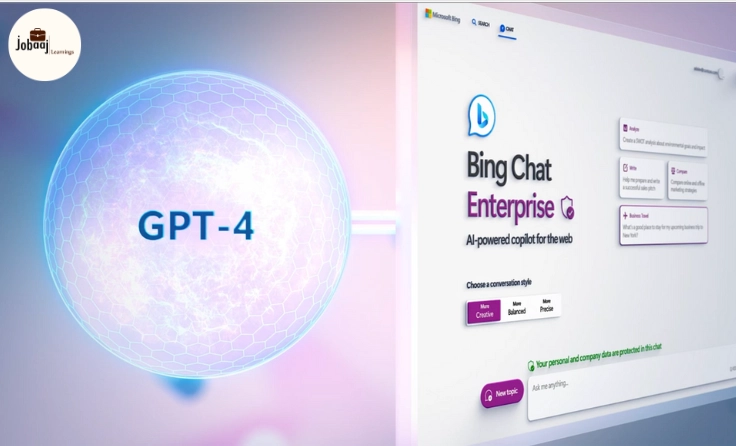
Imagine a world where you can ask your favorite search engine not just for information, but for personalized help, smart suggestions, and insightful conversations. Well, that world is here with Bing Chat powered by GPT-4!
Exploring a career in Web Development? Apply now!
It’s not just a search engine; it’s your personal assistant that understands context, provides detailed responses, and adapts to your needs. Whether you’re a curious user or a tech enthusiast, using Bing Chat with AI and GPT-4 can completely change the way you interact with the web.
How Bing Chat and GPT-4 Work Together:
Bing Chat integrates the latest version of OpenAI’s GPT-4 to provide users with highly interactive and insightful chat experiences. GPT-4 is the cutting-edge language model that can understand and generate human-like text based on the input it receives. When combined with Bing’s robust search capabilities, it offers a seamless blend of conversational AI and powerful search results.
1. Using Bing Chat with GPT-4:
To start, you need to access Bing Chat through the Microsoft Edge browser or the Bing app. Once you're on the platform, you can type your query or even ask more conversational, open-ended questions. For example, instead of simply asking “Who is Albert Einstein?” you can ask, “Can you tell me about Albert Einstein's contributions to physics and how they affect modern science?”
Bing Chat will respond with more than just a simple answer—it will provide context, explain related concepts, and even ask if you'd like to know more, keeping the conversation flowing naturally.
2. Features of GPT-4 in Bing Chat:
-
Contextual Understanding: Unlike previous AI models, GPT-4 can process complex queries with multiple parts. It remembers the context throughout the conversation, allowing for deeper and more meaningful interactions.
-
Personalized Responses: GPT-4 tailors its responses based on your previous questions, making each interaction feel more human-like.
-
Multimodal Abilities: It can handle a mix of text and image inputs, offering more dynamic ways to present information.
3. Integrating Bing Chat with Your Daily Life:
Bing Chat can become a valuable assistant in your daily tasks. Whether you're brainstorming ideas for a new project, seeking detailed explanations of technical topics, or just looking for recommendations, this AI can help. For instance, it can help you draft emails, solve math problems, generate code snippets, or even give life advice based on the context of your conversation.
The Benefits of Using Bing Chat with GPT-4:
There are several key benefits of using Bing Chat integrated with GPT-4:
-
Enhanced Search Capabilities: GPT-4’s deep learning model enhances Bing’s search engine results by understanding user intent better and providing more accurate answers.
-
Productivity Boost: With AI-powered chat, users can perform tasks more efficiently—whether it’s organizing thoughts, finding relevant data, or automating simple tasks.
-
Improved Engagement: The chatbot's conversational abilities keep users engaged and make interacting with search engines more enjoyable.
Challenges to Consider:
While Bing Chat with GPT-4 offers many advantages, it’s important to recognize some potential challenges:
-
Reliability: Although GPT-4 is advanced, it may not always provide accurate or fully reliable information. It's still important to verify facts through trusted sources.
-
Complexity: For users unfamiliar with AI or chatbots, it might take some time to adapt to the conversational format, especially with more advanced queries.
Conclusion:
Bing Chat powered by GPT-4 is transforming the way we interact with search engines and AI. Whether you're using it for work, learning, or personal assistance, this tool opens up new possibilities for smarter, more effective communication. As AI continues to evolve, Bing Chat and GPT-4 will undoubtedly become even more intuitive, making them essential tools in navigating the digital world.
If you haven’t yet tried Bing Chat with GPT-4, it’s time to dive in and experience the next generation of conversational AI!
Dreaming of a Web Development Career? Start with Web Development Certificate with Jobaaj Learnings.
Frequently asked questions
How do I access Bing Chat with GPT-4?
To access Bing Chat with GPT-4, you need to use the Microsoft Edge browser or the Bing app. Ensure you’re logged into your Microsoft account and you’ll have access to the chat feature directly on the Bing search page.
Can Bing Chat provide personalized recommendations?
Yes! Bing Chat with GPT-4 can offer personalized recommendations based on your previous questions and interactions. It adapts its responses according to your preferences, making the conversation more relevant and useful.
Is Bing Chat free to use?
Yes, Bing Chat with GPT-4 is free to use, but it may require you to be logged into your Microsoft account. Some features might be available only to specific users based on account type or availability in your region.
How accurate are the answers from Bing Chat?
Bing Chat powered by GPT-4 is highly accurate but not infallible. While it can handle complex queries, it's always best to verify critical information from trusted sources.
Can Bing Chat help with coding or technical questions?
Yes, Bing Chat can assist with coding problems and technical questions. GPT-4 can generate code snippets, explain complex algorithms, and even debug issues based on your queries.
Does Bing Chat support multiple languages?
Yes, Bing Chat supports multiple languages. GPT-4 is capable of understanding and responding in various languages, making it accessible to a global audience.

Join 5,00,000+ Subscribers
Be a part of our ever growing community.