Categories














/content/learnings/assets/header/ManagementConsulting.svg)
/content/learnings/assets/header/InvestmentBanking.svg)



























/content/learnings/assets/header/programs/1.png)
/content/learnings/assets/header/programs/4.png)

Top 10 Tools for Data Analysis: Features, Benefits, and Why to Use Them

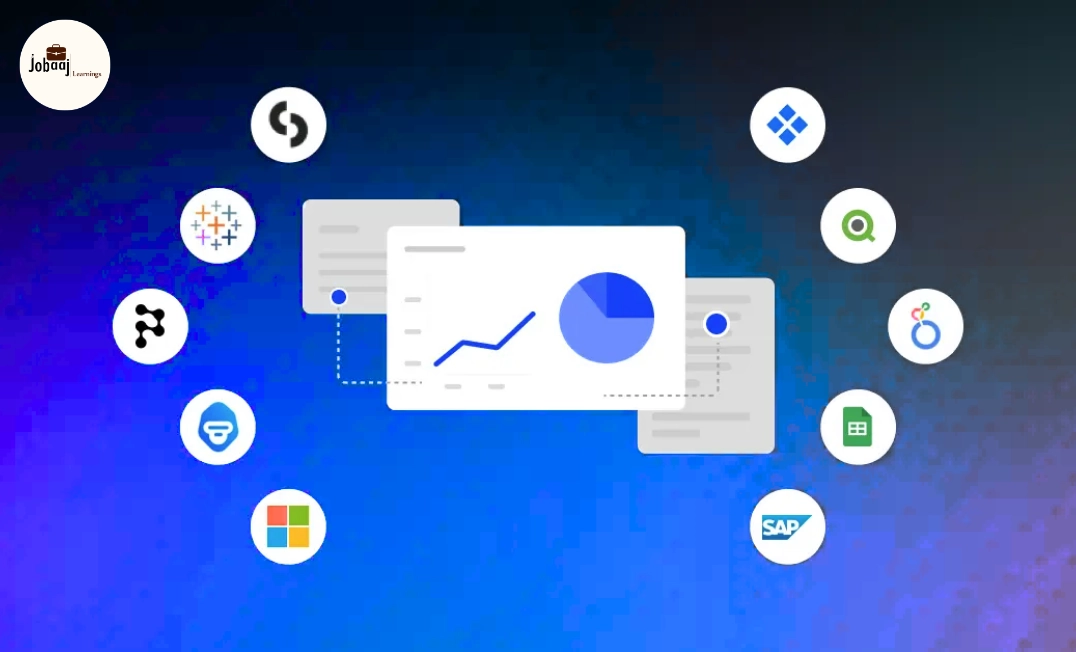
In the world of data analysis, choosing the right tools is everything. With the sheer volume of data available today, the ability to process, interpret, and visualize it efficiently is crucial. Whether you're an experienced data analyst or just starting, the tools you use will shape the way you work, the speed of your insights, and the quality of your decisions.
Exploring a career in Data and Business Analytics? Apply Now!
But how do you know which tool to use, and more importantly, why do certain tools shine in specific areas of data analysis? In this article, we’ll explore the best tools for data analysis, break down their key features, and explain when and why each tool should be your go-to solution.
By the end of this, you’ll know exactly which tool is best suited for your data analysis tasks and how to get the most out of each one.
The Top Tools for Data Analysis
When it comes to data analysis, there isn’t a one-size-fits-all solution. The choice of tool depends largely on the type of data you're analyzing, the complexity of the task, and your level of expertise. Here are some of the most popular and widely used tools:
1. Microsoft Excel
Excel is probably the most common tool used by data analysts, and for good reason. It’s user-friendly, versatile, and powerful for a range of data tasks. From simple data cleaning to complex formulas and pivot tables, Excel is the go-to tool for anyone handling structured data.
Best for:
- Data manipulation
- Financial analysis
- Reporting and dashboards
- Quick data exploration
Excel is known for its accessibility and ease of use. Whether you’re working with large datasets or just performing basic calculations, Excel makes it easy to organize, analyze, and visualize data. It’s particularly effective when working with small to medium-sized datasets.
2. R
R is a programming language designed specifically for data analysis and statistics. It is one of the most widely used tools by statisticians, researchers, and data analysts due to its flexibility and comprehensive libraries.
Best for:
- Statistical analysis
- Data visualization
- Machine learning
- Advanced statistical modeling
R is perfect for those who need in-depth statistical analysis or advanced data visualization. Its huge community and open-source nature make it a versatile choice for complex tasks like time-series forecasting, regression analysis, and hypothesis testing.
3. Python
Python is an incredibly powerful and flexible programming language used by data analysts and data scientists alike. It has extensive libraries such as Pandas, NumPy, and SciPy, which make data cleaning, manipulation, and analysis a breeze.
Best for:
- Data cleaning and transformation
- Machine learning
- Automation of repetitive tasks
- Integration with databases and web scraping
Python's power lies in its simplicity and its extensive ecosystem of libraries. It's great for handling large datasets, running machine learning algorithms, and automating workflows. The Pandas library, in particular, is excellent for working with structured data.
4. Tableau
Tableau is a leading data visualization tool that allows users to create stunning, interactive dashboards. It is known for its drag-and-drop functionality and its ability to work with a variety of data sources, making it incredibly popular among business analysts.
Best for:
- Data visualization
- Business intelligence dashboards
- Interactive reporting
Tableau is ideal for visualizing data and presenting insights in an easy-to-understand format. If you’re looking to create powerful reports or dashboards that can be easily shared with stakeholders, Tableau is the way to go. It can also integrate with multiple data sources, making it versatile.
5. SQL
SQL (Structured Query Language) is the standard language used to communicate with and manage databases. For data analysts working with relational databases, SQL is a must-have tool. It allows you to query, manipulate, and analyze large datasets stored in databases.
Best for:
- Data extraction from relational databases
- Data filtering and querying
- Combining and joining datasets
SQL is essential when working with large datasets stored in relational databases like MySQL, PostgreSQL, or Microsoft SQL Server. If you need to filter, sort, or aggregate large datasets efficiently, SQL is unbeatable.
6. Google Data Studio
Google Data Studio is a free tool that allows users to turn their data into customizable, informative reports and dashboards. It integrates seamlessly with other Google services, such as Google Analytics and Google Sheets.
Best for:
- Reporting and dashboards
- Google Analytics data visualization
- Collaborative data analysis
If you're already using Google Analytics or other Google services, Google Data Studio is a great option for creating easy-to-share, dynamic reports. It’s ideal for those who need to create visual reports without heavy coding.
7. Power BI
Power BI is a powerful business intelligence tool that helps you turn raw data into meaningful insights. Its integration with Microsoft tools and easy-to-use interface make it a popular choice for business analysts.
Best for:
- Business intelligence
- Creating interactive reports and dashboards
- Data analysis in organizations using Microsoft tools
Power BI is ideal for anyone in the Microsoft ecosystem, as it integrates seamlessly with Excel, SQL Server, and Azure. It’s especially useful for creating interactive and real-time dashboards that stakeholders can explore on their own.
8. SAS
SAS is a software suite used for advanced analytics, statistical modeling, and business intelligence. It has powerful capabilities for data management, predictive analytics, and operations research.
Best for:
- Predictive analytics
- Statistical analysis
- Data management and reporting
SAS is highly regarded for its strong statistical analysis capabilities. It’s particularly useful for large-scale predictive analytics and business intelligence tasks, making it popular in industries like healthcare, banking, and government.
9. Qlik Sense
Qlik Sense is a self-service data analytics tool that combines data exploration with powerful visualization features. It allows users to interact with data and discover insights without needing advanced technical skills.
Best for:
- Self-service analytics
- Business intelligence dashboards
- Interactive data exploration
Qlik Sense excels at providing businesses with interactive, visually rich analytics without relying on IT departments. It’s great for users who need flexibility in data exploration and insights, while still maintaining a high level of control over the process.
10. Apache Spark
Apache Spark is an open-source, distributed computing system designed for large-scale data processing. It’s particularly known for its ability to handle big data workloads and perform analytics in real-time.
Best for:
- Big data processing
- Real-time data analysis
- Machine learning
Spark is perfect for dealing with extremely large datasets. Whether you're analyzing streaming data in real time or performing complex machine learning tasks, Apache Spark provides the scalability and speed needed to handle big data.
Key Features to Look for in Data Analysis Tools
When choosing the right tool for data analysis, consider the following features:
- Data Manipulation: Tools like R, Python, and SQL are excellent for cleaning, transforming, and preparing data.
- Visualization: Tools like Tableau and Power BI excel in creating interactive and visually appealing dashboards.
- Integration: Make sure the tool can integrate with your data sources (e.g., databases, APIs, or cloud storage).
- Ease of Use: While tools like Python and R offer flexibility, tools like Excel and Tableau are often better for beginners and non-programmers.
- Collaboration: Tools like Google Data Studio and Tableau are designed for easy collaboration, allowing teams to share and interact with dashboards.
Conclusion
Choosing the right tool for data analysis is essential for maximizing your efficiency and the quality of your insights. Whether you’re working with small datasets in Excel, performing advanced statistical analysis in R, or building interactive dashboards in Tableau, the right tool can make all the difference.
Remember that each tool has its strengths, and often, the best analysts use a combination of these tools depending on the task at hand.
Aspiring for a career in Data and Business Analytics? Begin your journey with a Data and Business Analytics Certificate from Jobaaj Learnings.
Frequently asked questions
What are the best tools for data analysis?
The best tools for data analysis depend on your specific needs, but popular options include Excel for basic tasks, Python and R for programming-based analysis, and Tableau or Power BI for data visualization and reporting.
Which data analysis tool is easiest for beginners?
Excel is widely considered the easiest data analysis tool for beginners. It’s user-friendly and great for organizing, manipulating, and visualizing smaller datasets. For more complex tasks, Python and R can be learned as you progress.
Is Power BI better than Tableau for data visualization?
Both Power BI and Tableau are excellent tools for data visualization, but Power BI is better for users within the Microsoft ecosystem, while Tableau offers more advanced, customizable visualization options for complex data storytelling.
Can I use SQL for data analysis?
Yes, SQL is essential for data analysis when working with relational databases. It allows you to query, filter, and manipulate large datasets efficiently, especially when dealing with structured data.
How does Apache Spark help with big data analysis?
Apache Spark is designed for processing large-scale data. It can handle big data workloads, perform real-time data analysis, and run machine learning algorithms across distributed systems, making it ideal for large datasets.
Join 5,00,000+ Subscribers
Be a part of our ever growing community.