Categories








































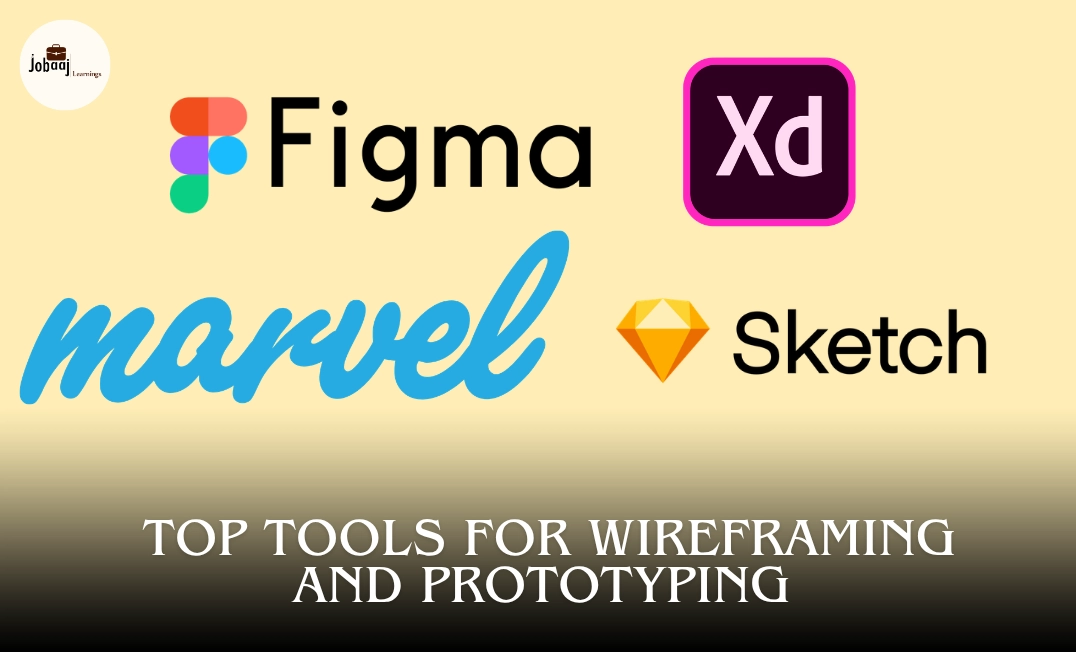
When it comes to designing websites or mobile apps, wireframing and prototyping are essential steps in the design process. They allow designers to translate ideas into visual concepts, create blueprints for user interfaces, and test user interactions before development begins.
Exploring a career in Web Development? Apply now!
The right tools make this process smoother, faster, and more collaborative. But with so many design tools available, it can be overwhelming to choose the best ones. Whether you are a beginner or a seasoned professional, this blog will walk you through some of the most popular wireframing and prototyping tools used by designers today, along with their key features, benefits, and how they can elevate your design workflow.
What Is Wireframing and Prototyping?
Before diving into the tools, let’s briefly define wireframing and prototyping:
Wireframing is the blueprint of a website or app. It’s a visual representation of the layout and structure, focusing on functionality and placement of elements without worrying about aesthetics or detailed design.
Prototyping, on the other hand, is a more interactive version of the wireframe. It allows designers to create clickable mockups that simulate user interaction, helping stakeholders visualize the flow and behavior of the app or website.
Wireframes are static and are often created in the early stages of the design process, whereas prototypes evolve as the design matures, allowing for more detailed interaction testing.
Top Tools for Wireframing and Prototyping
1. Figma
Figma is one of the most widely used tools for both wireframing and prototyping. It’s browser-based, making it incredibly accessible and great for real-time collaboration. Whether you’re working alone or with a team, Figma allows everyone to work on the same file simultaneously.
Features:
- Cloud-based: Accessible from anywhere, no installation needed.
- Real-Time Collaboration: Multiple team members can work on the same design at the same time.
- Prototyping: You can create interactive prototypes directly within the app, allowing you to simulate navigation and interactions.
- Design Systems: Figma supports reusable components and design systems, streamlining the design process.
Due to its popularity and cloud-based nature, Figma content is easily searchable, and many professionals discuss it in online design communities, making it a great tool to integrate into SEO-rich content.
2. Sketch
Sketch is a well-known tool primarily for UI design and wireframing. It is widely favored by designers for its simplicity and efficiency in creating high-fidelity wireframes and interactive prototypes. Sketch is ideal for designing websites and mobile apps, but it’s only available on macOS.
Features:
- Vector-based: Ideal for creating sharp and scalable designs.
- Symbols and Components: Reusable elements for consistency across designs.
- Prototyping: Simple tools for linking screens and creating interaction flows.
- Plugins: Extensive library of plugins for design, prototyping, and workflow enhancement.
Sketch is a popular search term in the UI/UX design community, making it easy to target for SEO purposes. It’s great for content focused on macOS design tools or high-fidelity prototyping.
3. Adobe XD
Adobe XD is an excellent option for both wireframing and prototyping. Its integration with other Adobe tools (such as Photoshop and Illustrator) makes it a natural choice for designers who already use Adobe products. XD allows for high-quality design work while offering user-friendly features for prototyping.
Features:
- Integration with Adobe Suite: Seamless workflow with Photoshop, Illustrator, and other Adobe apps.
- Interactive Prototypes: Easily create interactive prototypes with transitions and animations.
- Auto-Animate: Create advanced animations between artboards, allowing for more dynamic prototypes.
- Collaboration: Share prototypes with team members for feedback or with clients for approval.
Adobe XD has strong brand recognition, and many designers and agencies write content around it. It's commonly searched for in content about prototyping software for designers or design tools for Adobe users.
4. InVision
InVision is another popular tool for creating interactive prototypes and wireframes. It’s designed to make collaboration easy, as it allows designers to create prototypes and share them with teams or clients for feedback. InVision also allows users to sync designs with tools like Sketch for a smoother workflow.
Features:
- Collaboration: Share prototypes with stakeholders and clients to gather feedback in real-time.
- Design Handoff: Developers can inspect designs and get all the necessary assets and specifications.
- Interactive Prototyping: Create interactive and clickable prototypes that simulate user flow.
- Comments and Annotations: Real-time feedback directly on the design files.
InVision is widely searched in the context of collaborative design tools and user interface testing, making it a great fit for SEO-focused content aimed at teams looking to improve their prototyping workflows.
5. Balsamiq
Balsamiq is one of the easiest tools for wireframing. It focuses on simplicity and helps create low-fidelity wireframes that simulate hand-drawn sketches. If your goal is to quickly visualize ideas and focus on layout, Balsamiq is the tool for the job.
Features:
- Drag and Drop Interface: Intuitive for beginners and fast to use.
- Low-Fidelity Wireframes: Focuses on the structure and layout of the interface, leaving out unnecessary details.
- Collaboration: Share wireframes easily with teams or clients for feedback.
- Easy Integration: Integrates with other tools like Jira for project management.
Balsamiq’s emphasis on quick, hand-drawn wireframes appeals to designers and teams working on early-stage projects, which makes it a great topic for SEO searches about early-stage wireframing.
6. Marvel
Marvel is an intuitive tool for wireframing, prototyping, and design collaboration. It’s known for its simplicity and quick learning curve, making it ideal for both beginners and experienced designers. Marvel allows you to create interactive prototypes and design in one unified platform.
Features:
- User-Friendly Interface: A simple drag-and-drop interface to create prototypes quickly.
- Real-Time Collaboration: Allows teams to collaborate and provide feedback in real-time.
- User Testing: Integrated testing features that allow you to collect feedback and analyze user behavior.
- Integration with Other Tools: Syncs well with tools like Sketch and Photoshop.
Marvel’s ease of use and fast prototyping capabilities are often sought after by new designers and design teams, making it a good fit for keywords around quick prototyping and easy wireframing tools.
7. Axure RP
Axure RP is a powerful tool for creating both high-fidelity wireframes and interactive prototypes. Unlike many tools that focus on visual design, Axure focuses more on adding functionality to prototypes, making it an excellent choice for advanced prototyping.
Features:
- Advanced Interactivity: Allows for the creation of complex, interactive prototypes with conditional logic, variables, and dynamic content.
- Responsive Design: Ability to design for multiple screen sizes and devices.
- Collaboration: Teams can work together in real-time, sharing and editing files.
- High-Fidelity Prototyping: It’s ideal for prototyping not only the design but the behavior of the app/website.
Axure is typically searched by professionals looking to create detailed and interactive prototypes, making it a great fit for advanced wireframing tools and interactive prototyping queries.
8. Framer X
Framer X offers a unique approach to design and prototyping. It is a tool that allows you to design interactive, high-fidelity prototypes, combining design with real code. Framer X is popular for those who want a more dynamic, developer-friendly tool that supports both design and coding.
Features:
- Real Code: Allows designers to use React components in prototypes, making the design process closer to the final product.
- Interactive Prototypes: Easy to create interactive designs with smooth transitions and animations.
- Design to Code: Framer X bridges the gap between design and development by enabling developers to directly use design components in their code.
- Responsive Design: Supports designing for multiple devices and screen sizes.
As a design-to-code tool, Framer X often targets developers and advanced designers, making it a fit for prototyping with React and interactive design tools searches.
9. Proto.io
Proto.io is another fantastic tool for creating interactive prototypes without writing any code. It's a comprehensive tool that is known for being user-friendly and is often used by teams working on prototypes that require feedback before development.
Features:
- Drag-and-Drop Interface: Allows users to create interactive prototypes without coding.
- Collaboration: Enables real-time collaboration and easy sharing of prototypes with clients and stakeholders.
- High-Fidelity Prototypes: Create realistic prototypes that are almost indistinguishable from the final product.
- User Testing: Built-in features for user testing and collecting feedback during the prototype phase.
Proto.io is popular among non-technical users and design teams looking for easy-to-use tools for creating interactive prototypes, making it ideal for targeting searches related to easy-to-use prototyping tools.
10. UXPin
UXPin is another powerful tool for creating high-fidelity prototypes with advanced functionality. It is often used by teams that need to design and test complex interactions and workflows. UXPin allows for seamless collaboration between designers, developers, and other stakeholders.
Features:
- Advanced Interactions: Allows designers to create interactive prototypes that mimic real user interactions, including hover states, transitions, and gestures.
- Design Systems: UXPin supports design systems and reusable components, which is crucial for maintaining consistency across larger projects.
- Code-Based Components: Offers the ability to incorporate real code into the design, bridging the gap between design and development.
- Collaboration: Teams can work together on the same design, leave comments, and track changes in real time.
UXPin appeals to designers working in collaborative environments and those working on complex prototyping, which makes it a strong candidate for advanced prototyping and interactive design tools queries.
Conclusion
Choosing the right tool for wireframing and prototyping depends on your project’s needs, team dynamics, and the level of fidelity you require. Each tool offers unique features that cater to different aspects of the design process, from early-stage wireframing to detailed prototyping.
Ultimately, the best tool is the one that allows you to communicate your ideas effectively, streamline your workflow, and collaborate efficiently with stakeholders. Each tool mentioned here has its strengths, so experimenting with them and determining what works best for you and your team is key to creating the most user-friendly and engaging website or app.
Dreaming of a Web Development Career? Start with Web Development Certificate with Jobaaj Learnings.
Frequently asked questions
What are the best tools for wireframing and prototyping in 2026?
The best wireframing and prototyping tools for 2026 include Figma, Adobe XD, Sketch, InVision, and Balsamiq. Each of these tools offers unique features to cater to different needs in the design process, from creating wireframes to developing interactive prototypes.
What is the difference between wireframing and prototyping?
Wireframing is the process of creating low-fidelity sketches to outline the structure and layout of a website or app. Prototyping, on the other hand, is creating interactive mockups that simulate how the final product will function. Prototypes are more advanced and allow for user testing and feedback.
Which wireframing tool is best for beginners?
Balsamiq is an excellent choice for beginners due to its simple, drag-and-drop interface and focus on low-fidelity wireframes. It allows you to quickly visualize ideas without getting bogged down in details.
Can I use Figma for both wireframing and prototyping?
Yes, Figma is an all-in-one tool that allows you to create both wireframes and interactive prototypes. It is especially popular for its real-time collaboration features, making it a great option for teams working together on design projects.
What makes Adobe XD unique for prototyping?
Adobe XD offers advanced prototyping features like Auto-Animate, which helps create smooth transitions between screens. It also integrates seamlessly with other Adobe products, making it a great choice for designers already using the Adobe suite.
What is the best wireframing tool for high-fidelity designs?
Sketch and Adobe XD are both excellent for creating high-fidelity wireframes and prototypes. They offer powerful design features and are widely used by professionals in the industry for more detailed design work.
Which prototyping tools are best for mobile app design?
Figma, Adobe XD, and InVision are excellent choices for mobile app prototyping. They allow for the creation of interactive and realistic prototypes, simulating real user interactions on mobile devices.
Can I collaborate with others while using these tools?
Yes, tools like Figma, InVision, and Adobe XD allow real-time collaboration with your team. You can share designs and prototypes, gather feedback, and make updates seamlessly across multiple team members, improving the overall workflow.
Are there any free wireframing tools available?
Yes, Figma offers a free plan that includes wireframing and prototyping capabilities. Balsamiq also offers a free trial, making it accessible to those who are just getting started with wireframing and prototyping.
How do I choose the best prototyping tool for my project?
Choosing the best prototyping tool depends on your project's complexity, your team’s workflow, and the fidelity required for your prototypes. Figma and Adobe XD are great for collaborative, high-fidelity prototypes, while Balsamiq is ideal for quick wireframing with a low-fidelity approach.

Join 5,00,000+ Subscribers
Be a part of our ever growing community.